





loading

Godot 4.7 Release

Lights, Camera, Action!

Download Godot 4.7

Like a cult classic movie, Godot 4 has only gotten better with age. The first few releases focused on stability, granting the engine a rock-solid foundation that could be safely and easily iterated upon. Gradually, this has shifted more towards polish and quality-of-life, peaking in Godot 4.6 giving developers the tools to put them and their workflow first.

This brings us to Godot 4.7. With 3 years under its belt, the 4.7 Director’s Cut offers colors of never-before-reached intensity. HDR output radiates bold and brilliant new hues, allowing your projects to shine like never before. Inject some juice to your UI without breaking a sweat using the new Control offset transforms. Find the plugin that will help push your game even further with the new Asset Store, bask in the ease of creation with standalone Android exporting and publishing, and helm a bevy of new features to eliminate any remaining friction between you and your vision.

Migrating to a new version

Before transitioning your existing projects to Godot 4.7, carefully read through our migration guide to learn about breaking changes.

Godot is made possible by your donations
Join the Development Fund

Highlights

AreaLight3D, a new node for rectangular light sources

Do you think light can bloom even on a battlefield?

Soft radiating glows from humming TV screens, illuminated billboards in vibrant cityscapes, and ominous light through frosted windows are now achievable with rectangular area lights.

You no longer need to use an emissive material combined with Global Illumination to simulate a glowing area. By leveraging the new AreaLight3D, it is now possible to render real-time light from a rectangle in 3D space. Rectangular area lights can create softer shadows and more realistic reflections for your scenes.

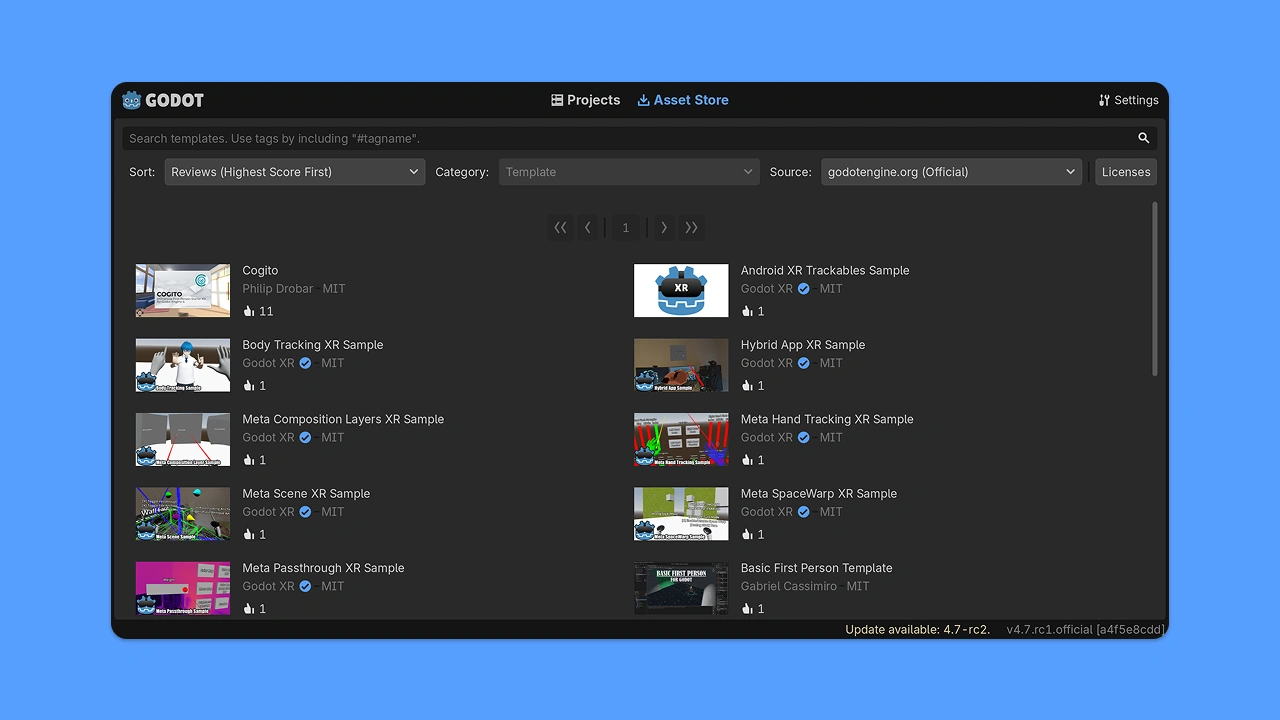
Enter the Asset Store

Got a selection of good things, stranger!

The Asset Library did its job and it was really useful. But it’s now time for it to make way for the new Asset Store.

The new update adds some changes to make browsing assets easier and more enjoyable! We’ve polished how asset items are displayed and you can now zoom asset preview images. But, maybe that doesn’t catch your eye; what if we told you that you can now see the asset ratings? Were you lost in a field of endless plugins? Unsure how to navigate among the field of tall assets? Well, look no further, now from right within the store.

Behind the scenes, we have also introduced threading. This means the Asset Store can perform certain tasks in the background without blocking the editor’s main user interface. Now while you’re exploring your organized assets, you’ll also know there’s someone paving a path and clearing brush quietly in the background, making it that much easier for you to get the lay of the land.

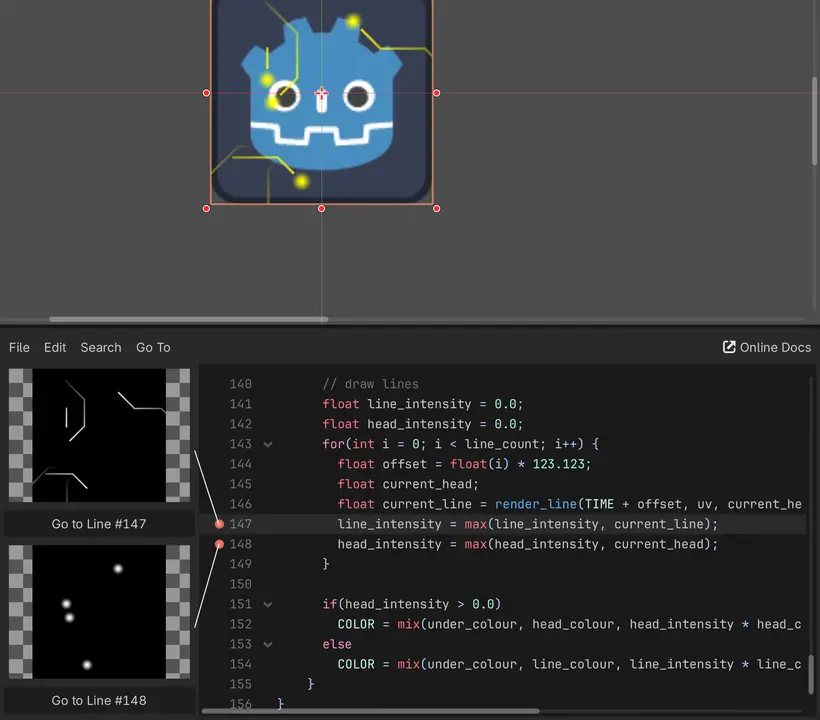
Inline previews of text-based shader operations

I don’t even see the code. All I see is fresnel, albedo, occlusion.

We’ll keep going with this field imagery. Imagine you’re in a field. In the far distance, you see a lone developer, hunched over their laptop. You intuitively yell through the tall grass, “VEC2 V4 = UV;”!! The developer victoriously pumps their hand in the air, but in your heart you know you’ll need to see the results for yourself. You tread through the field, and at last, gasping for air, you look over the lone developer’s shoulder to witness your creation.

With inline text shader previews, the treacherous journey is over.

Right as you type vec2 v4 = UV;, you can now preview Godot text shaders within the editor in real-time. Back in the day, you would have needed to compile a shader and view it separately in the workspace. But thanks to the long-awaited quality-of-life addition to the text shader editor, you will actually be able to preview the shader and what it will do, in the moment, as you’re working on the shader from within the editor!

Offset transform of Control nodes

Transform the way you design GUIs

One of the most long-awaited features in Godot’s GUI system has been to be able to translate, rotate, or scale a Control node without it affecting the rest of the container. This is most notably used for animation purposes, so that buttons can smoothly slide into view or fade away with a scale change.

However, Godot’s various Container nodes apply their position, rotation, and scale to their children, which means any changes made to the children’s transform is lost when the container is sorted again (which occurs when children are added, removed, or moved in the scene tree). Control’s new offset_transform_* properties aim to address this limitation in a self-contained manner, similar to the CSS transform property.

You can choose whether the transform offset affects mouse input. By default, transform offset is purely visual, which means there is no risk of buttons losing their hover status after being transformed.

Creating games entirely on Android

The power is in the palm of your hand

Developing on Android and XR has been possible for a while, and with the stable release of the Godot Android Build Environment (GABE), developers can now export and publish their games as well!

GABE is a companion app to the Godot Android editor that developers can download for Gradle export support.

Godot 4.7 sees some QOL improvements to better integrate and leverage GABE on Android devices.

Drawing on a texture has never been this easy

There are no mistakes here, only happy accidents

After a long wait, we’re excited to share that it is now possible to easily draw on a texture!

Previously, there were some hacky solutions through using a Viewport, but they were limited and costly when handling more complex tasks. For those who were comfortable dissecting and getting into the guts of the engine, RenderingDevice allowed for an even more complex solution.

However, now we have something much more accessible: a solution in the form of ✨⁠DrawableTexture2D⁠✨. It’s a simple API layer that abstracts away all the technical noise and gives users of all skill levels an approachable way to draw on textures!

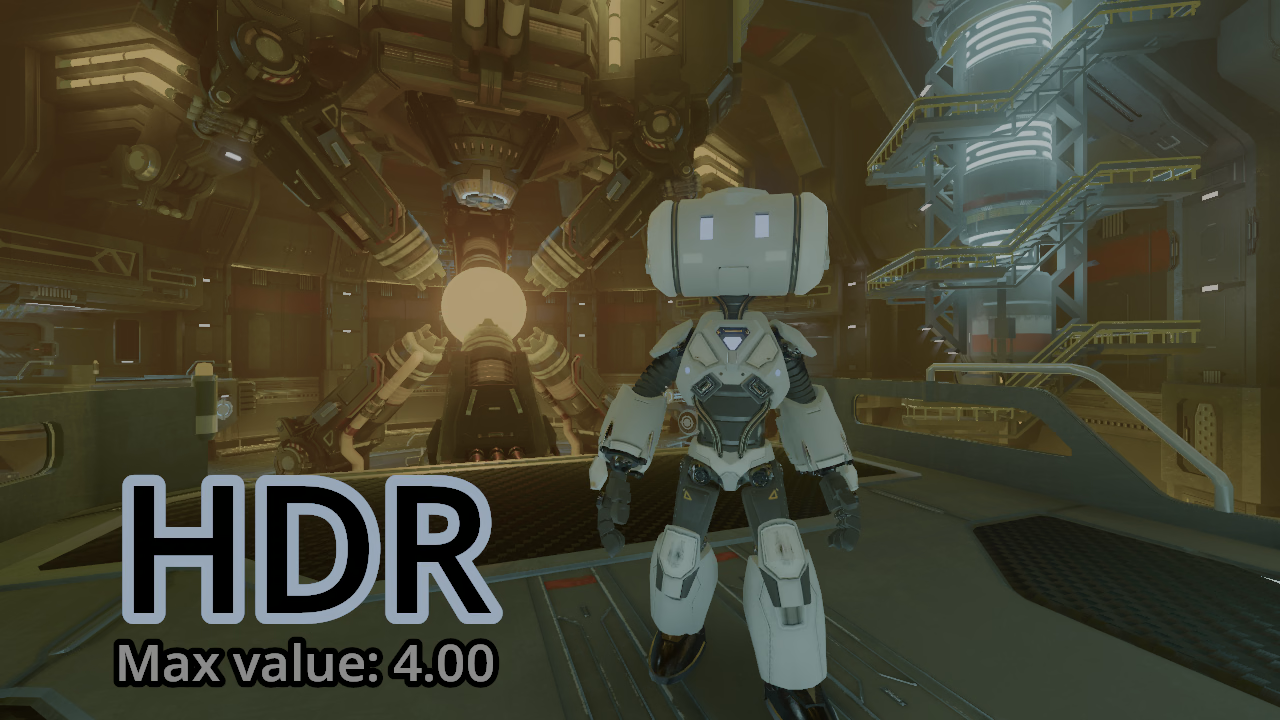
HDR
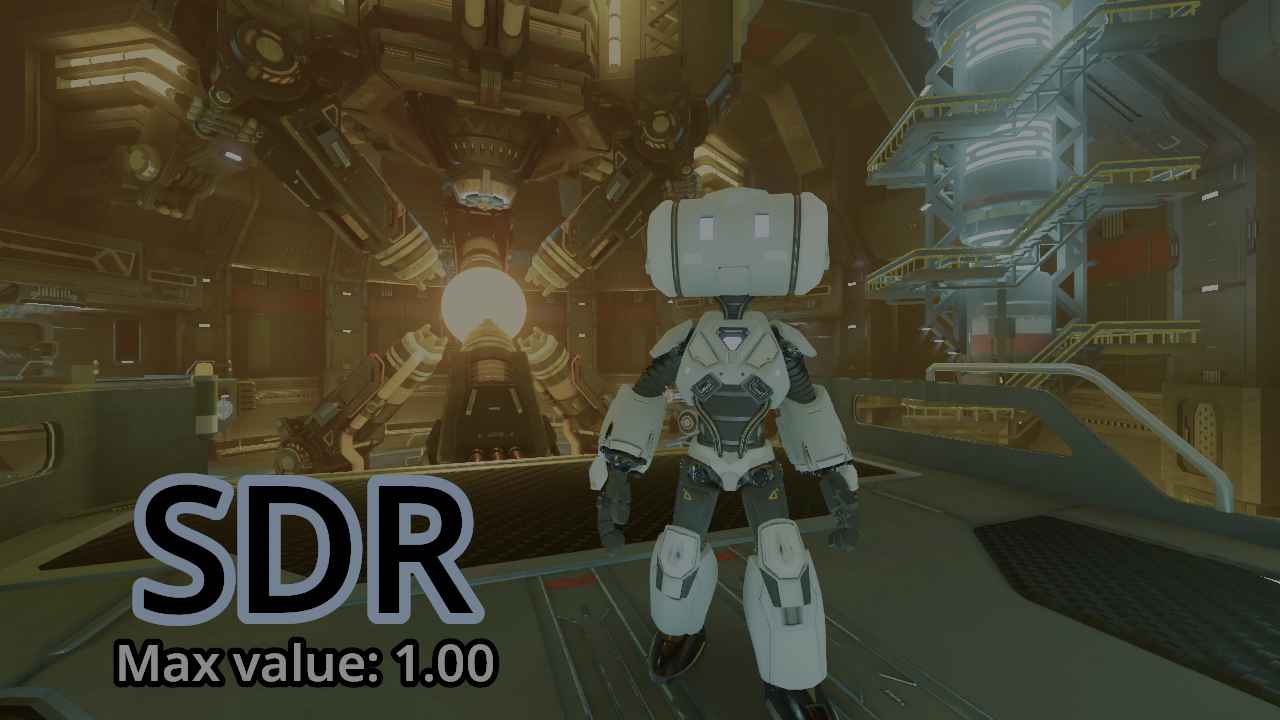
SDR

HDR output support

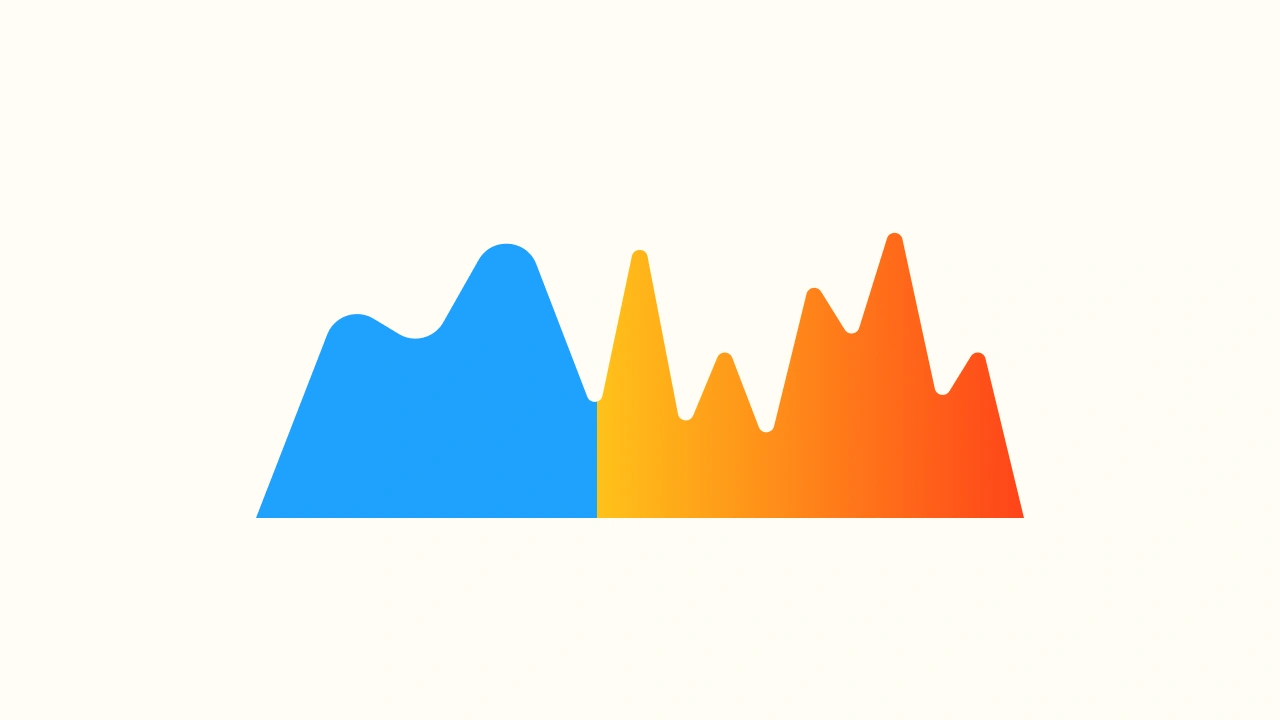
This baby can take temperatures up to 10⁠,⁠000 nits!

Your Godot project just got a huge upgrade in range and color with high dynamic range (HDR) output support. Imagine vibrant colors and ultra-bright special effects for both 2D and 3D scenes!

HDR is a method of saving, processing, or displaying colors that are as bright or as dim as you can imagine. Godot has internally rendered lighting in HDR for a long time, but the full detail can’t be seen with the existing SDR output mode. Using HDR output allows the player to see more of this internal HDR simulation and also allows game developers to make full use of the screen’s capabilities for all 2D and 3D visuals.

HDR output has been made possible for Windows, macOS, iOS, visionOS, and Linux (Wayland) in Godot 4.7. Read the detailed write-up on how HDR output was implemented in Godot to learn more.

Please note that, depending on the browser you are using, the HDR preview may appear differently or may not be supported (for example, Firefox does not support HDR images).

General

3D

Path3D points can now snap to colliders

Anchor up!

Ever wondered why Path3D points never seemed to snap where you wanted them to? That’s because they snap to the camera plane by default, which is essentially an imaginary flat plane at a fixed distance from the camera.

We now added an option to snap path points on colliders instead.

New vector measurement tool for the 3D editor ruler

The ruler’s got new tricks

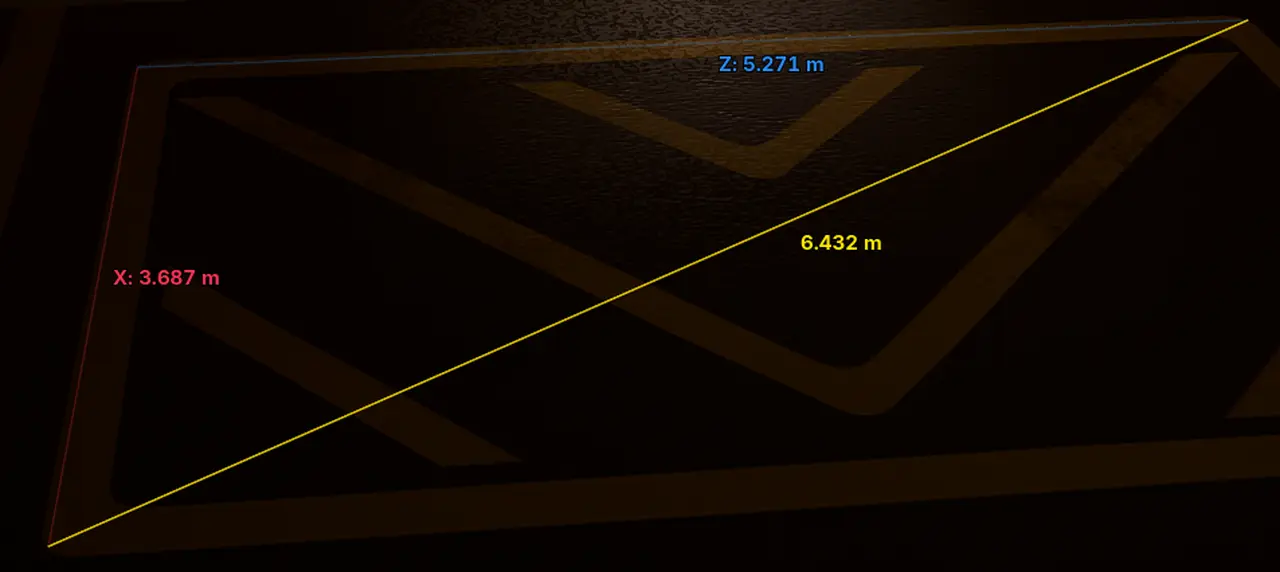
The 3D editor’s ruler tool can now display lengths for each axis. This makes it easier to measure multiple lengths in one go, such as measuring the size of a rectangular region in the 3D world.

To make use of this feature, switch to the Ruler mode at the top of the 3D editor, hold down Shift, then press and hold the left mouse button to draw a line. While Shift is held, individual vector components are displayed.

Automatic smoothing option for CSG nodes

You’ve been hit by… a smooth C’G node

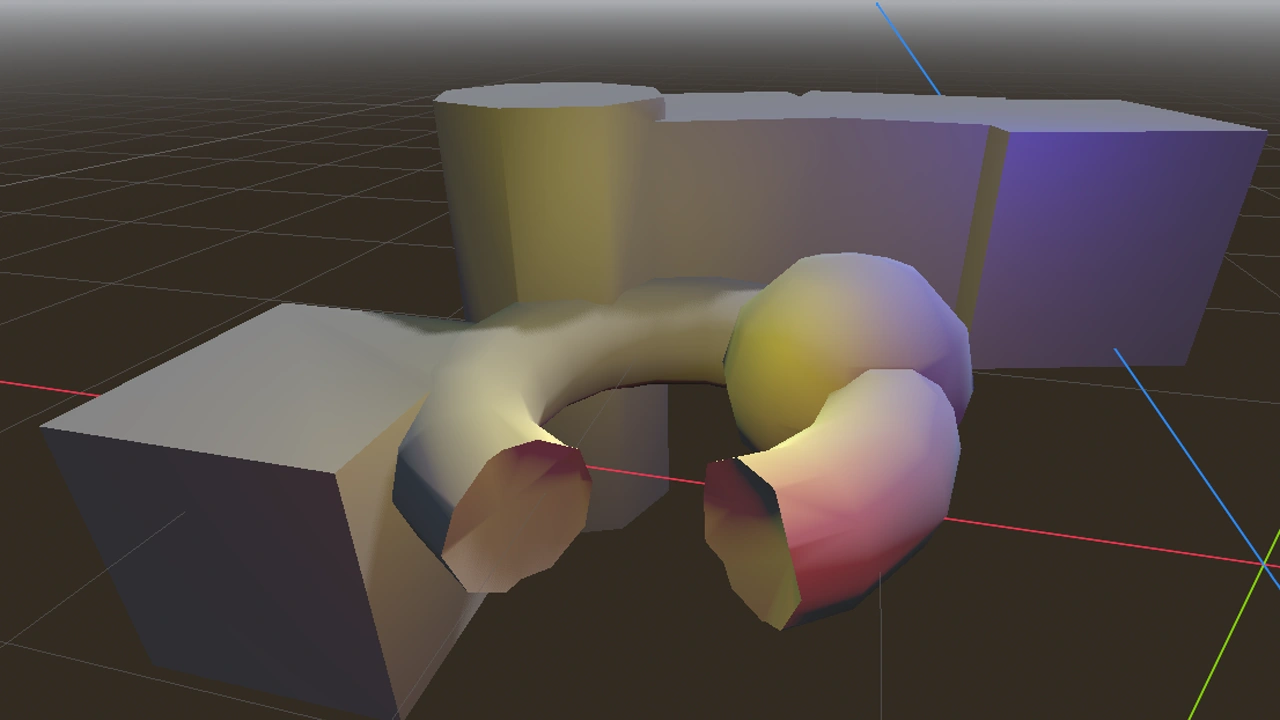
When creating geometry with CSG nodes, they inherit the smooth/sharp faces from the original mesh data. This is not always suitable, as it can lead to curves being made of sharp faces depending on how they were constructed.

Enabling the new Autosmooth property on a root CSG node will automatically assign smooth or sharp faces according to the Smoothing Angle property (which defaults to 50 degrees). Higher values will smooth faces more aggressively.

3D vertex snapping

On point

Placing meshes in a scene in the Godot editor used to be tedious. There wasn’t any way to tell it to place the edge of a level mesh flush to the tip of the one already present.

But now, while holding the new Vertex Snap shortcut (B by default), the editor will highlight the nearest vertex on the selected node’s geometry. This selection can then be clicked and dragged to other vertices on other meshes.

2D

VIDEO
@szunami

One-way collision support for CollisionShape2D

A one-way ticket for 2D platformers

Creating one-way collisions for your platformers (and more!) is now easier than ever! With the new one_way_collision_direction property of CollisionShape2D, you’re now able to set the one-way collision direction to any direction, relative and local to the shape.

Previously, it was assumed that the one-way direction was locally up relative to the CollisionShape2D shape. People resorted to changing the shape itself in order to edit the one-way direction. This painful workaround is no longer needed.

You can even make the one-way direction global (making the one-way direction constant) even if the collision shape itself rotates, using global_transform.basis_xform_inv().

GradientTexture2D now able to generate conic gradients

Everything the gradient touches is our kingdom

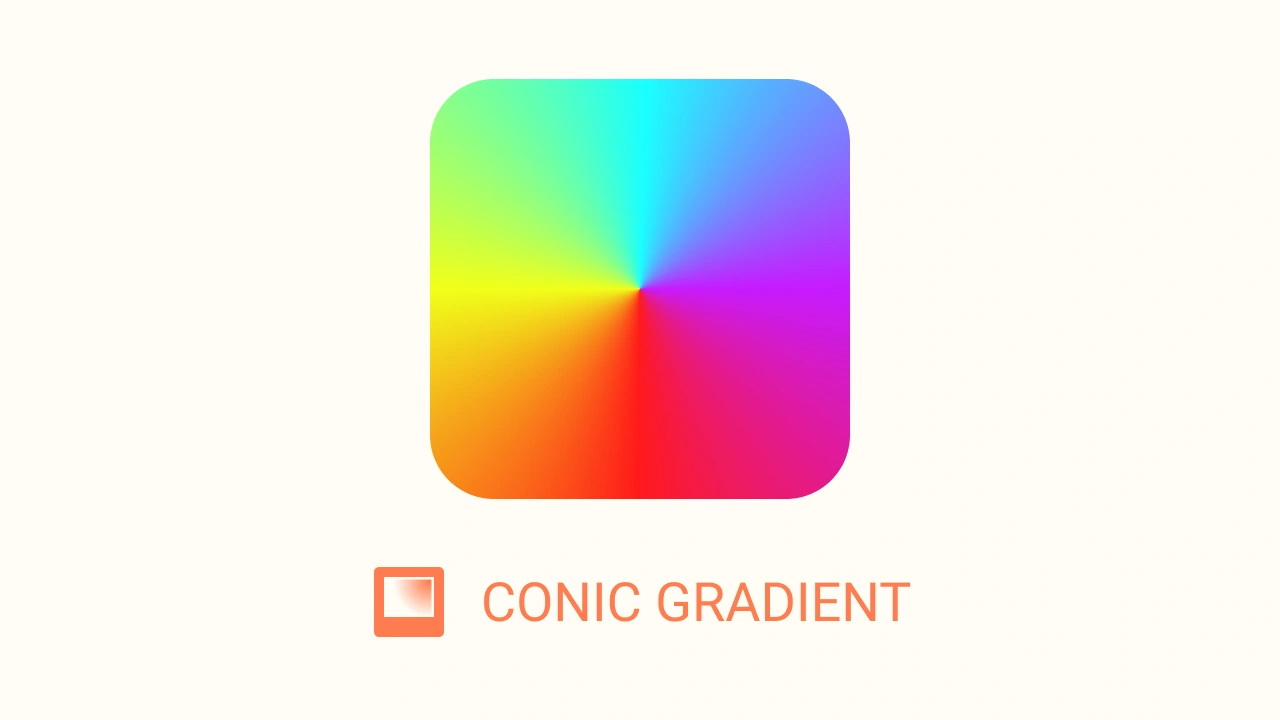
FILL_CONIC was newly added to GradientTexture2D, enabling the use of CSS-style effects. This is particularly useful in custom 2D shaders to simulate surfaces with realistic, 3D-like shading.

GUI

VIDEO

Improved Tree drag and drop

Easy as one-two-tree!

It’s now way more intuitive (and thus easier) to reorder items in Tree nodes, thanks to the new drop position indicator.

You will certainly appreciate this change when reordering your nodes in the editor.

Font-size aware RichTextLabel images

With big fonts come big images

While RichTextLabel offered a way to adjust font and image sizes, you still needed to manually set the size of images to match the text.

Thanks to this new feature, you can now resize images relative to the font size automatically. For example, [font_size=40]Example: [img height=1em]example.png[/img][/font_size] will render the image example.png at a size that matches the parent font size.

Landmark navigation for enhanced accessibility

You are here 👇

The focused element of a user interface can move in unexpected ways. While we introduced screen reader support in 4.5, it lacked the ability to provide context information in some cases. While a line input could be set to describe a “name” field, it doesn’t help if you don’t know what it is the name of.

By introducing landmark navigation, the screen reader can give some context information once you enter the perimeter of a landmark, such as telling the screen reader user that the focus is currently in the Inspector, on the name field.

Bilinear
Nearest
@Hugo Locurcio

New nearest-neighbor scaling option for viewports

Draw me like one of your PS1 girls

For 3D games with a retro art style, or when you want to maximize crispness when using a low-resolution scale for performance reasons, you can now use nearest-neighbor filtering for 3D rendering. Like the existing 3D resolution scale options, this does not affect 2D rendering. Performance is roughly identical to bilinear filtering.

Tile AtlasTextures in TextureRect nodes

Enhance 224 to 176. Enhance. Stop. Move in. Stop. Pull back. Wait a minute. Gimme a tiled copy right there.

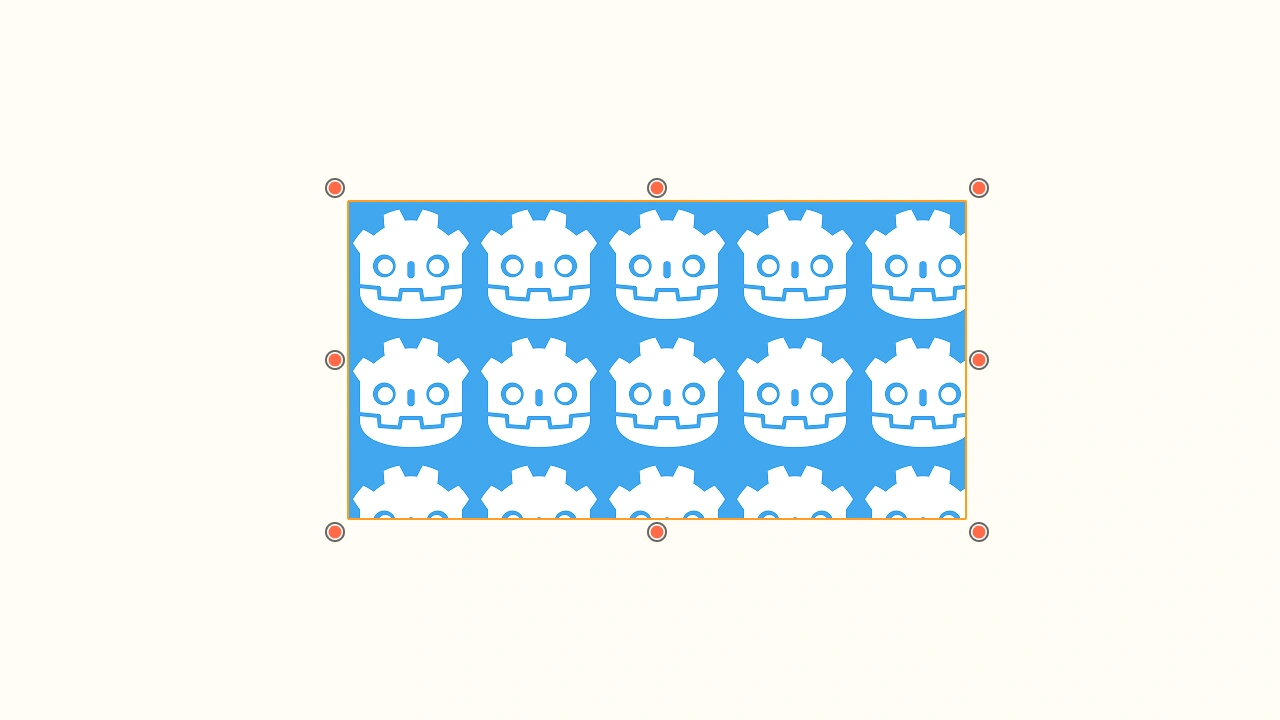
AtlasTexture allows drawing a specific region of a texture in 2D. This can improve performance on low-end devices by reducing texture changes, but also makes it easier to organize assets by having fewer files lying around in the project directory. However, AtlasTexture requires specific support in each node that wishes to make use of it.

Support for AtlasTexture is now available in TextureRect, which can draw part of an AtlasTexture as a repeating texture for use in nine-patch texturing.

Editor

Follow moving objects in the 3D editor

Taxi! Follow that node!

By pressing the Focus Selection shortcut (F by default) twice, you can make the 3D editor automatically follow an object as it’s moved. This is especially useful when previewing how lighting affects an object as it moves across the scene, such as when using LightmapGI with dynamic objects.

You can still transform the object using the mouse or Blender-style manipulation shortcuts while in follow mode. This also works when playing an animation using an AnimationPlayer node, or moving a node using a @tool script.

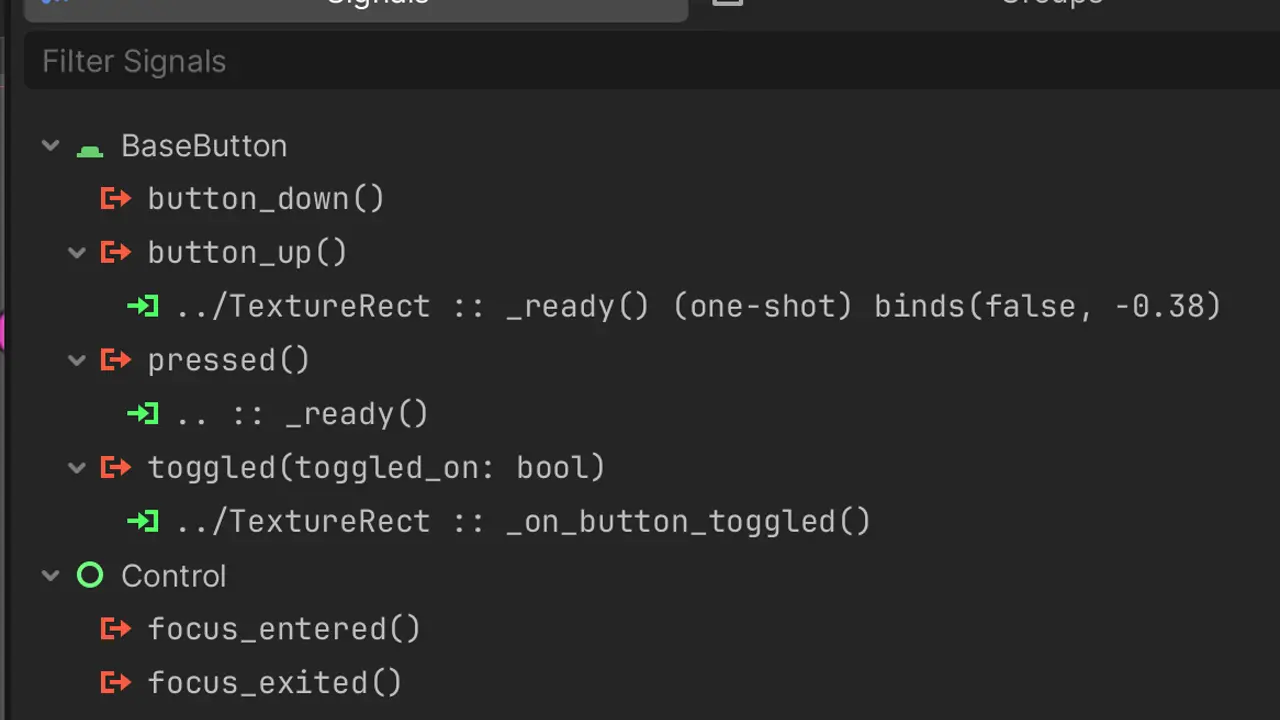
Methods, signals, and properties now use a monospace font

It feels like home

The script editor uses a monospace font by default. In other words, every character occupies the same width, which makes it easier to compare lines of code visually.

However, until now, the editor did not use a monospace font when displaying the names of methods, signals, and properties that come from scripts. This led to a visual discrepancy between what you see in the script editor and what you see elsewhere in the editor.

The previous behavior can still be obtained by disabling the Interface > Theme > Use Monospace Font for Editor Symbols editor setting.

Copy and paste sections of the Inspector

Duplicate data. data. data. data.

Right-click a category or group of properties in the Inspector to quickly copy and paste their values.

Fold groups and subgroups in the Remote Scene Inspector

Quick! Hide!

Previously, it was possible to fold property groups and subgroups in the Local Inspector, but not in the Remote Inspector. These two don’t quite work the same, mind you.

Support for folding groups and subgroups in the Remote Scene Inspector has been implemented. Both the Local and Remote Inspector now support folding property groups the same way, which makes for a more seamless, consistent UX.

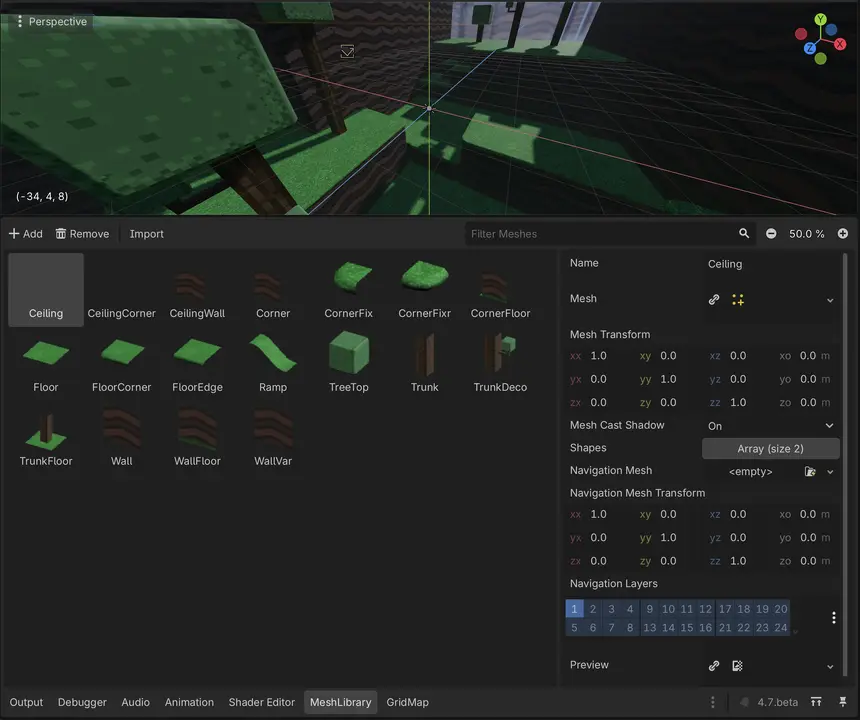
Introducing the MeshLibrary editor

It’s like a librarian, minus the shushing

The GridMap node uses a MeshLibrary resource to source the tiles that can be placed. Previously, editing a MeshLibrary resource had to be done entirely in the Inspector, which made it tedious to work with.

There is now a dedicated MeshLibrary editor, similar to the TileSet editor in 2D. This greatly streamlines the process of adding and editing tiles for use in a GridMap node.

VIDEO
@Dexter

2D scene painter

Use this to paint something spectacular!

Godot already offers a way to lay out scenes quickly in 2D using tile maps and their scene tiles. However, this requires some setup for projects not already using tile maps. It is also restricted to a grid pattern, and scene tiles are not considered actual nodes that can be directly modified within the editor.

To remedy these limitations, Godot now offers a Scene Paint Mode in 2D (B by default). This can be used to quickly scatter things like collectables, enemies, or decorations in a 2D scene.

While this tool is currently only available in the 2D editor, it may be offered in the 3D editor in a future release.

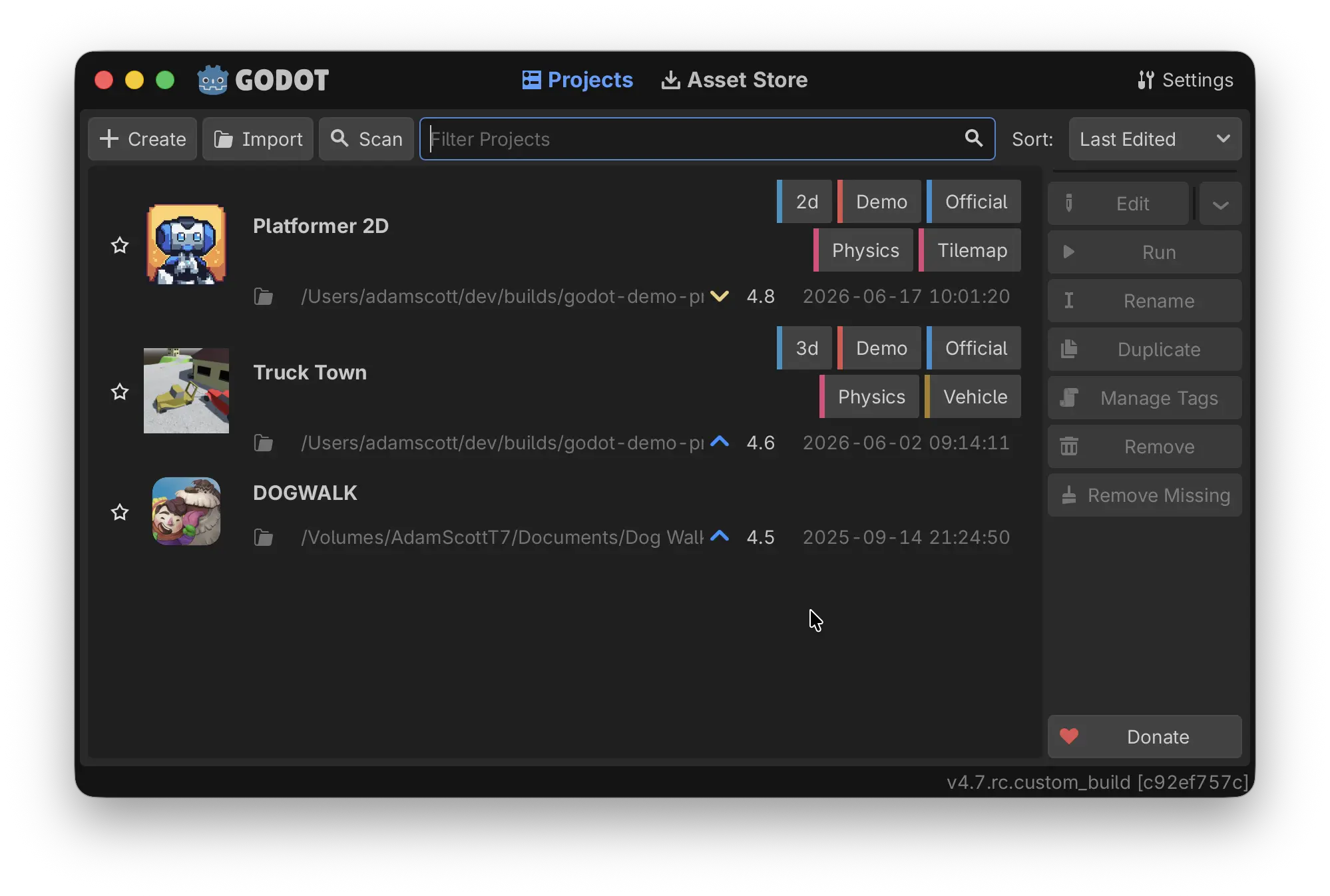
The Project Manager now depicts version discrepancies

Have you made a decision about upgrading? Ready to move forward into comfort and luxury?

While the Project Manager already displayed the engine version used by each project, it did not show an explicit indication that a project had to be upgraded (or downgraded) before it could be opened by the current editor version.

Thanks to this addition, an “upgrade” or “downgrade” icon is now displayed next to the version number if a project must be upgraded or downgraded before being opened. A different icon is also used for major version upgrades (i.e., opening a Godot 3 project in Godot 4).

Find quickly the node or resource to create with the new dialog filters

Cream of the crop

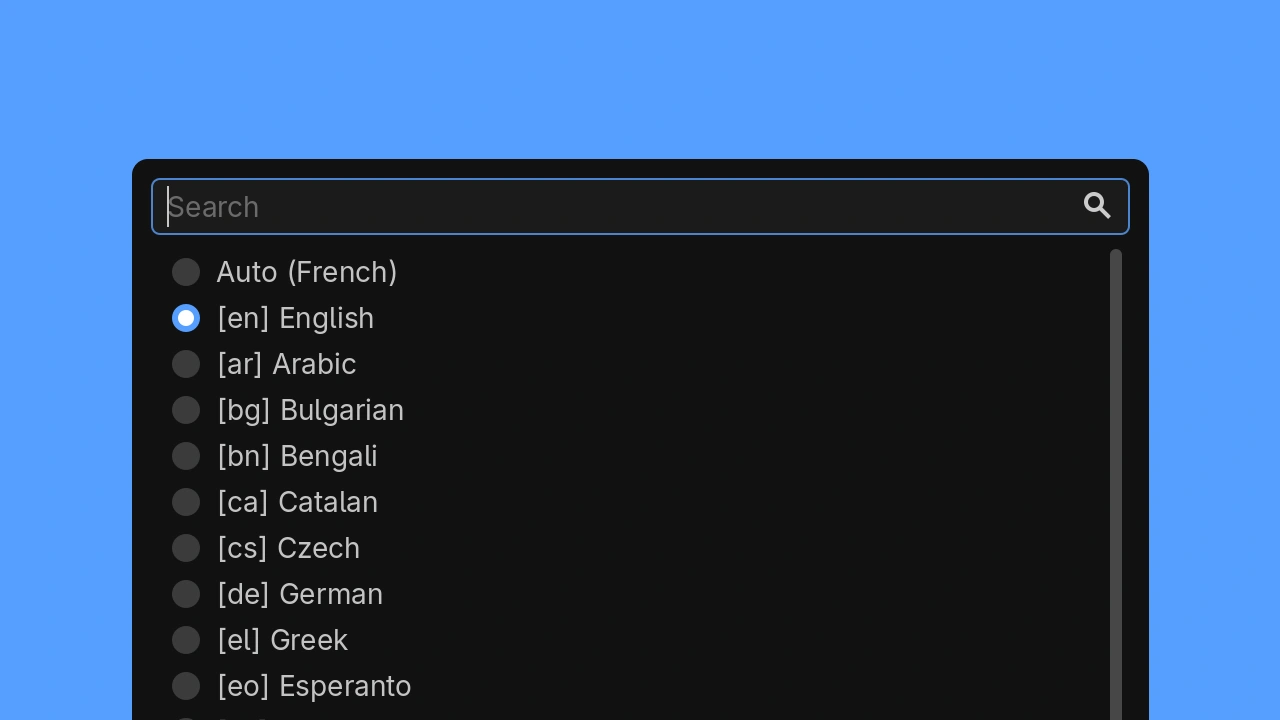
When opening the “Create” dialog for a node or resource in 4.7, you’ll be able to filter the elements shown in the tree.

Want to instantiate something from your code? No problem: make sure “Show Custom” is the only checkbox selected in the new option menu, just below the “Favorite” button.

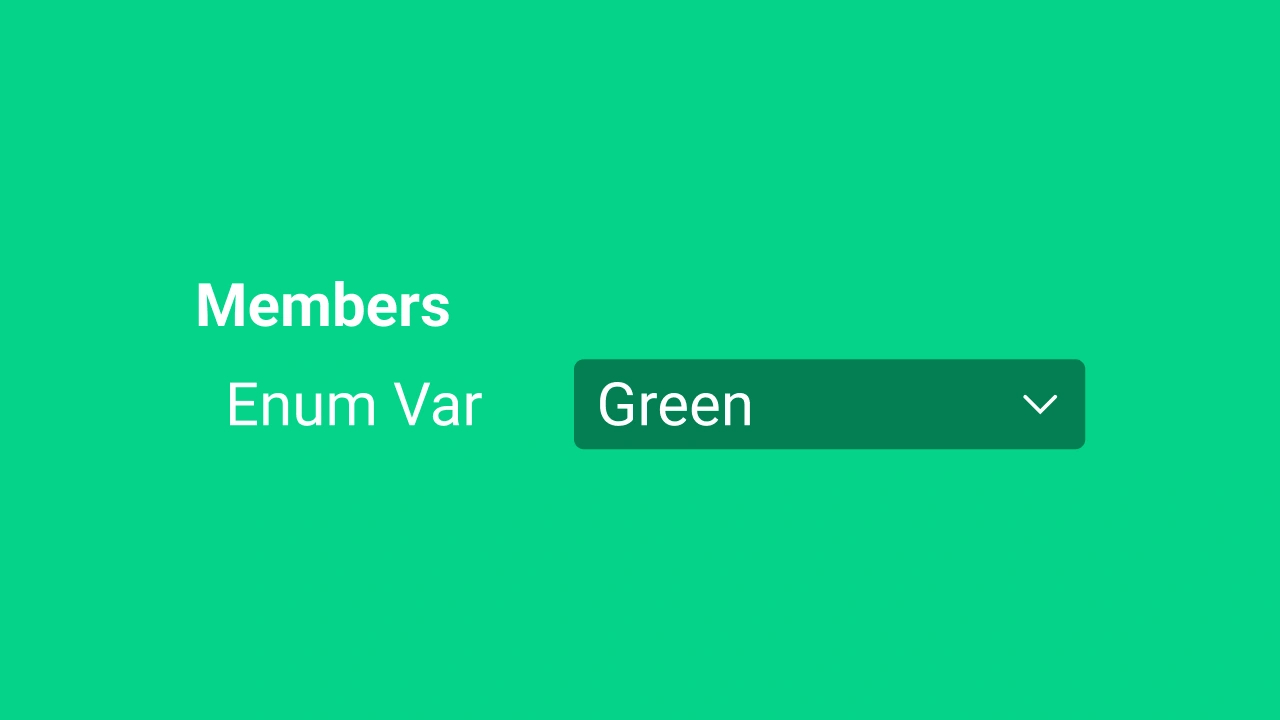
Remote Tree Inspector now properly display non-exported enum variables

We could enumerate the benefits all day long if we really wanted

Prior to 4.7, the Remote Tree Inspector had no way to distinguish normal integer variables from variables that held a value from an enum. That’s because variable hint strings were only generated for exported variables.

We now fixed this, and the Remote Tree Inspector now shows the name from the enum, instead of its obscure integer value.

VIDEO
@Jin Yang

Reveal the current script in the list

I believe in the heart of the scripts… I will summon the current one in attack mode!

When working with a lot of open scripts, it can be challenging to find the script you’re currently working on in the list of scripts. To make this easier, you can now double-click the name of the current script at the top of the script editor to reveal the script in the list.

Unified editor 3D view manipulation

We are the View3DController. Resistance is futile.

The 3D camera controllers for the editor and embedded game are now unified.

This adds support for several features in the 3D camera override when using game embedding:

  • Configurable shortcuts for view manipulation (as set in the editor settings).
  • Use of the navigation scheme configured in the editor settings.
  • Camera snapping when orbiting (hold Alt and drag the middle mouse button).
  • Orbit, panning, and freelook inertia, if enabled in the editor settings.

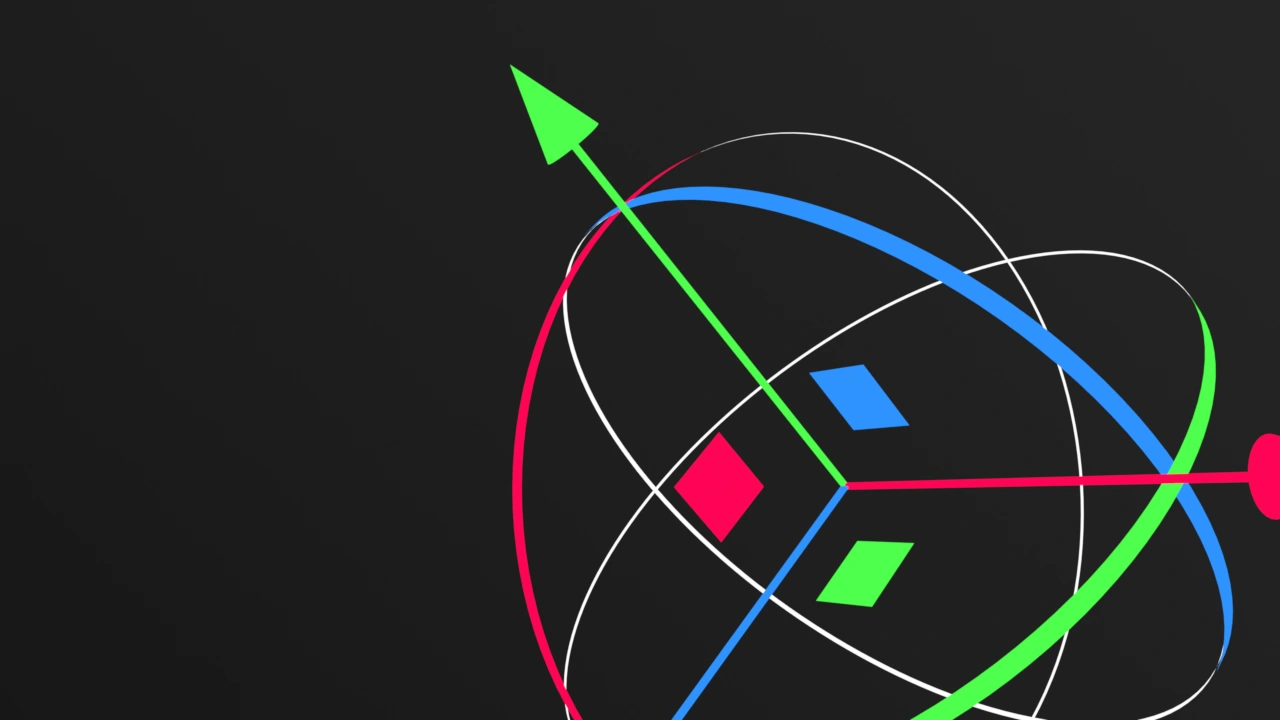
Rotate 3D nodes intuitively with trackball-style rotation

Look at that. Not bad at all. A big trackball indeed, itty-bitty Prince. ✨⁠🌌⁠🟪⁠🤴⁠🟪⁠🌌⁠✨

You can now rotate 3D nodes by hovering your mouse cursor inside the transform/rotation gizmo and clicking and dragging the new translucent sphere. It will rotate just as if you were using a genuine trackball!

The 3D transform gizmo now more closely behaves like the one used in Blender.

Be sure to activate Use Trackball (the new planet-looking icon, or just press U) in the 3D editor toolbar in order to use this feature.

Documentation

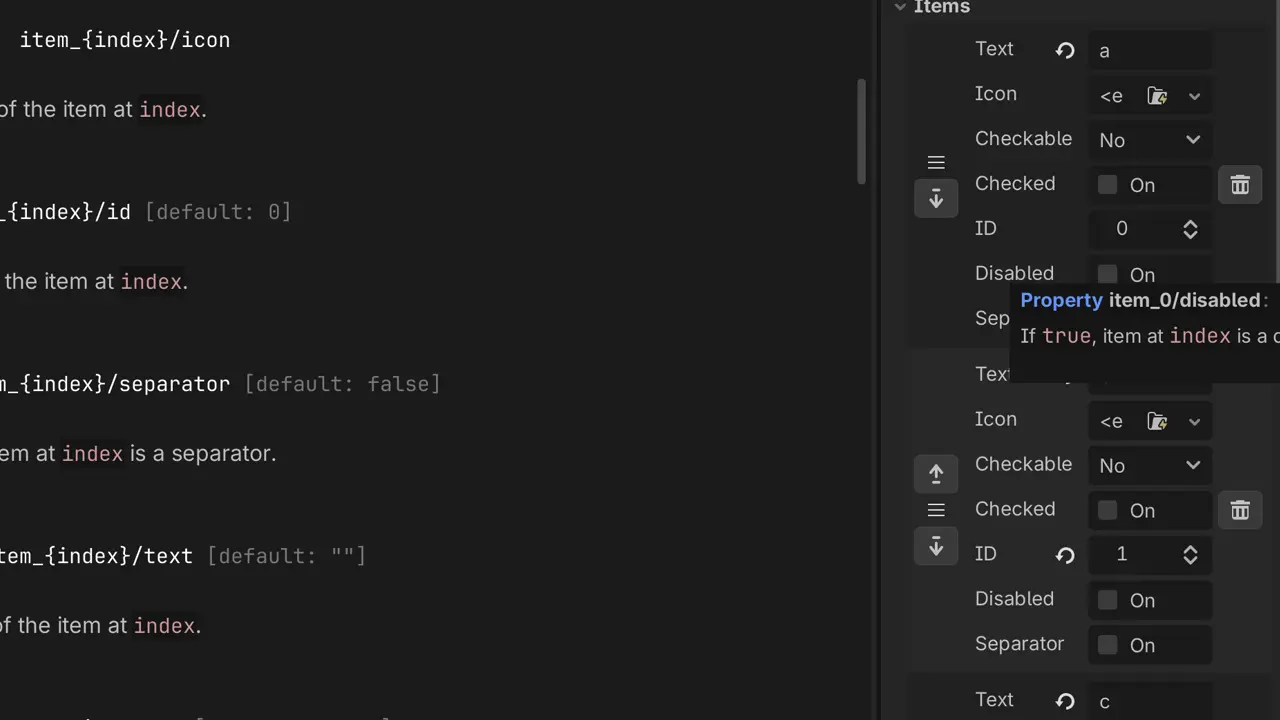
Dynamically generated properties, such as menu items, are now documented

Where no one has gone before

Properties generated dynamically, like menu items and curve points, are now documented. Like any other property, their descriptions will now show up by hovering over them in the Inspector. Nice to know what you’re fiddling with.

After
Before
@Danil Alexeev

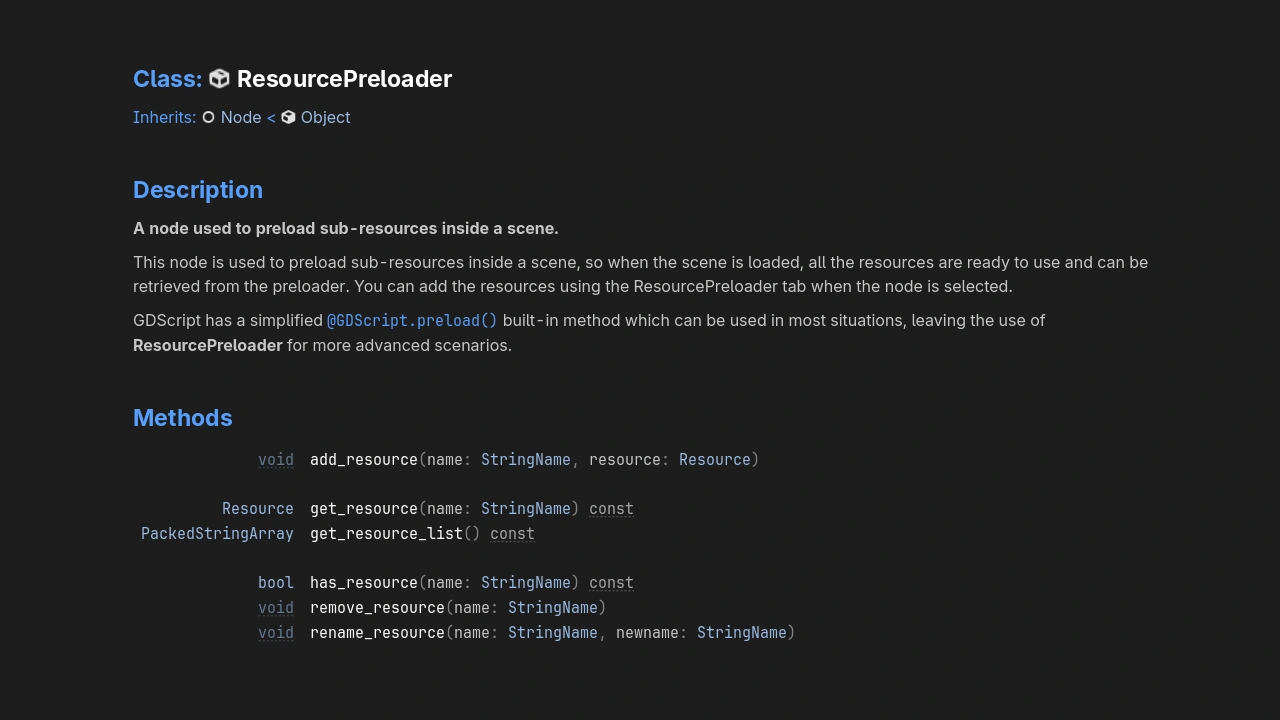
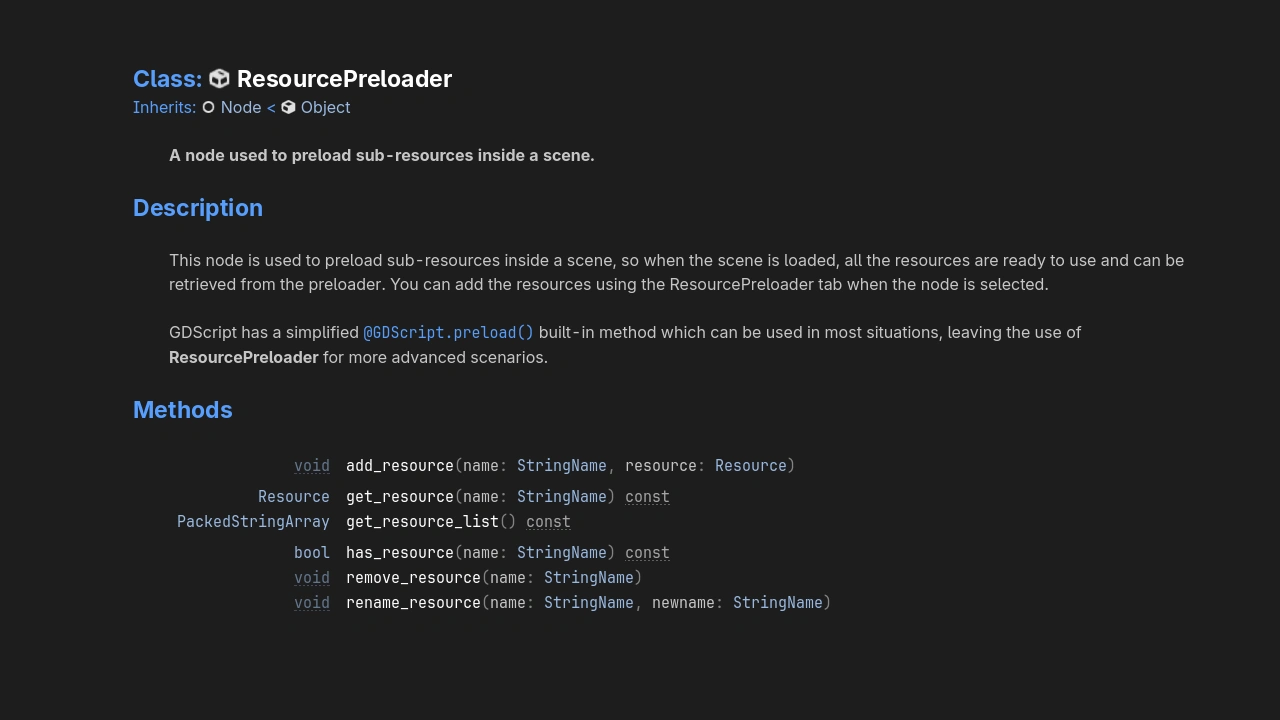
Improved appearance of the built-in help

But just TAKE A LOOK AT THIS!

We made the built-in documentation layout look more like the online documentation. It is now cleaner and more readable. Expect to see improved readability for docs in-engine.

Systems

Animation

Animation editor nodes are now collapsable

Free your mind

As soon as an animation node tracks multiple nodes, it’s easy to become overwhelmed scrolling through tracks to find the ones you need to edit.

Collapsing unneeded nodes should relieve the tension. Especially since you can see an aggregate representation of the collapsed animation keys.

VIDEO

Tweens can now wait for signals

Stop… signal time!

Use the new Tween.tween_await() method to pause a tween until a specific signal is emitted. This can be especially helpful when designing dialogue and cutscenes.

Export

Only download the templates you need

You must download additional platforms

A common issue with Godot’s export system is that until now, you had to download export templates for all platforms even if you only you wanted to export your project for a single platform. This led to large downloads, which not only made for a slower experience, but could also incur additional charges for people on a metered connection.

This is now remedied by the new export template downloader, which can download export templates for individual platforms or even specific architectures.

Input

VIDEO
@Kazox61

Built-in virtual joystick

Break in case of emergency

Virtual joysticks are a staple of touchscreen gaming. From twin-stick shooters to 3D platformers, they feature in a large number of mobile games. However, in Godot, developers had to create their own virtual joystick system, or use an add-on that implements one.

This is no longer needed as Godot now provides its own VirtualJoystick node, complete with 3 operation modes: “Fixed”, “Dynamic”, and “Following”. Coupled with built-in theming abilities, this greatly speeds up the mobile development process.

Ignore controller events when your game is unfocused

Just ignore them

Operating systems handle gamepad input differently from keyboard and mouse input, as gamepad input is sent even when the window is unfocused. While this can be beneficial in some situations, it can lead to unintended inputs, potentially leading to accidentally exiting a game in the worst case.

By enabling the Input Devices > Joypads > Ignore Joypad on Unfocused Application project setting, you can now make your project ignore gamepad input unless the window is focused. This setting is disabled by default to preserve existing behavior.

Identify distinct keyboards and mice

BIG GODOT IS WATCHING YOU, keyboards and mice

Like gamepad inputs, keyboard and mouse inputs now use a device identifier. This can be used to distinguish keyboard/mouse inputs from other inputs by checking the InputEvent’s device property. Keyboard inputs always have their device ID set to InputEvent.DEVICE_ID_KEYBOARD, while mouse inputs have it set to InputEvent.DEVICE_ID_MOUSE.

While this change does not add support for differentiating between multiple keyboards or mice connected to the same system, it lays a foundation that makes this possible to implement in the future.

Better controller support on iOS

A true controller know-it-all

We have switched to the battle-tested SDL3 library for controller support on iOS, as previously done on Windows, macOS, and Linux. This ensures more controllers have the right default mappings.

Add gyro aiming support to your project!

Aim for the open spot!

Accelerometer and gyroscope inputs from controllers can now be read by Godot. Among other things, this allows for the implementation of responsive-yet-smooth gyro aiming by tilting the controller.

Rendering

Giving every pass its own unique environment uniform buffer

You get a buffer! And you get a buffer! Everyone gets a buffer!

Modern rendering uses what we call “passes” in order to create final images that are shown on your screen. These are essentially processes that end up with a painted canvas. Some passes can draw the scene objects, while others can read the output of previous passes in order to apply some post-processing effects.

We figured out that by giving each pass their own unique environment uniform memory pool, we could speed up the rendering process. It’s all because sharing the same memory pool across passes added copy dependencies that often bottlenecked the whole process. As GPUs are meant to do multiple tasks in parallel, it checks out.

Clearcoat improvements and fixes

Rise and shine!

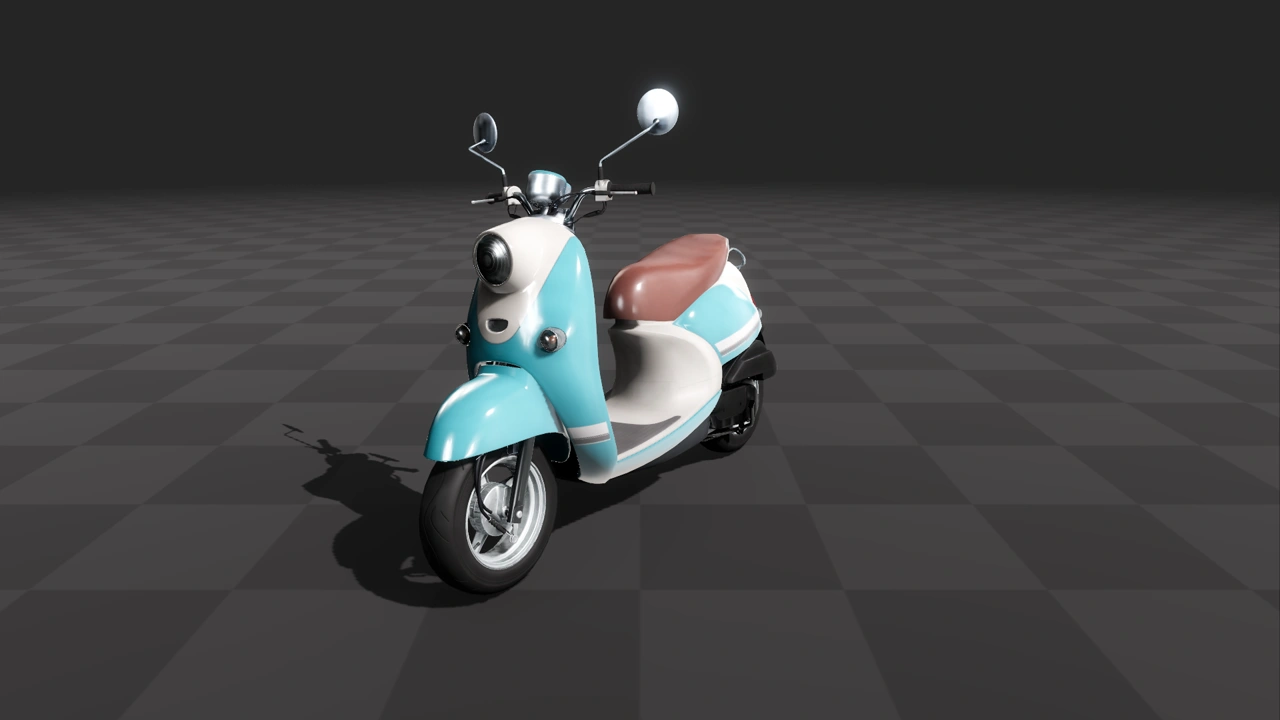
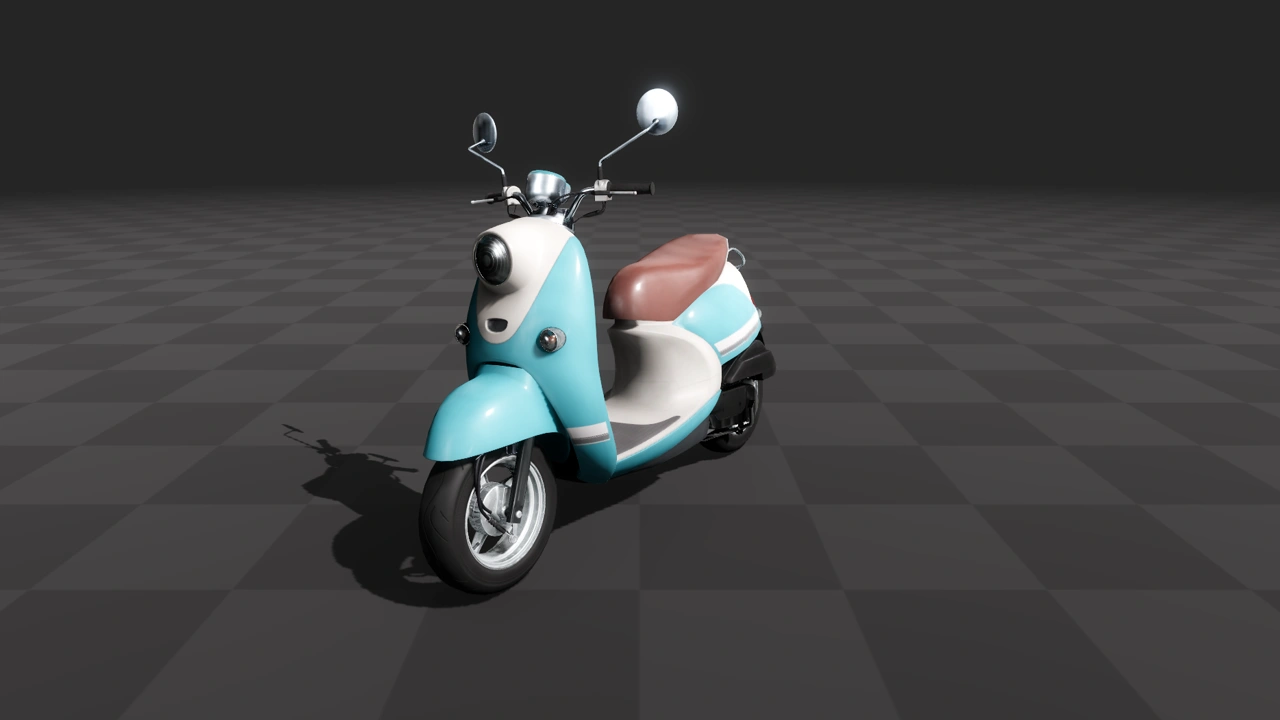
The previous implementation of clearcoat in BaseMaterial3D had several issues, such as not implementing energy conservation, or taking sky reflections and reflection probes into account.

The improvements and fixes made to clearcoat rendering bring it closer to the reference Disney PBR model. This makes clearcoat a better fit for materials like car paint.

VIDEO

3D particles scale and rotation can now be tweaked

Stretch and squash

Make the particle system of your dreams! You can now create particles that scale and rotate more than ever. It’s an easy way to add more oompf to your animations.

XR

Day one support for the latest XR platforms

It means buckle your seatbelt, Dorothy, ’cause Kansas is going bye-bye

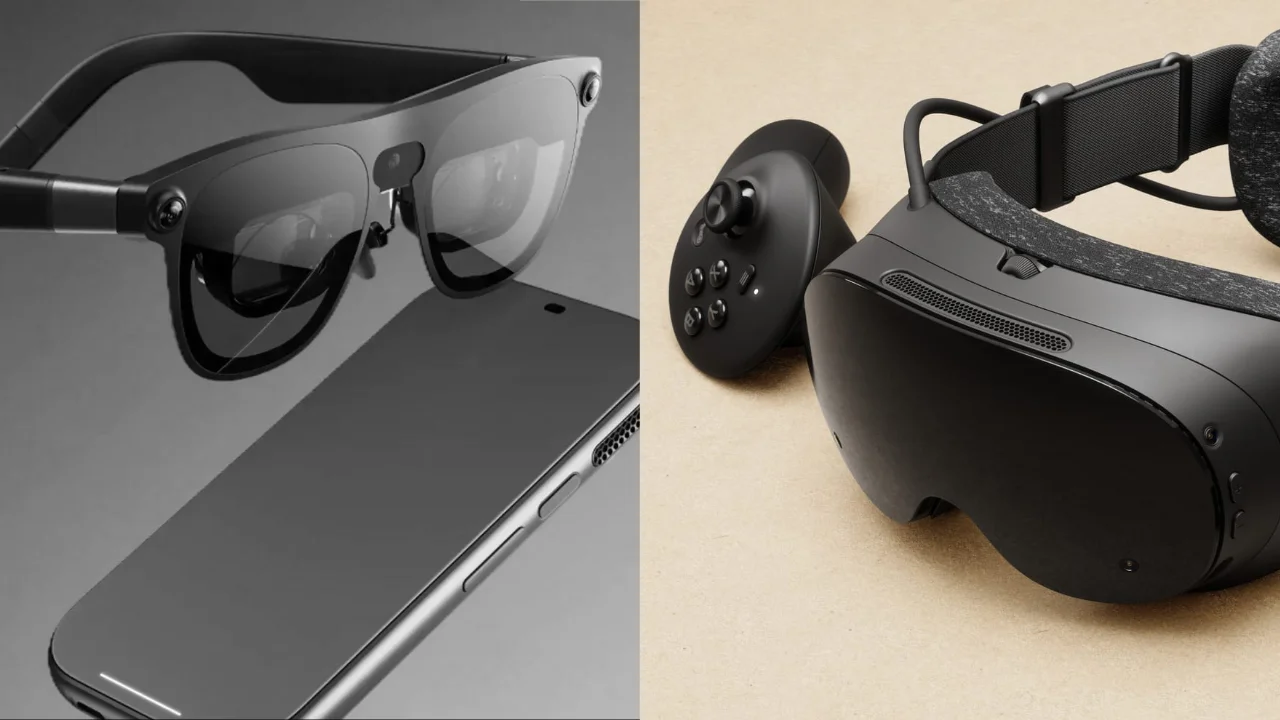
Godot continues the trend of being one of the best engines for XR development, with Godot 4.7 adding day one production-ready support for Android XR and Steam Frame.

In collaboration with Google, the Godot XR team has delivered a plethora of new features designed to provide developers access to the latest and greatest Android XR features.

Godot 4.7 is also production-ready for the Steam Frame, planned to release this summer.

From building a brand-new XR game, to porting an existing 3D or XR game, Godot 4.7 provides you with the best tools for the job.

Vulkan subsampled images

Live long and subsample

This feature dramatically improves performance of foveated rendering in the Vulkan Mobile render.

This works by storing rendered tiles at their reduced resolution with interpolation being applied when sampling the resulting subimage, greatly decreasing memory bandwidth. Without subsampled images, foveated rendering will upscale these tiles to the full resolution when writing to texture memory.

With this change, the Vulkan Mobile renderer matches or even outperforms our Compatibility renderer in a number of benchmarks. As a result, we now recommend new XR projects use the Mobile renderer.

Composition layer improvements

It’s about lighting. Composition. Drama.

There are a number of improvements to the OpenXR composition layer system to give more control over how these are presented to the user, including:

  • Lock composition layers in the player’s view by placing them under the XRCamera3D node. This is ideal for heads-up displays.
  • Pair composition layer objects with world geometry, as you’re now able to place objects anywhere within your scene.
  • Plugins can now affect the main projection layer.

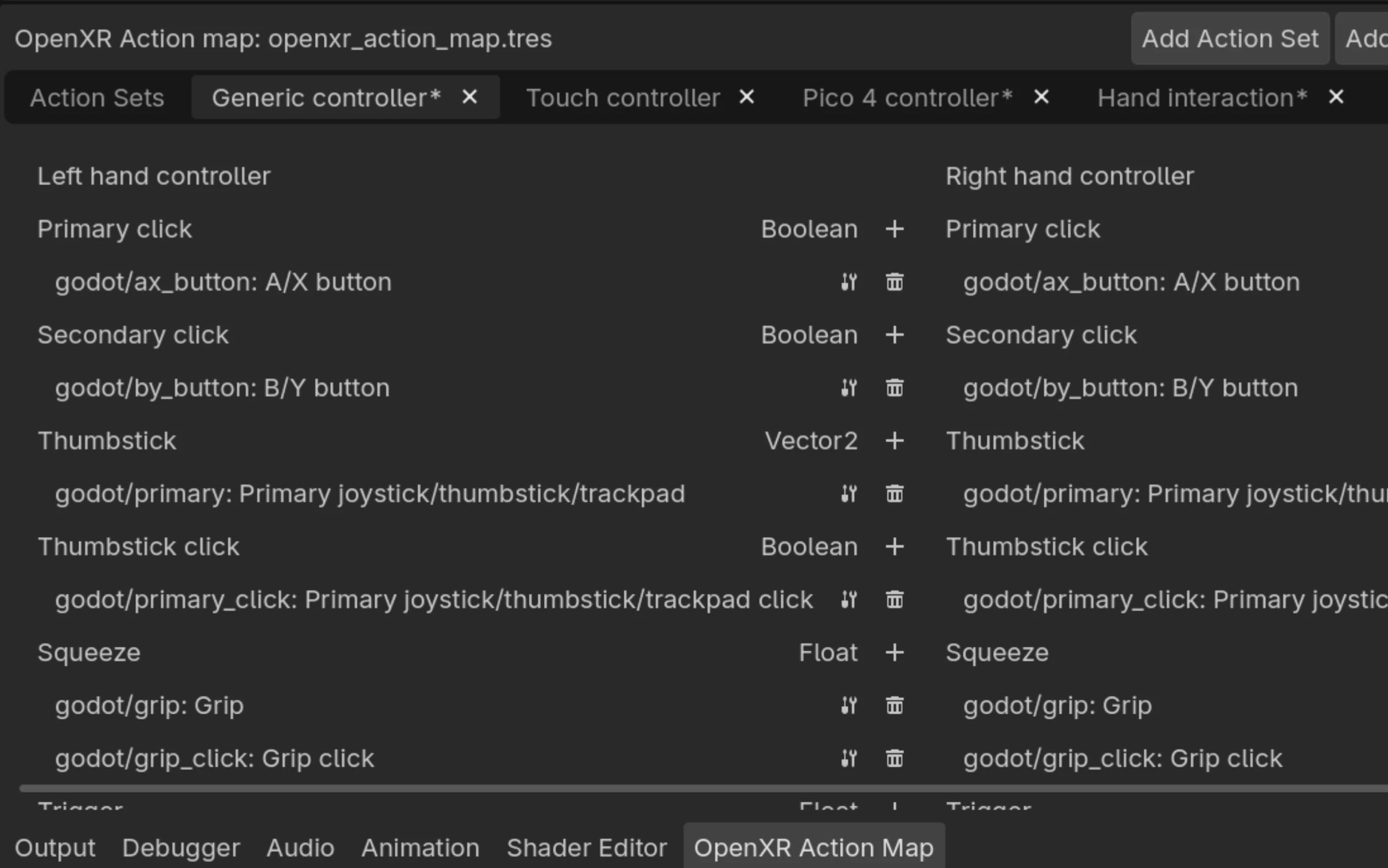
Action maps have been simplified

Le contrôleur!? What the hell is that!” no more.

With the introduction of support for the OpenXR generic controller profile, the default action map for new OpenXR projects has been greatly simplified.

Previously containing over ten profiles, the default action map has now been simplified to only include entries for the generic controller profile, touch controller profile, Pico 4 controller profile, and hand interaction profile.

Developers can introduce additional profiles if their target platforms require those but with just these four defaults, the action map is far more manageable, while still covering most of the market.

Platforms

Android

Add support for picture-in-picture

What is this? A game for ants?

Think picture-in-picture (PiP) is only good to continue watching videos while doing something else on your phone, right? Think again!

With the introduction of PiP, you can render your game inside one of those little boxes. This is perfect for media players built using Godot, or for games that don’t require player input often or have long cutscenes. It enables players to keep playing while reading their emails or keeping up with their friends.

While it’s only available on the Android platform for now, this feature will hopefully make its way to other platforms soon.

Allow moving and resizing the embedded game window

What if I really want to create a game for ants?

When developing a game, it’s important to ensure it looks good across a wide range of devices. With so many screen sizes and aspect ratios on the market, testing different layouts is essential.

Desktop users have been able to resize the game window to quickly test how their games behave under different aspect ratios. Godot 4.7 brings the same flexibility to the Android Editor.

The embedded game window can now be freely moved and resized, making it possible to test your game across different aspect ratios directly on your Android device.

VIDEO
@

Enable orientation changes in the Script Editor

Code laid down in your bed or in the bus

One of the main usability issues of the Android Editor is script editing. While many improvements in this area are currently in progress, we’ve addressed one big issue: the fact that the on-screen keyboard takes up a large portion of the available screen space on mobile, making it difficult to work with code.

We’ve enabled changing the orientation for the Script editor. When it’s in expanded mode, you can now rotate your device to switch between portrait and landscape orientation.

Many developers prefer coding in portrait mode, as it provides more vertical space and allows more lines to be visible at once. This makes navigating, reading, and writing scripts much more comfortable on mobile.

Easily customizable splash screens

Take them to the next level

It was previously possible to customize the native Android splash screen of your game, but it required a Gradle build and manually installing files inside the native Android resources.

You are now able to edit the splash screen settings in the Android export options.

Making tracing easier with Perfetto

I want to know everything there is to know about Spider-Android!

In Godot 4.7, we are making Perfetto the default tracing tool for Android editor and template builds.

For template builds, this allows developers to leverage Android’s built-in Perfetto integration to easily analyze the performance of their games and apps.

For editor builds, this gives the Godot Android maintainers the tools to analyze and address performance issues with the Godot editor on Android devices.

Read more in the documentation.

Allow implementing Java interfaces from GDScript

POV: 🤖⁠📄 ➡️ ☕⁠📐
You: 😂⁠😂⁠😂⁠😀⁠😶⁠😯⁠🤯

The Android team continues their work to facilitate integration and access of Android APIs in GDScript through the JavaClassWrapper and the AndroidRuntime plugin.

In Godot 4.7, these capabilities have been expanded by adding support for implementing and overriding Java interfaces in GDScript.

Linux

Initial touch support for Wayland

U Can Touch This

While touch support was available on Linux/*BSD using X11, that wasn’t the case when using the newer Wayland protocol introduced in 4.3. Well, until now.

While more complex touch events still need to be implemented (pan and scale gestures, long press to right click on Android), you are now able to drag windows and push buttons with your fingers.

Scripting

GDExtension

The project’s GDExtensions are now displayed in the Project Settings

GDExtensions, assemble!

Since their introduction and by their nature, GDExtensions are automatically loaded by the engine on initialization. There was unfortunately no way to know exactly which project extensions were actually present in a project, except by manually locating the project’s .gdextension files.

With this new feature, the Project Settings window has a dedicated section for GDExtensions.

Team work makes the dream work

Thanks to all the contributors who had PRs merged into this release. Special thanks goes out to all the engine teams that collaborated on this release, especially since commits to other related repositories do not show up in this graphic.

0ttoman 0xAlexisSys 3ter aaronfranke aaronp64 abcjjy adamscott AdriaandeJongh adriano-sudario AeioMuch akien-mga Akosmo akshat-loya Alex2782 allenwp almic AltayEvrenOzsan alvinhochun Anyone4551 ARandomGal5 Arbee4ever ArchercatNEO AR-DEV-1 Arjun-explores-Arjun-learn arkology Arnklit ArokhSlade Arthurmtro ASamBlur ashtonmeuser ashwinvbs AThousandShips AtomicAntt aurpine badsectoracula barthy-koeln Bashar-R BastiaanOlij BenLubar betalars billuo BlueCube3310 blueskythlikesclouds brandonhare Brogolem35 Bromeon BrotherShort bruvzg buresu calbebop Calinou Canapca carsonetb cashew-olddew cdemirer celyk cengiz-pz Changryy Chaosus chocola-mint Chtau Chubercik clayjohn ColinSORourke CookieBadger CoolPartyMann dagarsar dalexeev danbolt DarioSamo DarkKilauea Daylily-Zeleen DDarby-Lewis DeeJayLSP dekaravanhoc Delsin-Yu demolke deralmas Devil-Gaming-Studios devloglogan DexterFstone dfdfg42 dhoverb dillyo09 DinkeyKing dinklydoo dog-on-moon dsnopek DSOE1024 dugramen EdwardChanCH EGAMatsu emanueledenaro eritschlSC ExpiredPopsicle Fahien Faless FarizzDev fejesievo filipemrabreu fire fkeyzuwu Gaktan GammaGames Geometror ghsoares Giganzo gilzoide goatchurchprime Goldenlion5648 gongpha GrammAcc guillaumeriousat Gurvan GusatuDamianAlexandru GustJc H3x4g0n hakro HEX-23 HolonProduction hpvb Hrothdel IceflowRE Ijtihed Image-unavailable Infiland IrisHormoviti ismailivanov Ivorforce j20001970 jack-klein-5 jaydensipe jaypaik jazztickets jelolul Jesusemora jgill88 jinyangcruise jkirsteins joelgomes1994 JohanAR jon1solution Jordyfel Joseph-DiGiovanni Josvanegmond Joy-less jrouwe jsjtxietian Jules5 JustVicctor Kalcy-U Kaleb-Reid KANAjetzt kateyvk Kazox61 kbieganski kevinlam508 Kiisu-Master kimjune01 kitbdev KJEUN99 kleonc Klology Kn1feKillz KoBeWi KosumovicDenis KrakenByte kus04e4ek L3GiaBao LanzaSchneider lawnjelly lazaromenezes leandro-benedet-garcia Lefrec LilithSilver LiveTrower lodetrick LucaTuerk LunaCapra luzader lyuma m4gr3d M4rchy-S Manik2607 ManpreetXSingh marcomolinaleija marcosc90 marcozee03 MartinDelille matheusmdx MattiaZir MaxiSanc37 Meorge Metsker MewPurPur Mickeon mieko migueldeicaza miguelrsgoncalves mihe Mister-Ky Miurg mooflu Mrfanta-stick mrTag MuffinTastic Muteem mxtherfxcker Nallebeorn nanodeath Naros NasheethAhmedA ndarilek neclor nevido2042 nhold nikitalita Nintorch NoctemCat Nodragem Nolkaloid NoNormalDev norepro Notgoyome notroid5 novalis nubels oCHIKIo olaron onequid Orphaeus paddy-exe pafuent Paperzlel Parritz passivestar p-b-b pgoslatara PhairZ pirey0 pkowal1982 poohcom1 precup QbieShay qqwobble quadrimus Quantx Raftatul RandomShaper raulsntos realbucketofchicken realkotob realybin redfacedev Repiteo RgeditV1 riatmax RicardRC Rindbee rinevard RoeckVictor romgerman Rookfighter rothej RoyBerardo rsanchezsaez rsubtil Rubonnek rune-scape Ryan-000 RyanVail ryevdokimov Saulo-de-Souza Scarface1809 ScatteredComet scgm0 Scrawach sertonix shadow-foss Shadows-of-Fire SheepYhangCN shiena shoyguer SirLich skiessq smix8 snowfrogdev sockeye-d sorascode SorkoPiko Spartan322 SpencerGoodman ssd3 StamLord StarryWorm stdmnpkg stillmant stuartcarnie suhankins superherointj sydist syntaxerror247 Sysex89 szunami tciviero TCROC ThatNerdNxtDoor thearchcoder TheDying0fLight TheOathMan TheSofox ThiLelito timoschwarzer timothyqiu Togira123 TokageItLab tomyy TsFreddie ttencate ugursoy unit-tick unixfan2 uno1982 uoslider-wq van800 vaner-org viksl virusbear vixxi77 voylin wagnerfs warren warriormaster12 WhalesState williamchange wjt wkesner XenotriX xsellier xuhuisheng yahkr Yarwin YeldhamDev Yelloween10 YYF233333 Zehir zhehangd zinefer

It’s been over 3 years since 4.0 dropped, and we’re arguably as far removed from that now as 4.0 is from 3.x. It’s only gotten easier to publish a title with the engine, as evidenced by Steam currently listing over 700 new Godot games published in 2026 so far; we’re not even halfway through the year, and we’re already over halfway to 2025’s 1,200+ total. This is to say nothing of itch.io, which receives over 1⁠,⁠000 new Godot games every week.

Godot 4.6 gave users their most streamlined baseline release yet, whose focus on polish and usability immediately resonated with the community. This release aimed to double-down on that approach, making not only the engine itself more streamlined, but the tooling and resources surrounding it as well.

There’s still plenty to be done with the engine, as every user with a favorite feature that’s currently missing would know. However, we’re extremely impressed and inspired by the time and energy that the community has put into this global passion project.

Well over 300 contributors are responsible for this latest feature release, totalling over 1⁠,⁠600 pull requests. From the bottom of our hearts, we want to thank each and every one of you for your incredible work, as well as all users who’ve sponsored our Development Fund, reported bugs, opened proposals, or supported one another on our community platforms.

Thaddeus Crews Release Manager

Release page credits