

After a long wait, HDR output is finally coming to Godot! The road to get there has been long and winding, but the result is a best-in-class HDR implementation that looks as good as possible on all supported platforms.
What is HDR output?
The notion of high dynamic range originally comes from photography, where multiple photos can be taken at the same position with different exposures, and can be combined together in editing to achieve a greater dynamic range. This allows both dark and bright areas in an image to preserve as much detail as possible, while avoiding underexposed or overexposed pixels.
In computer graphics, we do not need to render the scene multiple times to achieve a similar effect. Like most game engines, Godot has internally rendered the 3D scene in HDR (and 2D if enabled in the Project Settings) for a long time. This is done not only to increase precision and reduce banding, but also allow for better artistic control (such as exposure, glow that only affects overbright elements, and more).
With HDR output, this internal HDR rendering can finally benefit the final output. This is not just about making the image brighter, but increasing detail in bright areas. For instance, the sun can now appear much brighter than the surrounding clouds in an outdoor scene.
Which platforms and renderers is HDR output coming to?
In Godot 4.7, HDR output is coming to Windows, macOS, iOS, visionOS, and Linux (Wayland only; X11 does not support HDR output). Support for HDR output on Android is still being worked on, and is planned for a future Godot release.
HDR output is supported on the Forward+ and Mobile renderers only. It is not supported on the Compatibility renderer due to graphics API limitations. Unfortunately, this also prevents the Web platform from supporting HDR output at this time.
Example output
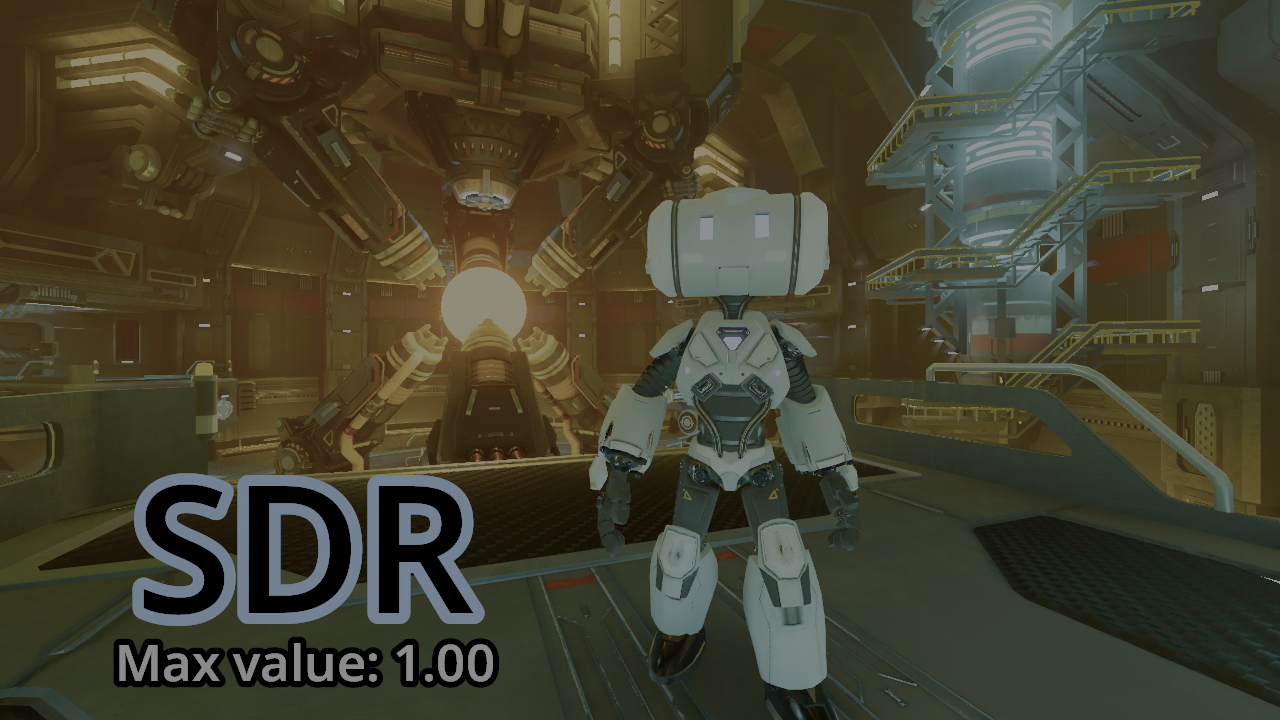
These HDR images are best viewed on an HDR-compatible smartphone or laptop with brightness set to 50%. As of writing, Firefox does not support HDR images.
Standard dynamic range (SDR)
High dynamic range (HDR)
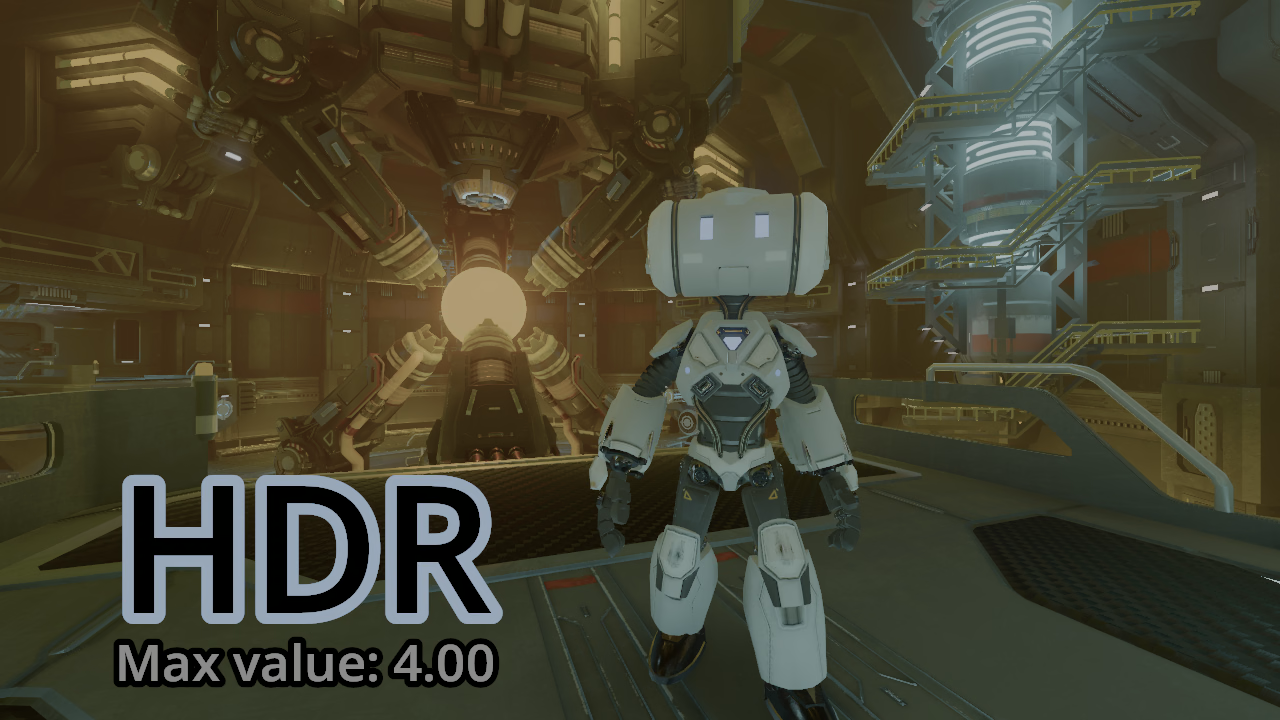
If the above image doesn’t appear all that different to the SDR example, double-check that HDR is supported and enabled on your device.
NOTE: You must use a screen and OS compatible with HDR, as well as a web browser that supports HDR and AVIF for the images above to display correctly. HDR must also be enabled in the operating system settings. If the screenshots appear too dark relative to the rest of the page, then HDR is probably not supported somewhere in the chain.
Enabling HDR output in Godot
There are a few prerequisites to using HDR output in Godot:
- Use a supported platform (Windows, macOS, Linux/Wayland, iOS, visionOS).
- Use a supported rendering driver (Direct3D 12 on Windows, Metal or Vulkan on Apple platforms, Vulkan on Linux).
- On Windows, Direct3D 12 is already the default for projects created with Godot 4.5 or later. For projects created on older versions, set the Rendering > Rendering Device > Driver.windows project setting to
d3d12and restart the editor.
- On Windows, Direct3D 12 is already the default for projects created with Godot 4.5 or later. For projects created on older versions, set the Rendering > Rendering Device > Driver.windows project setting to
- If on Linux, set the Display > Display Server > Driver.linuxbsd project setting to
waylandand restart the editor. - Use the Forward+ or Mobile renderer.
Once these requirements are fulfilled, you can enable HDR output in a project by toggling the Display > Window > HDR > Request HDR Output project setting. That’s all there is to it! No need to restart the editor.
However, for a robust HDR implementation, more work is needed. For example, you should expose a few options in the graphics settings menu of your game to allow the player to enable or disable HDR output or optionally calibrate HDR to better suit their screen.
You can find complete documentation on using this new feature in the HDR output page of the Godot documentation.
Also check out the new HDR output demo project, which is a great way to test your display’s capabilities.
Technical implementation
The implementation of HDR output in Godot was a long road. Like most APIs in Godot, we had several design goals:
- Have a good level of usability, making it easy to enable HDR output and start adapting a project for HDR quickly.
- Be flexible enough to adapt to various screens’ capabilities, and support both the Forward+ and Mobile renderers with no setting changes needed.
- Ensure most rendering features work when HDR is enabled, with no parameter changes needed and as little visual change as possible when we are in the SDR range. Out of the box, toggling HDR should only expand the dynamic range, not brightening the whole image or boosting saturation.
The final API is the fruit of many meetings hosted on the Godot Contributors Chat over the months. Since HDR in gaming can be a point of intense discussion, requiring mods to be fixed in a lot of games, we hope this API design minimizes the risk of implementation mistakes in Godot games.
On top of that, many of Godot’s existing rendering features needed fixes or tweaks to better work with HDR output. This is arguably one of the most difficult aspects of implementing HDR output in an engine as full-featured as Godot, as many rendering features were not HDR-aware. This resulted in additional dynamic range being clipped (negating the benefit of HDR output), or limited color precision (resulting in increased banding).
To resolve this, several changes had to be made to tonemapping, glow, debanding, and more. Most notably, the AgX tonemapper was significantly reworked in 4.6 to work with HDR output. Glow was also modified to use the Screen blend mode by default since 4.6, and it is now performed before tonemapping for a more convincing appearance.
Thanks to Allen Pestaluky, Josh Jones, ArchercatNEO, Stuart Carnie, and everyone else who participated in the development of this feature!
References
- Pull request for Windows
- Pull request for macOS, iOS, and visionOS
- Pull request for Linux/Wayland
- Demo project pull request
- Documentation pull request
Support
Godot is a non-profit, open-source game engine developed by hundreds of contributors in their free time, as well as a handful of part or full-time developers hired thanks to generous donations from the Godot community. A big thank you to everyone who has contributed their time or their financial support to the project!
If you’d like to support the project financially and help us secure our future hires, you can do so using the Godot Development Fund platform managed by Godot Foundation. There are also several alternative ways to donate which you may find more suitable.