Edit of asset "Pixel Mesh 3D Builder" Accepted
| Old/Current | New/Edit | |
|---|---|---|
| Title | Pixel Mesh 3D Builder | Pixel Mesh 3D Builder |
| Description |
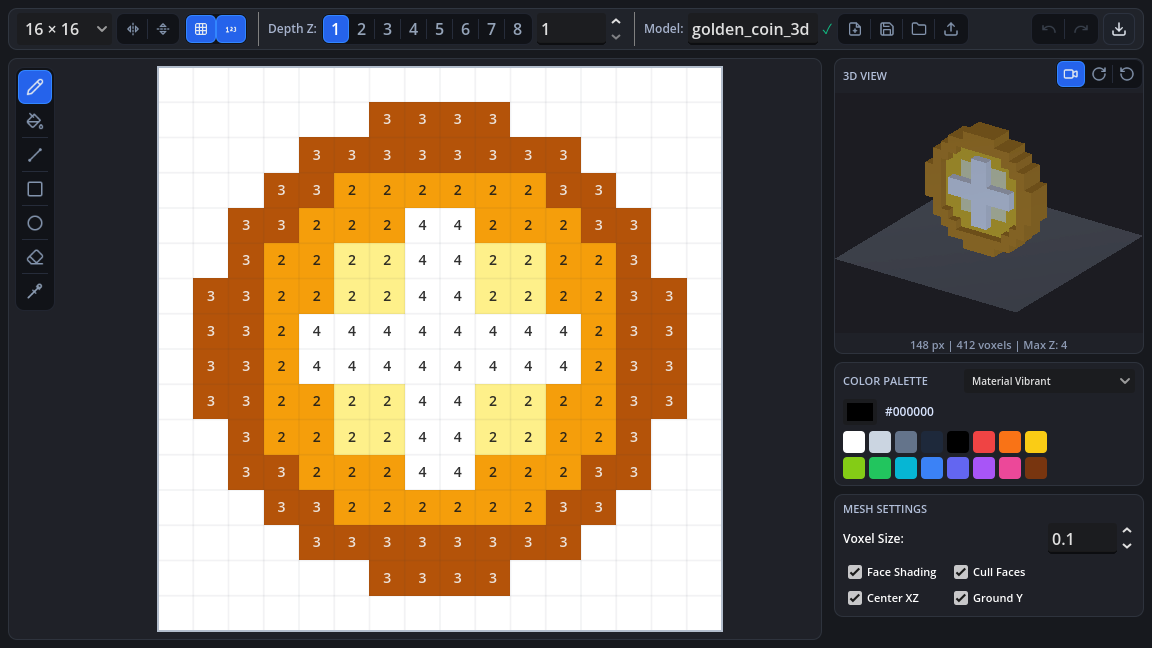
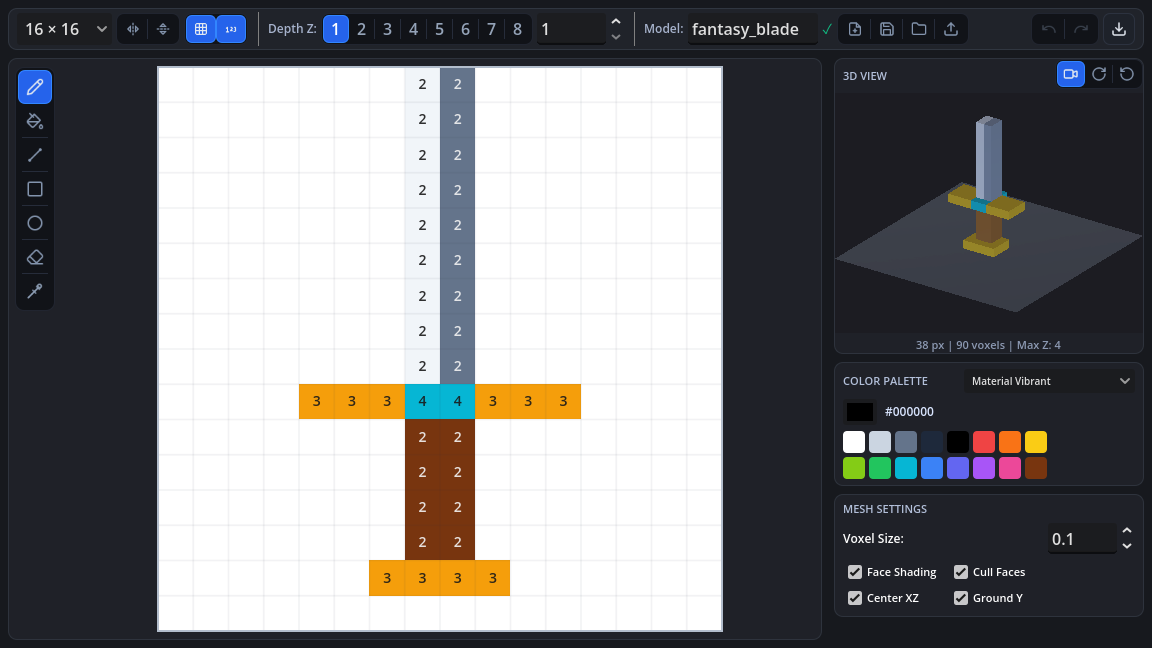
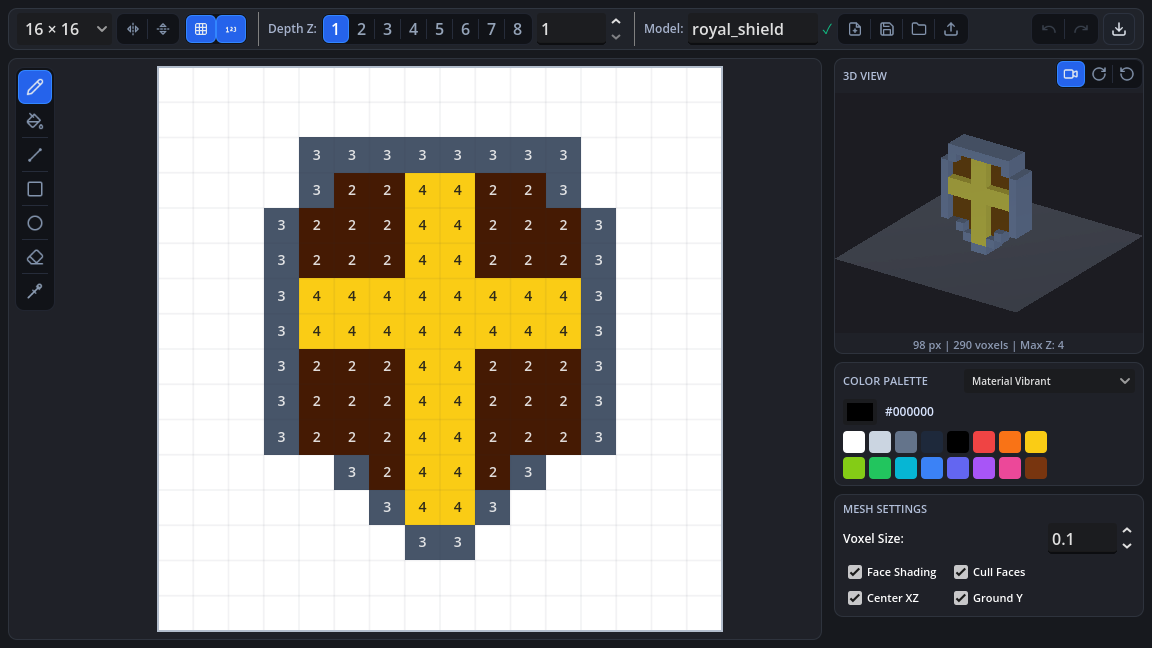
A Godot 4 editor plugin for creating low-poly 3D voxel models, characters, and assets directly within the engine using an interactive 2D canvas or by importing PNG sprites. ### Features - **Interactive Canvas**: Paint pixels on customizable grids (8x8, 16x16, 24x24, 32x32). - **Sprite Importer**: Load transparent PNG images and convert them into 3D meshes. - **Color & Symmetry Tools**: Eyedropper, color palette presets, horizontal/vertical symmetry mirroring. - **Real-time 3D Preview**: Orbit, pan, and zoom camera with grid ground, wireframe toggle, and rotation controls. - **Extrusion Profiles**: Flat, Beveled, Rounded, and Stepped mesh profiles. - **Direct Export**: - Export as .tscn (ready-to-use scene). - Export as .tres (ArrayMesh resource). - Export as .obj (3D low-poly model). - Save source project files as .json. ### Installation 1. Download and enable the plugin in Project Settings -> Plugins. 2. The Pixel 3D panel will appear in your editor's main screen tabs. |
A Godot 4 editor plugin for creating low-poly 3D voxel models, characters, and assets directly within the engine using an interactive 2D canvas or by importing PNG sprites. ### Features - **Interactive Canvas**: Paint pixels on customizable grids (8x8, 16x16, 24x24, 32x32). - **Sprite Importer**: Load transparent PNG images and convert them into 3D meshes. - **Color & Symmetry Tools**: Eyedropper, color palette presets, horizontal/vertical symmetry mirroring. - **Real-time 3D Preview**: Orbit, pan, and zoom camera with grid ground, wireframe toggle, and rotation controls. - **Extrusion Profiles**: Flat, Beveled, Rounded, and Stepped mesh profiles. - **Direct Export**: - Export as .tscn (ready-to-use scene). - Export as .tres (ArrayMesh resource). - Export as .obj (3D low-poly model). - Save source project files as .json. ### Installation 1. Download and enable the plugin in Project Settings -> Plugins. 2. The Pixel 3D panel will appear in your editor's main screen tabs. |
| Category | 3D Tools | 3D Tools |
| License | GPLv3 | GPLv3 |
| Repository Provider | GitHub | GitHub |
| Repository Url | https://github.com/leonsivanaDev/pixel-mesh-3d-builder | https://github.com/leonsivanaDev/pixel-mesh-3d-builder |
| Issues Url | https://github.com/leonsivanaDev/pixel-mesh-3d-builder/issues | https://github.com/leonsivanaDev/pixel-mesh-3d-builder/issues |
| Godot version | Godot 4.1 | Godot 4.1 |
| Version String | 1.0 | 1.0 |
| Download Commit | 37ce24b48792d65e7ab729efd30b01f0803b1e52 | 37ce24b48792d65e7ab729efd30b01f0803b1e52 |
| Download Url (Computed) | https://github.com/leonsivanaDev/pixel-mesh-3d-builder/archive/37ce24b48792d65e7ab729efd30b01f0803b1e52.zip | https://github.com/leonsivanaDev/pixel-mesh-3d-builder/archive/37ce24b48792d65e7ab729efd30b01f0803b1e52.zip |
| Icon Url |
https://raw.githubusercontent.com/leonsivanaDev/pixel-mesh-3d-builder/main/addons/pixel_mesh_builder/icon.png

|
https://raw.githubusercontent.com/leonsivanaDev/pixel-mesh-3d-builder/main/addons/pixel_mesh_builder/icon.png
|
| Preview Insert | ||
|---|---|---|
| Type | image | |
| Image/Video URL |
https://raw.githubusercontent.com/leonsivanaDev/pixel-mesh-3d-builder/main/screenshots/screenshot_1_coin.png
|
|
| Thumbnail |
|
|
| Preview Insert | ||
|---|---|---|
| Type | image | |
| Image/Video URL |
https://raw.githubusercontent.com/leonsivanaDev/pixel-mesh-3d-builder/main/screenshots/screenshot_2_sword.png
|
|
| Thumbnail |
|
|
| Preview Insert | ||
|---|---|---|
| Type | image | |
| Image/Video URL |
https://raw.githubusercontent.com/leonsivanaDev/pixel-mesh-3d-builder/main/screenshots/screenshot_3_shield.png
|
|
| Thumbnail |
|
|