Edit of asset "Godot MCP - Cursor and Claude Integration" Accepted
| Old/Current | New/Edit | |
|---|---|---|
| Title | Godot MCP - Cursor and Claude Integration | Godot MCP - Cursor and Claude Integration |
| Description |
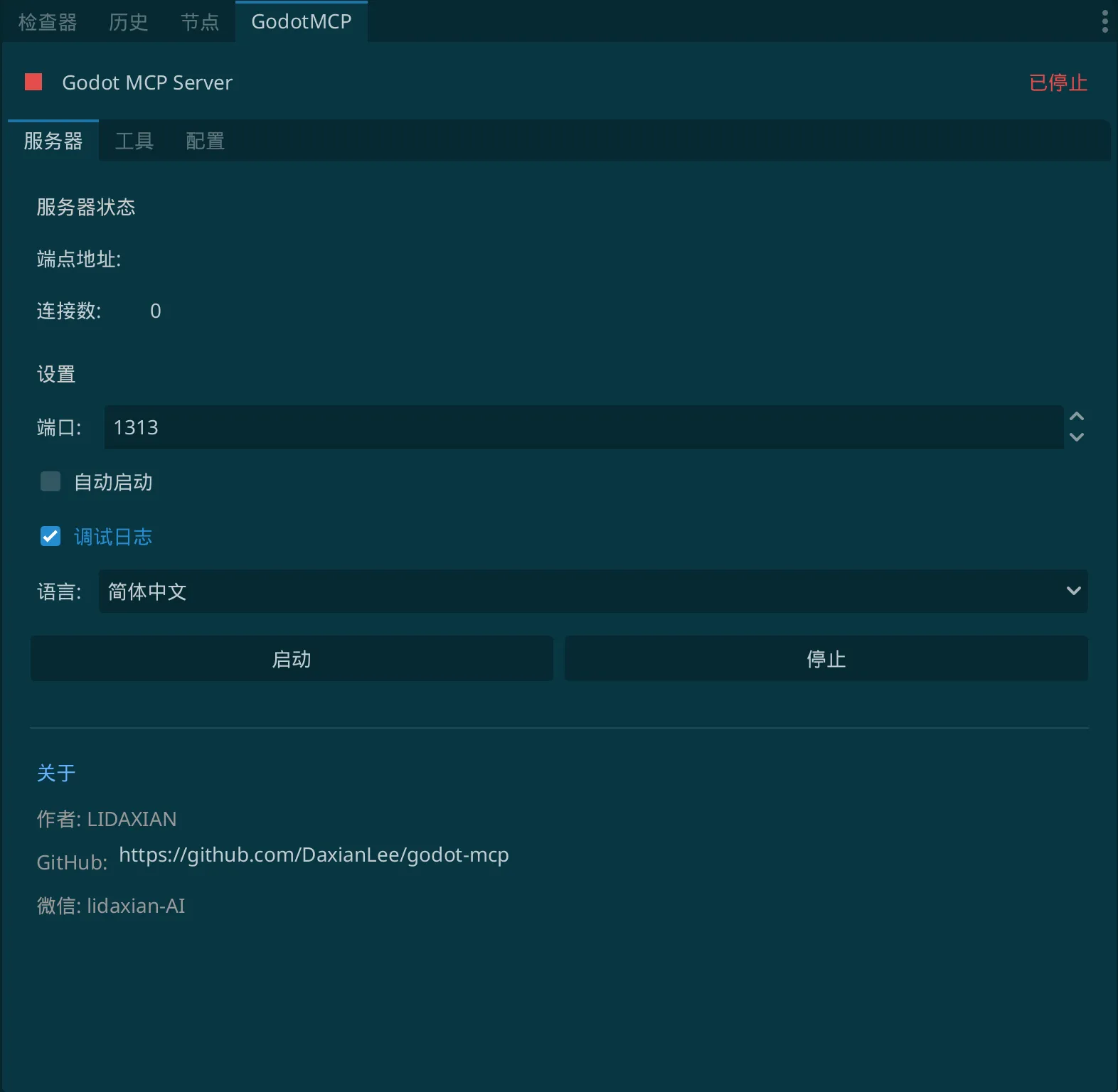
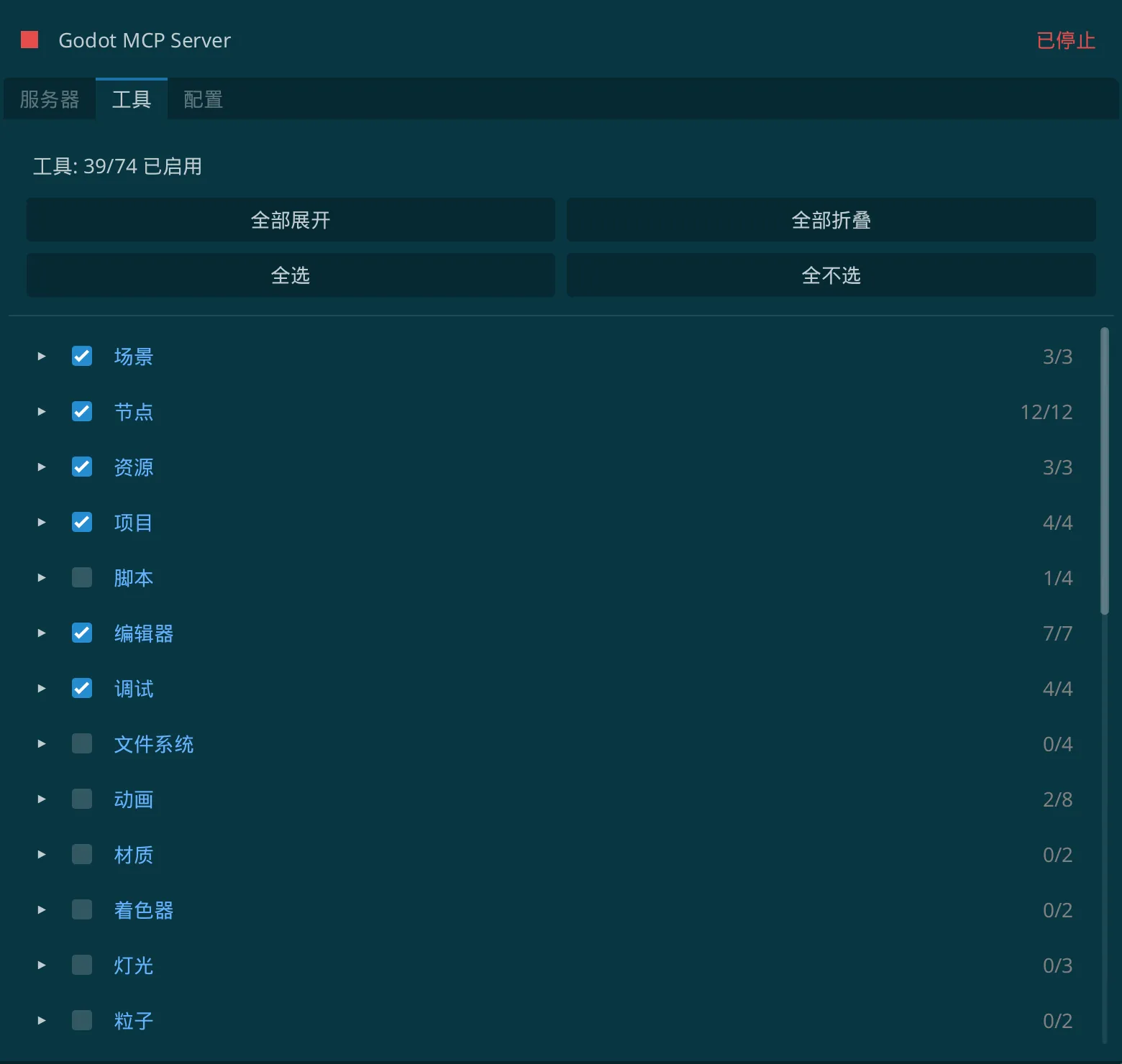
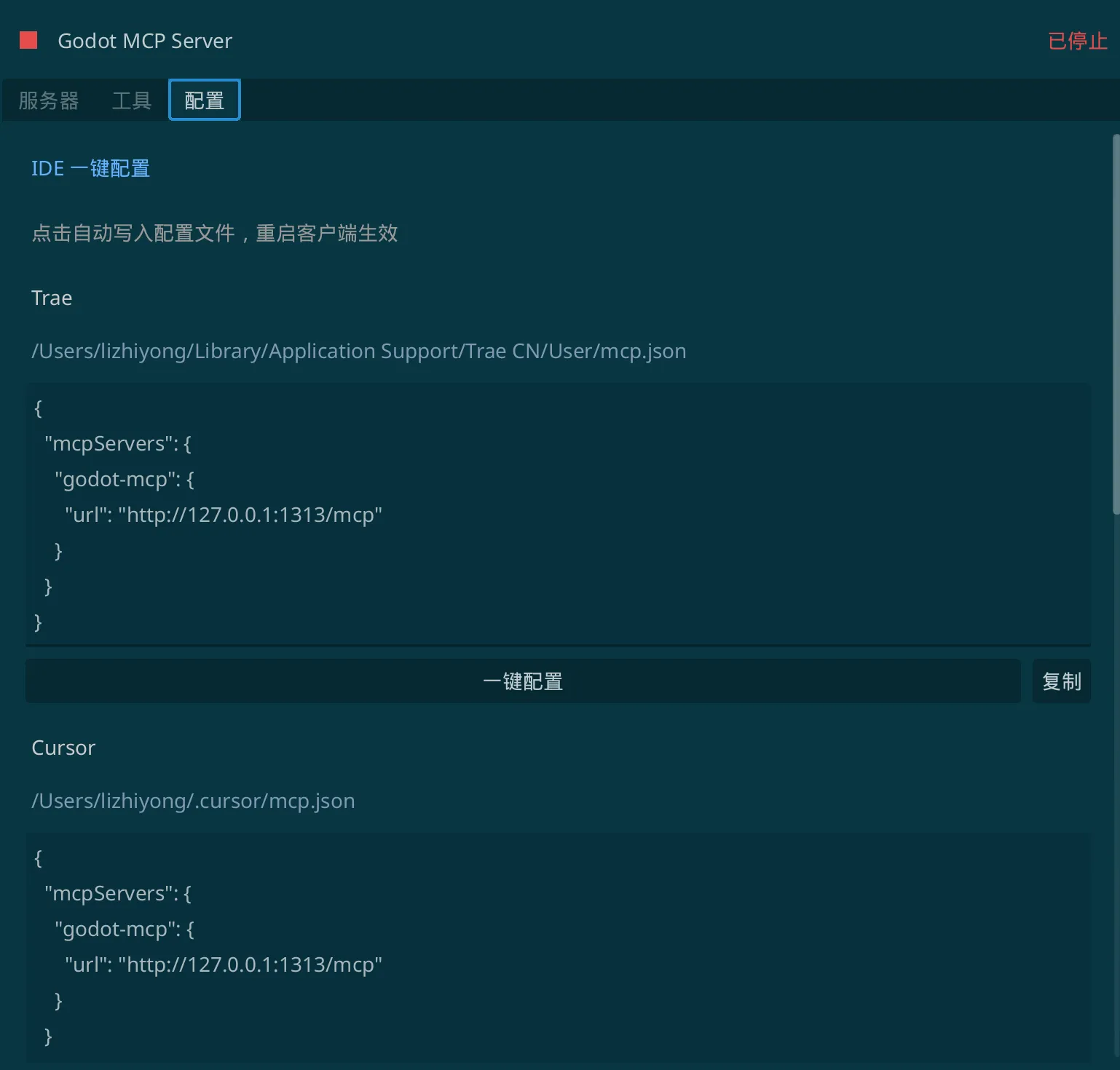
A lightweight, secure Server-Sent Events (SSE) server written in pure GDScript to bridge Cursor, Claude Desktop, and Windsurf directly into your Godot Engine 4.x Scene Tree. Unlike other node-based MCP servers, this is 100% Native GDScript — No Node.js, TypeScript compilation, or external JS installation required! ### Core Features: - Zero Configuration: Just drag and drop to your project addons folder, and it works instantly. - Deep Editor Control: Enable LLMs to read scene files, modify resources, generate scripts, and arrange nodes. - 100% Secure: Runs purely locally via local HTTP endpoints. ### Quick Configuration in Cursor: 1. Install this plugin and enable it in your Project Settings -> Plugins. 2. In Cursor -> Settings -> Features -> MCP, click "+ Add New MCP Server": - Name: godot-mcp - Type: sse - URL: http://127.0.0.1:3000/mcp --- ### Looking for Unity, Cocos Creator or Figma-to-Engine Flow? This open-source plugin is maintained by the VberAI team. If you are developing games on other engines or require fully automated asset pipelines, try our flagship commercial production tools: - Visit Official Portal: https://vberai.com - Join Discussion Group: https://t.me/+8618827755984 |
A lightweight, secure Server-Sent Events (SSE) server written in pure GDScript to bridge Cursor, Claude Desktop, and Windsurf directly into your Godot Engine 4.x Scene Tree. Unlike other node-based MCP servers, this is 100% Native GDScript — No Node.js, TypeScript compilation, or external JS installation required! ### Core Features: - Zero Configuration: Just drag and drop to your project addons folder, and it works instantly. - Deep Editor Control: Enable LLMs to read scene files, modify resources, generate scripts, and arrange nodes. - 100% Secure: Runs purely locally via local HTTP endpoints. ### Quick Configuration in Cursor: 1. Install this plugin and enable it in your Project Settings -> Plugins. 2. In Cursor -> Settings -> Features -> MCP, click "+ Add New MCP Server": - Name: godot-mcp - Type: sse - URL: http://127.0.0.1:3000/mcp --- ### Looking for Unity, Cocos Creator or Figma-to-Engine Flow? This open-source plugin is maintained by the VberAI team. If you are developing games on other engines or require fully automated asset pipelines, try our flagship commercial production tools: - Visit Official Portal: https://vberai.com - Join Discussion Group: https://t.me/+8618827755984 |
| Category | Tools | Tools |
| License | MIT | MIT |
| Repository Provider | GitHub | GitHub |
| Repository Url | https://github.com/DaxianLee/godot-mcp | https://github.com/DaxianLee/godot-mcp |
| Issues Url | https://github.com/DaxianLee/godot-mcp/issues | https://github.com/DaxianLee/godot-mcp/issues |
| Godot version | Godot 4.0 | Godot 4.0 |
| Version String | 1.0.0 | 1.0.0 |
| Download Commit | 1b031291b724b94753c46272d7e3384cfe474a7e | 1b031291b724b94753c46272d7e3384cfe474a7e |
| Download Url (Computed) | https://github.com/DaxianLee/godot-mcp/archive/1b031291b724b94753c46272d7e3384cfe474a7e.zip | https://github.com/DaxianLee/godot-mcp/archive/1b031291b724b94753c46272d7e3384cfe474a7e.zip |
| Icon Url |
https://www.vberai.com/favicon/light/android-chrome-192x192.png

|
https://www.vberai.com/favicon/light/android-chrome-192x192.png
|
| Preview Insert | ||
|---|---|---|
| Type | image | |
| Image/Video URL |
https://www.vberai.com/godot/1.webp
|
|
| Thumbnail |
|
|
| Preview Insert | ||
|---|---|---|
| Type | image | |
| Image/Video URL |
https://www.vberai.com/godot/2.webp
|
|
| Thumbnail |
|
|
| Preview Insert | ||
|---|---|---|
| Type | image | |
| Image/Video URL |
https://www.vberai.com/godot/3.webp
|
|
| Thumbnail |
|
|
| Preview Insert | ||
|---|---|---|
| Type | video | |
| Image/Video URL |
https://www.bilibili.com/video/BV1L3rZBxE9q/?vd_source=941cb0835b2dcf7459703023641edfd5
|
|
| Thumbnail |
|
|