Edit of asset "Metroidvania Developer System" Accepted
| Old/Current | New/Edit | |
|---|---|---|
| Title | Metroidvania Developer System | Metroidvania Developer System |
| Description |
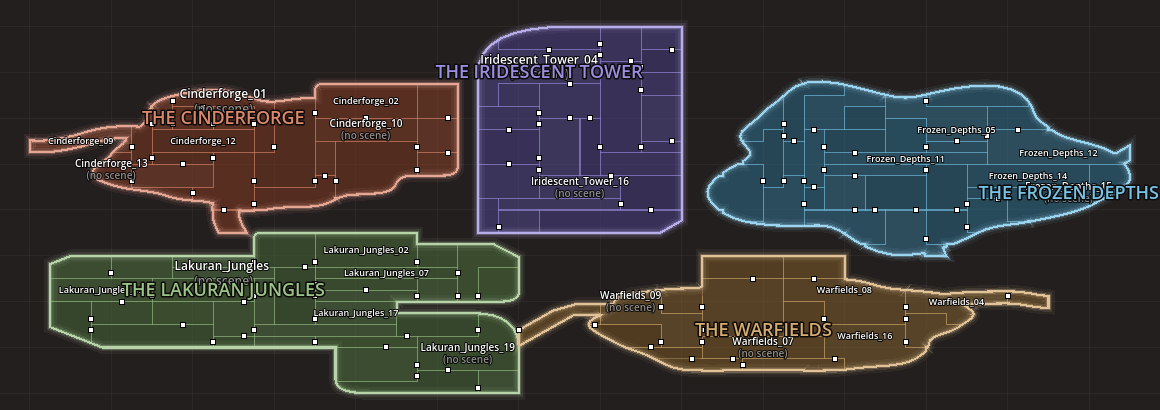
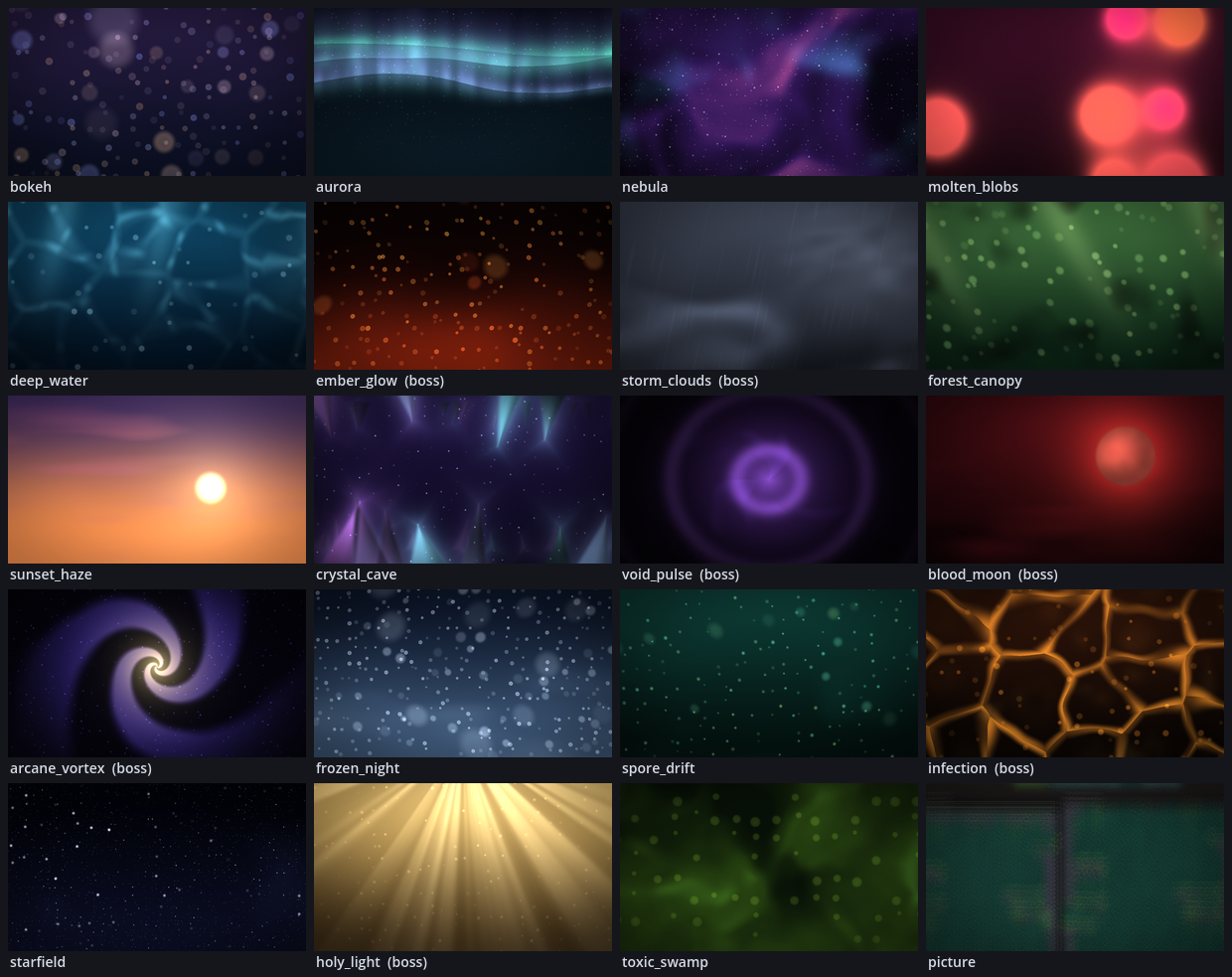
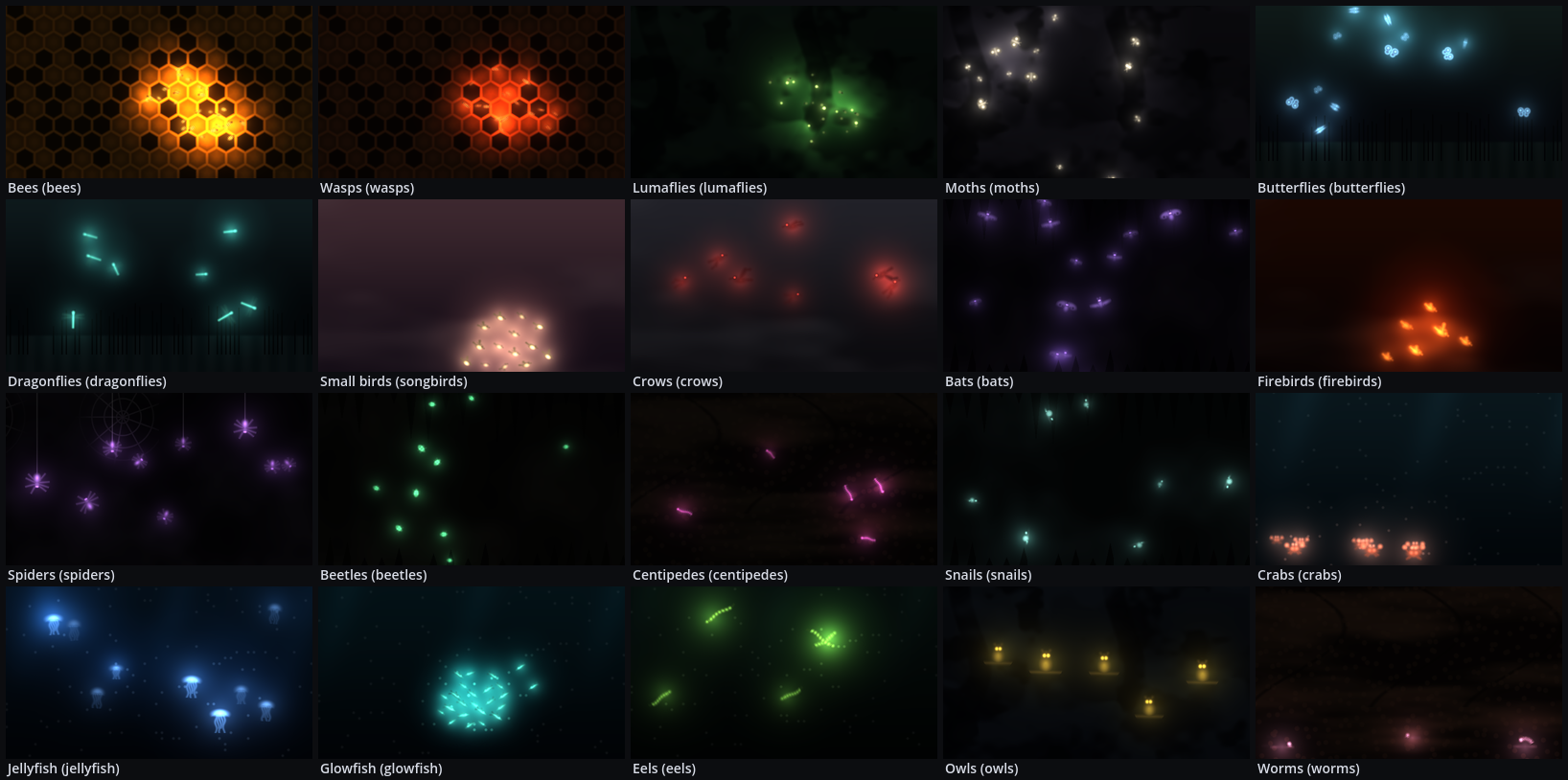
Metroidvania Developer System turns the Godot editor into a workbench for metroidvania games. Draw the map, paint the rooms, give them atmosphere, build the gameplay and the boss fights, check that every path works, and play it, without leaving the editor. It works on its own or with MetSys. Map - Draw irregular rooms on a free world map, or drop your scenes on it. Connect them with Hollow Knight-style named gates and group them into colored areas. - Generate whole areas from curved, slanted or blocky outlines. They split into rooms with doors, and caves are carved through all of them with paths you can walk and backtrack. - Import a map from a picture, even one drawn with no grid, and merge rooms. - MetSys mode works on MetSys' own grid map instead. Rooms - Paint terrain (autotiled), background, decorations and foreground in a Room view, for one room or a whole area at once. - Add curved freeform rock and stamps, place tiles anywhere at any angle, or trace a room from a drawing. - Generate a cave, an outdoor room or an arena that fits the room's shape. Atmosphere - 30 shader effects, by area or by drag and drop: - weather: dust storms, rain, lightning, snow, fog; - hazards: steam vents, lava, waterfalls, falling rocks; - Silksong-style scenery: silk threads, wisps, cobwebs, hanging moss, swaying grass, void tendrils. - Moss, grass, tendrils and webs react to the player. - Backgrounds: parallax backgrounds and foregrounds, 20 animated shader styles, 20 creature backgrounds for boss rooms, and 40 gothic and sci-fi machinery backgrounds. Gameplay - A Gameplay Kit: a player with tunable movement, abilities, combat, enemies, bosses, money, inventory, equipment, benches to save at, and the game's UI. - 30 attack effects and hurt particles. - Saving and continuing, a minimap, and a pause menu map with the player's own pins. Fights - Bosses and enemies fight with moves put together in the inspector or in code: dashes, leaps, strikes, zones, shots, summons, guards and more, in sequences, picks and phases, with conditions and cooldowns. - Six recipes to start from, and a Fight editor that shows a fight as a graph and lights it up while the game runs. Checks - Physics checks of every room: gates you can reach, headroom, climbs. - Progression and backtracking analysis, save distance, map validation and stats. - Exports: JSON, PNG, Graphviz and a Markdown design document. Play - MDSWorldGame runs the world: room-to-room transitions, gates and barriers, fast travel, saved exploration and defeated enemies. - A camera made for irregular rooms, with auto zoom and Phantom Camera support, and a camera director for fights. - Area titles, music, objectives, dark rooms with lights, 2.5D depth and an in-game map. - Play from here starts the game in any room. AI tools - An MCP server, off by default, lets Claude Code and other AI tools build with the plugin: worlds, rooms, gameplay objects and fights, with undo and three permission tiers. Two optional art packs are included, Mossgrove and Sunken Gardens. Godot 4.6 or newer, tested on 4.6.1 and 4.7.2. MIT license. Full documentation: https://github.com/arunsrajan/MetroidvaniaDeveloperSystem |
Metroidvania Developer System turns the Godot editor into a workbench for metroidvania games. Draw the map, paint the rooms, give them atmosphere, build the gameplay and the boss fights, check that every path works, and play it, without leaving the editor. It works on its own or with MetSys. Map - Draw irregular rooms on a free world map, or drop your scenes on it. Connect them with Hollow Knight-style named gates and group them into colored areas. - Generate whole areas from curved, slanted or blocky outlines. They split into rooms with doors, and caves are carved through all of them with paths you can walk and backtrack. - Import a map from a picture, even one drawn with no grid, and merge rooms. - MetSys mode works on MetSys' own grid map instead. Rooms - Paint terrain (autotiled), background, decorations and foreground in a Room view, for one room or a whole area at once. - Add curved freeform rock and stamps, place tiles anywhere at any angle, or trace a room from a drawing. - Generate a cave, an outdoor room or an arena that fits the room's shape. Atmosphere - 30 shader effects, by area or by drag and drop: - weather: dust storms, rain, lightning, snow, fog; - hazards: steam vents, lava, waterfalls, falling rocks; - Silksong-style scenery: silk threads, wisps, cobwebs, hanging moss, swaying grass, void tendrils. - Moss, grass, tendrils and webs react to the player. - Backgrounds: parallax backgrounds and foregrounds, 20 animated shader styles, 20 creature backgrounds for boss rooms, and 40 gothic and sci-fi machinery backgrounds. Gameplay - A Gameplay Kit: a player with tunable movement, abilities, combat, enemies, bosses, money, inventory, equipment, benches to save at, and the game's UI. - 30 attack effects and hurt particles. - Saving and continuing, a minimap, and a pause menu map with the player's own pins. Fights - Bosses and enemies fight with moves put together in the inspector or in code: dashes, leaps, strikes, zones, shots, summons, guards and more, in sequences, picks and phases, with conditions and cooldowns. - Six recipes to start from, and a Fight editor that shows a fight as a graph and lights it up while the game runs. Checks - Physics checks of every room: gates you can reach, headroom, climbs. - Progression and backtracking analysis, save distance, map validation and stats. - Exports: JSON, PNG, Graphviz and a Markdown design document. Play - MDSWorldGame runs the world: room-to-room transitions, gates and barriers, fast travel, saved exploration and defeated enemies. - A camera made for irregular rooms, with auto zoom and Phantom Camera support, and a camera director for fights. - Area titles, music, objectives, dark rooms with lights, 2.5D depth and an in-game map. - Play from here starts the game in any room. AI tools - An MCP server, off by default, lets Claude Code and other AI tools build with the plugin: worlds, rooms, gameplay objects and fights, with undo and three permission tiers. Two optional art packs are included, Mossgrove and Sunken Gardens. Godot 4.6 or newer, tested on 4.6.1 and 4.7.2. MIT license. Full documentation: https://github.com/arunsrajan/MetroidvaniaDeveloperSystem |
| Category | 2D Tools | 2D Tools |
| License | MIT | MIT |
| Repository Provider | GitHub | GitHub |
| Repository Url | https://github.com/arunsrajan/MetroidvaniaDeveloperSystem | https://github.com/arunsrajan/MetroidvaniaDeveloperSystem |
| Issues Url | https://github.com/arunsrajan/MetroidvaniaDeveloperSystem/issues | https://github.com/arunsrajan/MetroidvaniaDeveloperSystem/issues |
| Godot version | Godot 4.6 | Godot 4.6 |
| Version String | 3.5.0 | 3.5.0 |
| Download Commit | f2b3c0173eee03e4096442c71a0d7ac819e22618 | f2b3c0173eee03e4096442c71a0d7ac819e22618 |
| Download Url (Computed) | https://github.com/arunsrajan/MetroidvaniaDeveloperSystem/archive/f2b3c0173eee03e4096442c71a0d7ac819e22618.zip | https://github.com/arunsrajan/MetroidvaniaDeveloperSystem/archive/f2b3c0173eee03e4096442c71a0d7ac819e22618.zip |
| Icon Url |
https://raw.githubusercontent.com/arunsrajan/MetroidvaniaDeveloperSystem/main/docs/icon.png
|
https://raw.githubusercontent.com/arunsrajan/MetroidvaniaDeveloperSystem/main/docs/icon.png
|
| Preview Insert | ||
|---|---|---|
| Type | image | |
| Image/Video URL |
https://raw.githubusercontent.com/arunsrajan/MetroidvaniaDeveloperSystem/main/docs/generated_areas.png
|
|
| Thumbnail |
|
|
| Preview Insert | ||
|---|---|---|
| Type | image | |
| Image/Video URL |
https://raw.githubusercontent.com/arunsrajan/MetroidvaniaDeveloperSystem/main/docs/animated_backgrounds.png
|
|
| Thumbnail |
|
|
| Preview Insert | ||
|---|---|---|
| Type | image | |
| Image/Video URL |
https://raw.githubusercontent.com/arunsrajan/MetroidvaniaDeveloperSystem/main/docs/creature_backgrounds.png
|
|
| Thumbnail |
|
|