Edit of asset "Hibira Realtime" Accepted
| Old/Current | New/Edit | |
|---|---|---|
| Title | Hibira Realtime | Hibira Realtime |
| Description |
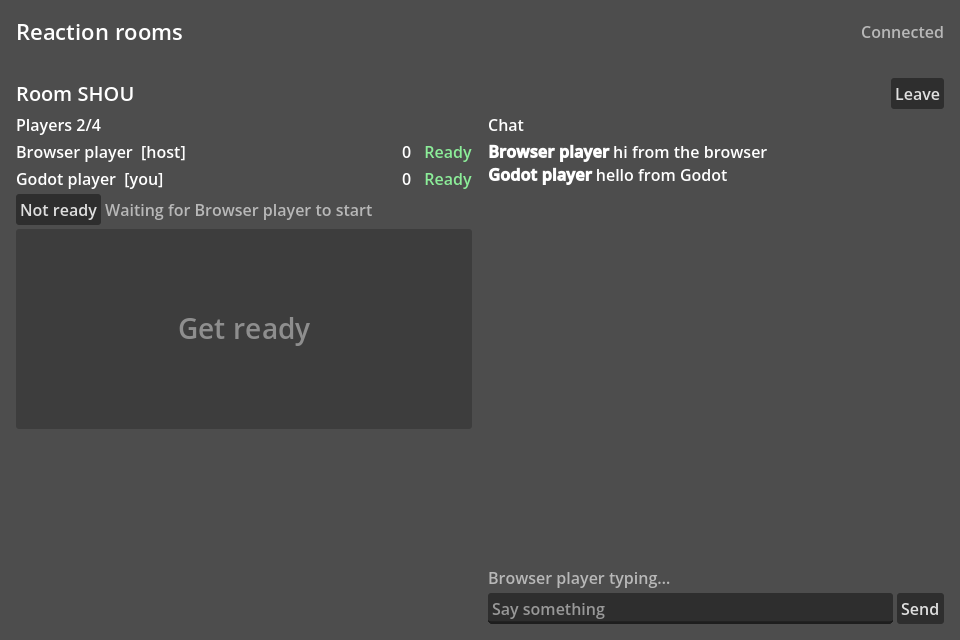
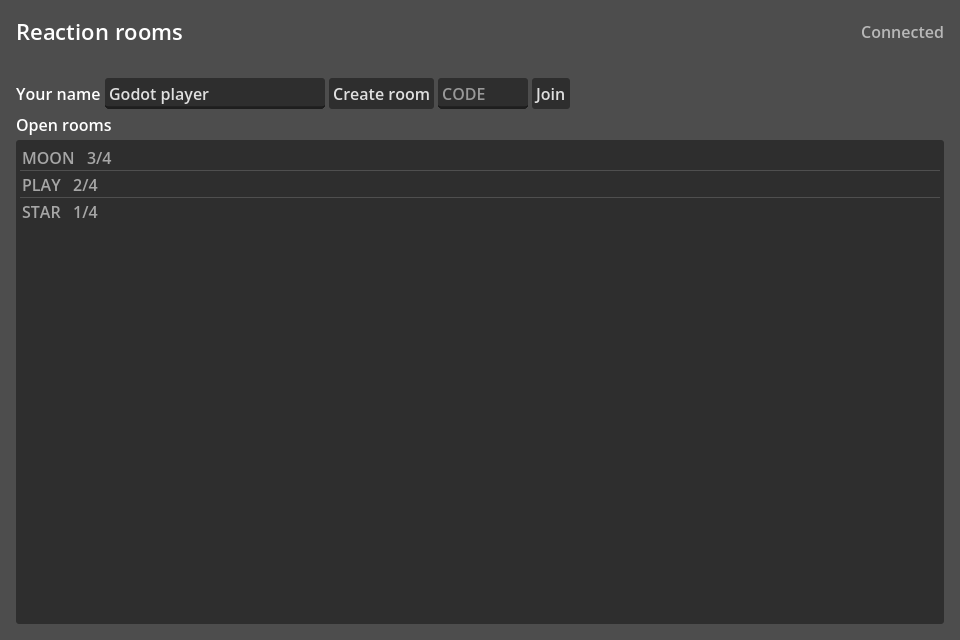
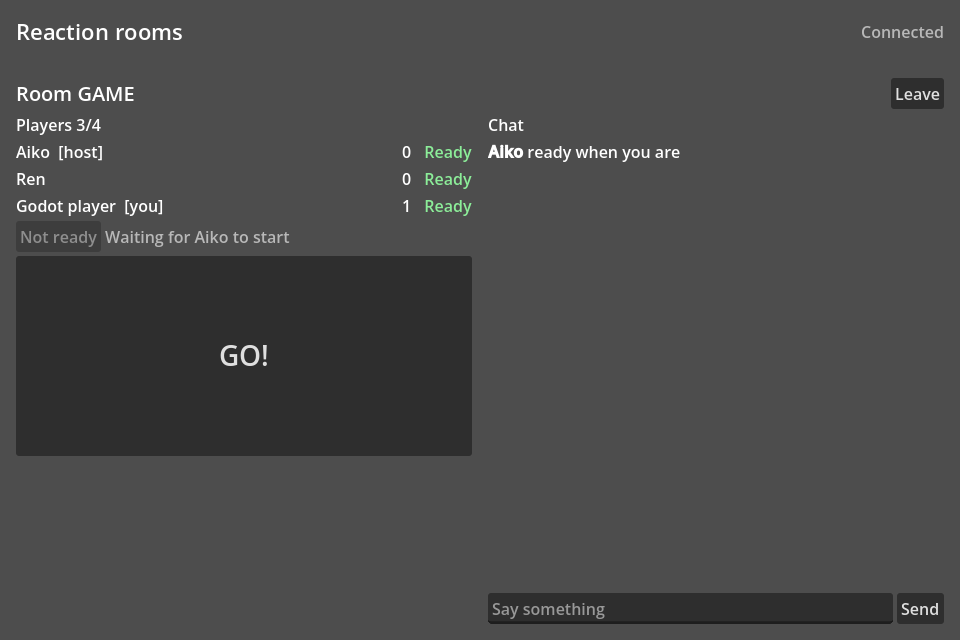
Pusher Channels protocol client for Godot 4, written in pure GDScript, for Hibira (https://hibira.io) and other Pusher-compatible servers. Works in every export, the web included. - Hibira autoload set up in Project Settings > Hibira: connect with no code - HibiraSync: add it under a node and its position (or any properties) follows its owner on every other player's screen, smoothed and batched - Public, private and presence channels (signed by your own auth endpoint, as for pusher-js) - Client events between players, with the sender's user_id on presence channels - Presence members, joins and leaves - Reconnects with backoff and subscribes again - HibiraRoom: game rooms with seats, a host, ready flags, settings, kick, start, and chat with typing indicators. It speaks the same events as the @hibira-io/lobby web SDK, so Godot and browser players can share a room. Try it: open addons/hibira/demo/playground.tscn and press F6; it runs with no setup. Example game: https://github.com/hibira-io/examples/tree/main/godot-lobby |
Pusher Channels protocol client for Godot 4, written in pure GDScript, for Hibira (https://hibira.io) and other Pusher-compatible servers. Works in every export, the web included. - Hibira autoload set up in Project Settings > Hibira: connect with no code - HibiraSync: add it under a node and its position (or any properties) follows its owner on every other player's screen, smoothed and batched - Public, private and presence channels (signed by your own auth endpoint, as for pusher-js) - Client events between players, with the sender's user_id on presence channels - Presence members, joins and leaves - Reconnects with backoff and subscribes again - HibiraRoom: game rooms with seats, a host, ready flags, settings, kick, start, and chat with typing indicators. It speaks the same events as the @hibira-io/lobby web SDK, so Godot and browser players can share a room. Try it: open addons/hibira/demo/playground.tscn and press F6; it runs with no setup. Example game: https://github.com/hibira-io/examples/tree/main/godot-lobby |
| Category | Scripts | Scripts |
| License | MIT | MIT |
| Repository Provider | GitHub | GitHub |
| Repository Url | https://github.com/hibira-io/godot | https://github.com/hibira-io/godot |
| Issues Url | https://github.com/hibira-io/godot/issues | https://github.com/hibira-io/godot/issues |
| Godot version | Godot 4.3 | Godot 4.3 |
| Version String | 0.2.0 | 0.2.0 |
| Download Commit | 1142eeee6089e89daf44d9ccbf424f3eb305ff6e | 1142eeee6089e89daf44d9ccbf424f3eb305ff6e |
| Download Url (Computed) | https://github.com/hibira-io/godot/archive/1142eeee6089e89daf44d9ccbf424f3eb305ff6e.zip | https://github.com/hibira-io/godot/archive/1142eeee6089e89daf44d9ccbf424f3eb305ff6e.zip |
| Icon Url |
https://hibira.io/apple-touch-icon.png

|
https://hibira.io/apple-touch-icon.png
|
| Preview Insert | ||
|---|---|---|
| Type | image | |
| Image/Video URL |
https://raw.githubusercontent.com/hibira-io/examples/main/godot-lobby/docs/screenshot.png
|
|
| Thumbnail |
https://raw.githubusercontent.com/hibira-io/examples/main/godot-lobby/docs/screenshot.png
|
|
| Preview Insert | ||
|---|---|---|
| Type | image | |
| Image/Video URL |
https://raw.githubusercontent.com/hibira-io/examples/main/godot-lobby/docs/rooms.png
|
|
| Thumbnail |
https://raw.githubusercontent.com/hibira-io/examples/main/godot-lobby/docs/rooms.png
|
|
| Preview Insert | ||
|---|---|---|
| Type | image | |
| Image/Video URL |
https://raw.githubusercontent.com/hibira-io/examples/main/godot-lobby/docs/game.png
|
|
| Thumbnail |
https://raw.githubusercontent.com/hibira-io/examples/main/godot-lobby/docs/game.png
|
|