Edit of asset "Swallowtail - Godot Automation" Accepted
| Old/Current | New/Edit | |
|---|---|---|
| Title | Swallowtail - Godot Automation | Swallowtail - Godot Automation |
| Description |
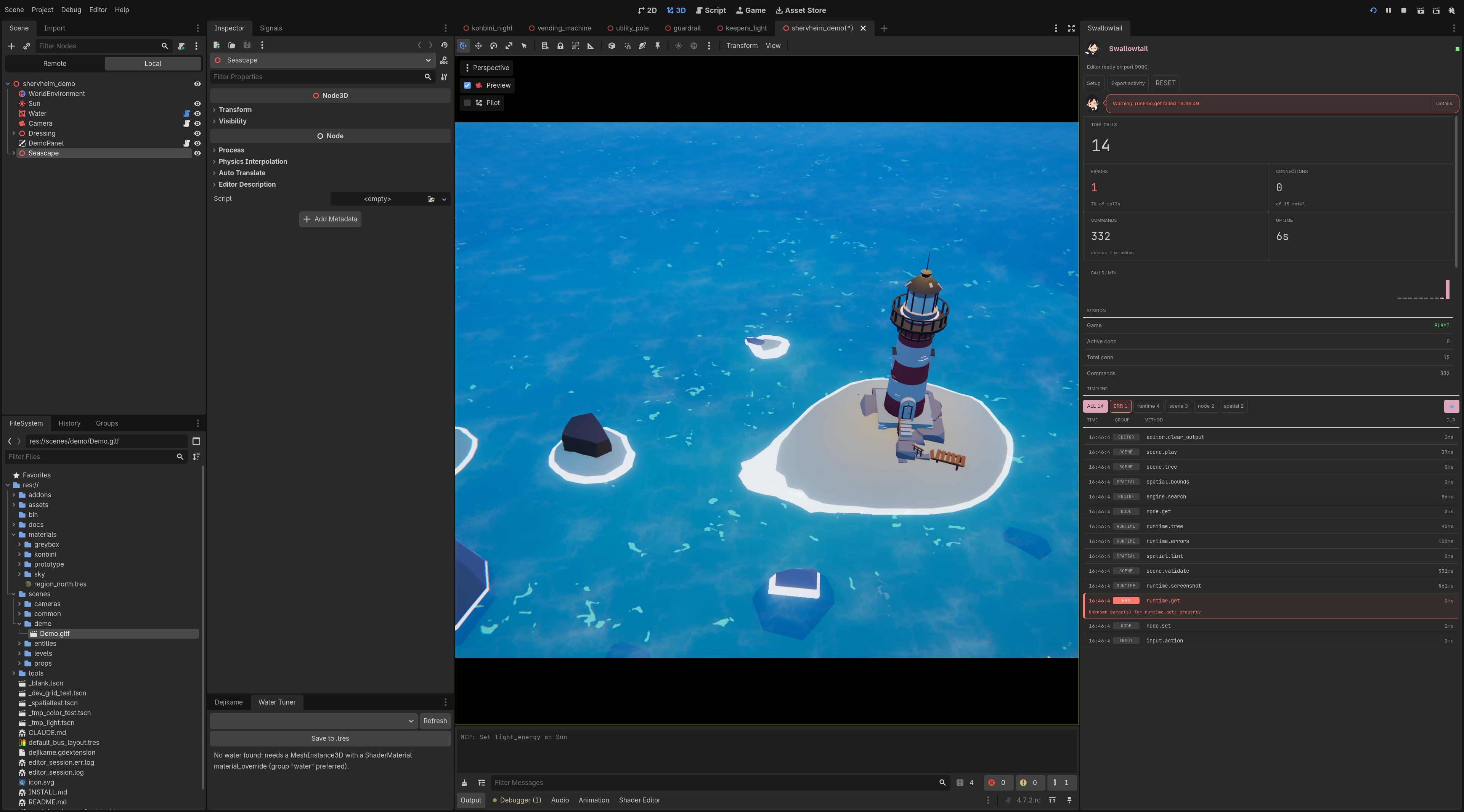
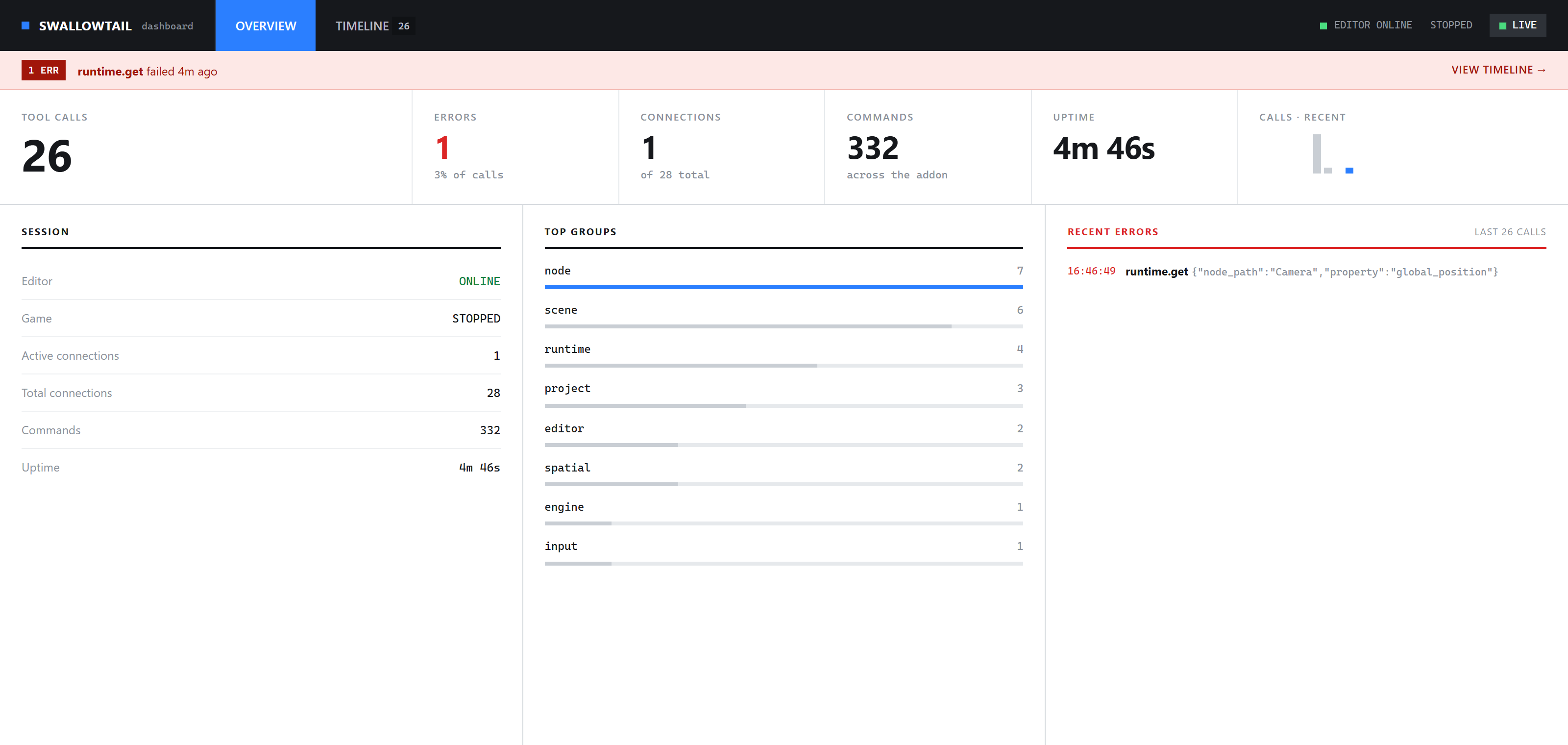
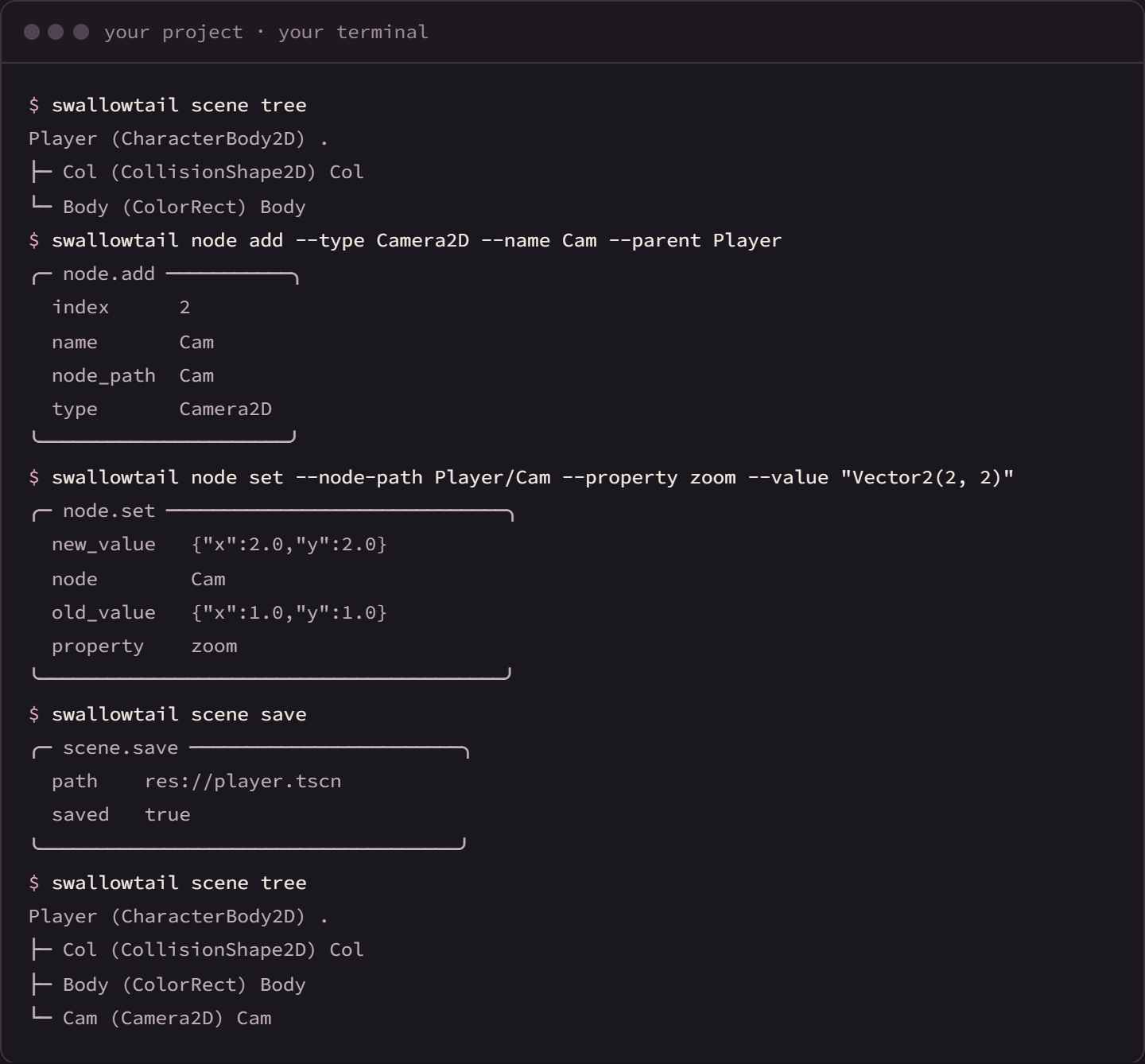
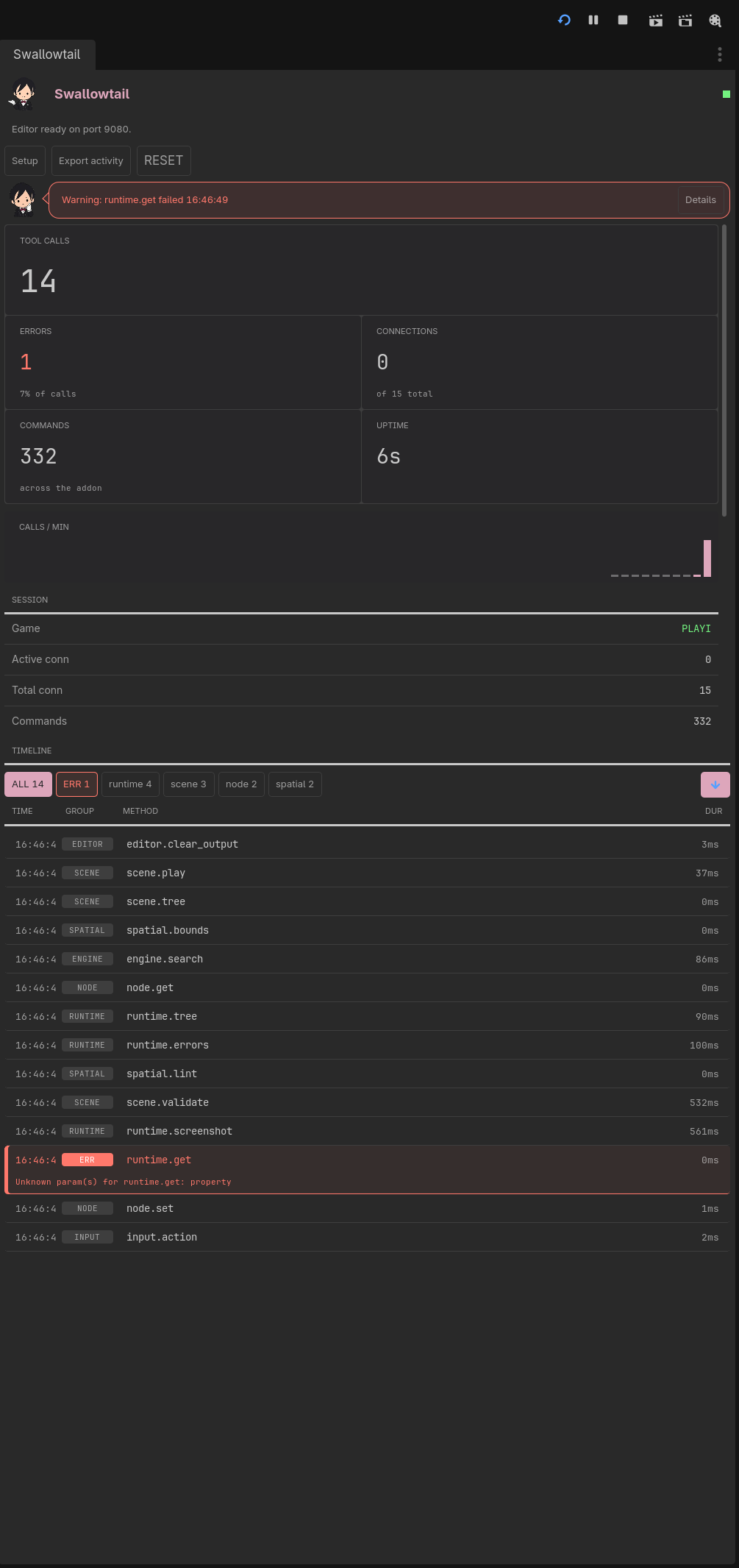
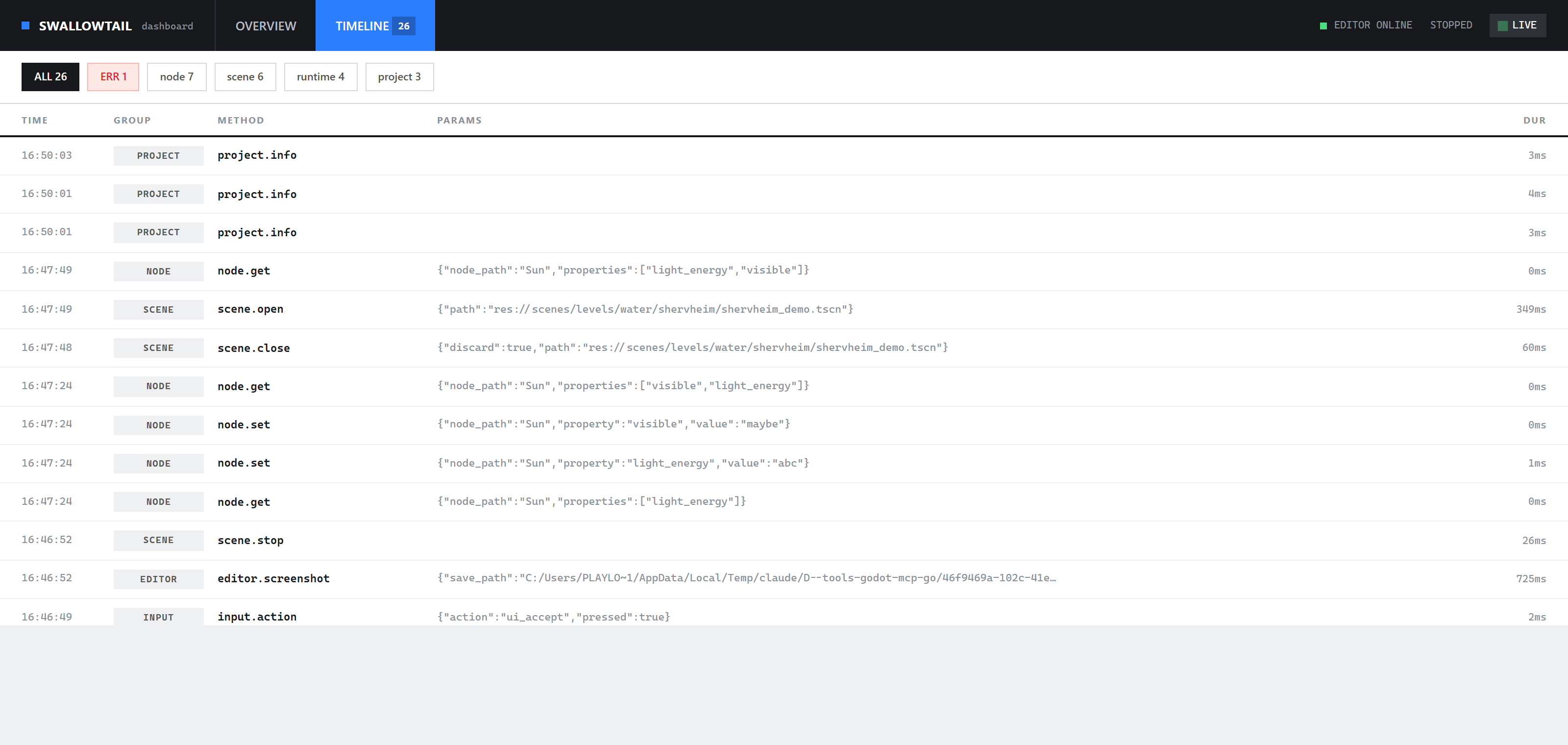
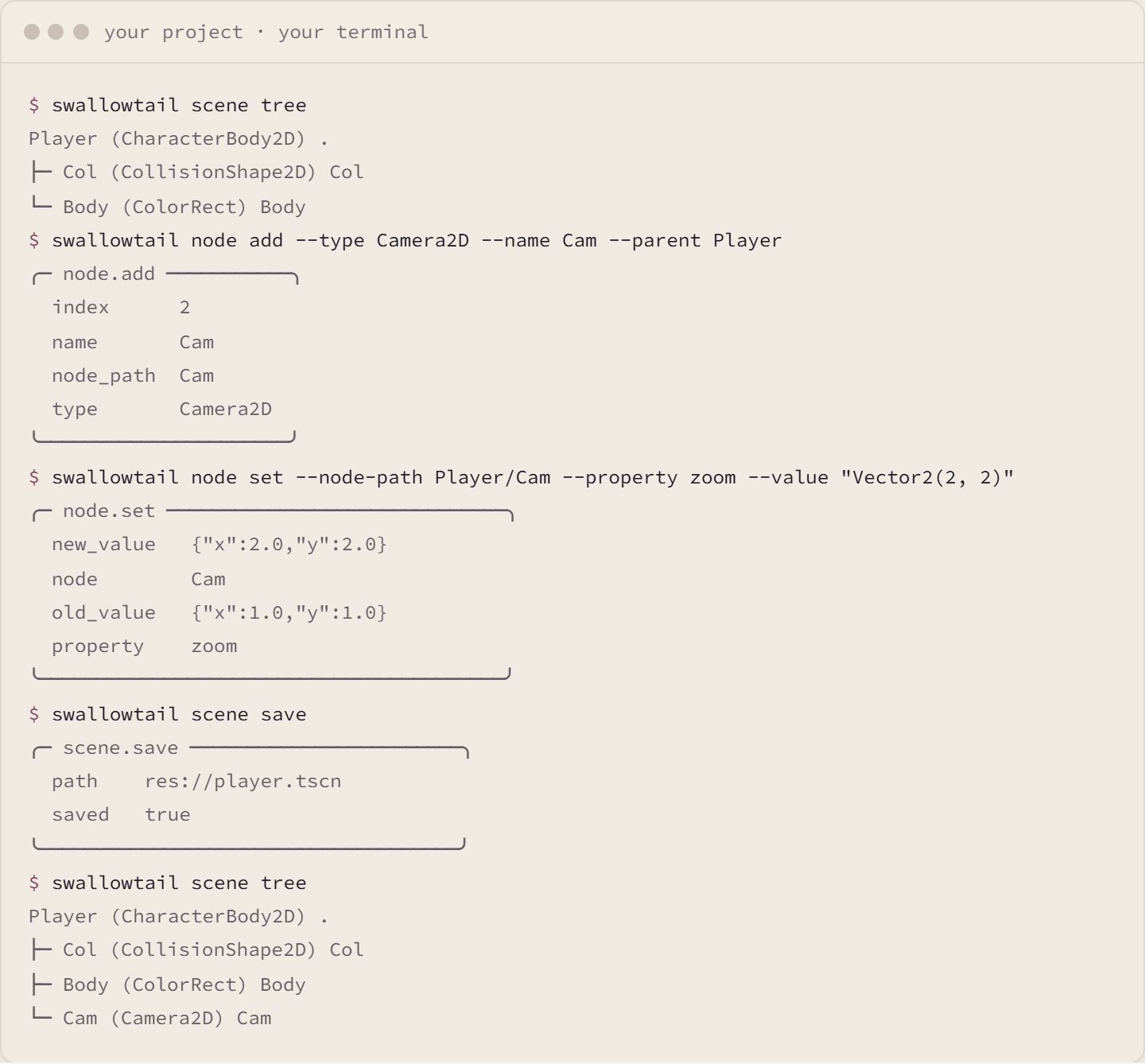
Swallowtail automates Godot from your terminal, your scripts, and any tool you connect. It works against the editor you already have open: inspect and edit scenes, validate scenes and scripts, play the game, send input, read state back, capture frames, break and step in the debugger, then fix and verify without leaving the interface. Supported scene edits go through the editor's undo history; script and file changes are yours to review in version control. The addon hosts two local servers inside the editor: a WebSocket server the swallowtail command line tool connects to, and an optional streamable-HTTP MCP endpoint an MCP client connects to with no extra process. No agent, model, or AI account is required; MCP is one optional interface. Project-local commands in res://mcp_commands/ register beside the built-ins and appear in the CLI, in help, and as MCP tools. Godot 4.7 is the target; 4.3 through 4.8 work in beta. The command line tool and the agent skill are separate downloads from the repository releases. This addon shipped as Godot MCP/CLI through 0.11; existing projects move with swallowtail migrate. Development tooling: disable the plugin and exclude addons/swallowtail/* in every export preset before shipping a game. The Before you ship page has the two steps and the scan that proves them. |
Swallowtail automates Godot from your terminal, your scripts, and any tool you connect. It works against the editor you already have open: inspect and edit scenes, validate scenes and scripts, play the game, send input, read state back, capture frames, break and step in the debugger, then fix and verify without leaving the interface. Supported scene edits go through the editor's undo history; script and file changes are yours to review in version control. The addon hosts two local servers inside the editor: a WebSocket server the swallowtail command line tool connects to, and an optional streamable-HTTP MCP endpoint an MCP client connects to with no extra process. No agent, model, or AI account is required; MCP is one optional interface. Project-local commands in res://mcp_commands/ register beside the built-ins and appear in the CLI, in help, and as MCP tools. Godot 4.7 is the target; 4.3 through 4.8 work in beta. The command line tool and the agent skill are separate downloads from the repository releases. This addon shipped as Godot MCP/CLI through 0.11; existing projects move with swallowtail migrate. Development tooling: disable the plugin and exclude addons/swallowtail/* in every export preset before shipping a game. The Before you ship page has the two steps and the scan that proves them. |
| Category | Tools | |
| License | MIT | |
| Repository Provider | GitHub | |
| Repository Url | https://github.com/regiellis/godot-mcp-go | |
| Issues Url | https://github.com/regiellis/godot-mcp-go/issues | |
| Godot version | Godot 4.3 | |
| Version String | 1.2.0 | 1.0.0 |
| Download Commit | 7b7961619dab326c905ea28f416d501467f625c9 | 09f14003a5d7dcf00afdb1c9d0ef3460fbf1d5f8 |
| Download Url (Computed) | https://github.com/regiellis/godot-mcp-go/archive/7b7961619dab326c905ea28f416d501467f625c9.zip | https://github.com/regiellis/godot-mcp-go/archive/09f14003a5d7dcf00afdb1c9d0ef3460fbf1d5f8.zip |
| Icon Url |
https://raw.githubusercontent.com/regiellis/godot-mcp-go/asset-library/addons/swallowtail/icon.png

|
https://raw.githubusercontent.com/regiellis/godot-mcp-go/asset-library/addons/swallowtail/icon.png
|
| Preview Remove | ||
|---|---|---|
| Type | image | |
| Image/Video URL |
|
|
| Thumbnail |
|
|
| Preview Remove | ||
|---|---|---|
| Type | image | |
| Image/Video URL |
|
|
| Thumbnail |
|
|
| Preview Remove | ||
|---|---|---|
| Type | image | |
| Image/Video URL |
|
|
| Thumbnail |
|
|
| Preview Remove | ||
|---|---|---|
| Type | image | |
| Image/Video URL |
|
|
| Thumbnail |
|
|
| Preview Remove | ||
|---|---|---|
| Type | image | |
| Image/Video URL |
|
|
| Thumbnail |
|
|