Edit of asset "GDSQL - Ultimate Database" Accepted
| Old/Current | New/Edit | |
|---|---|---|
| Title | GDSQL - Ultimate Database | GDSQL - Ultimate Database |
| Description |
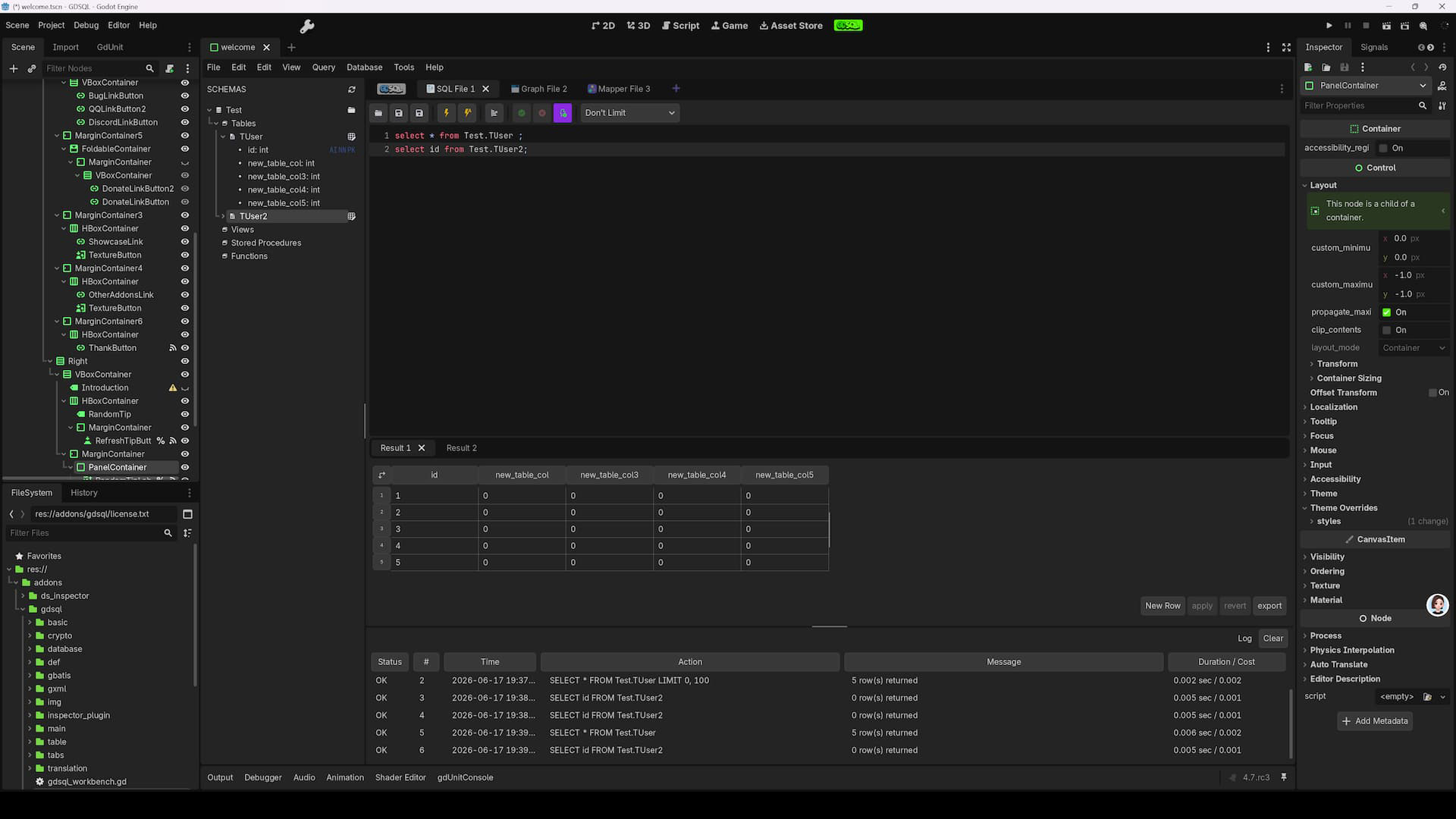
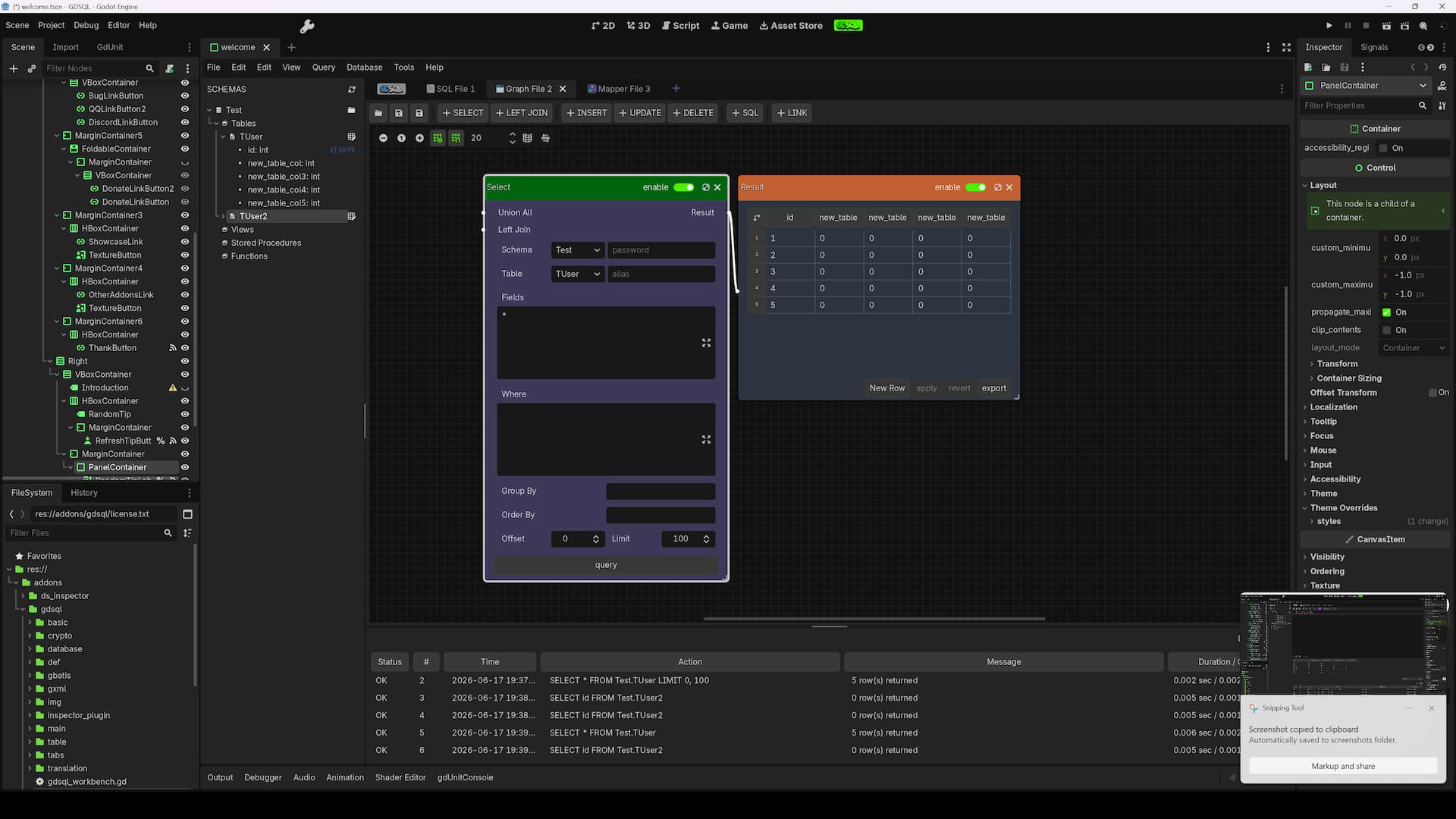
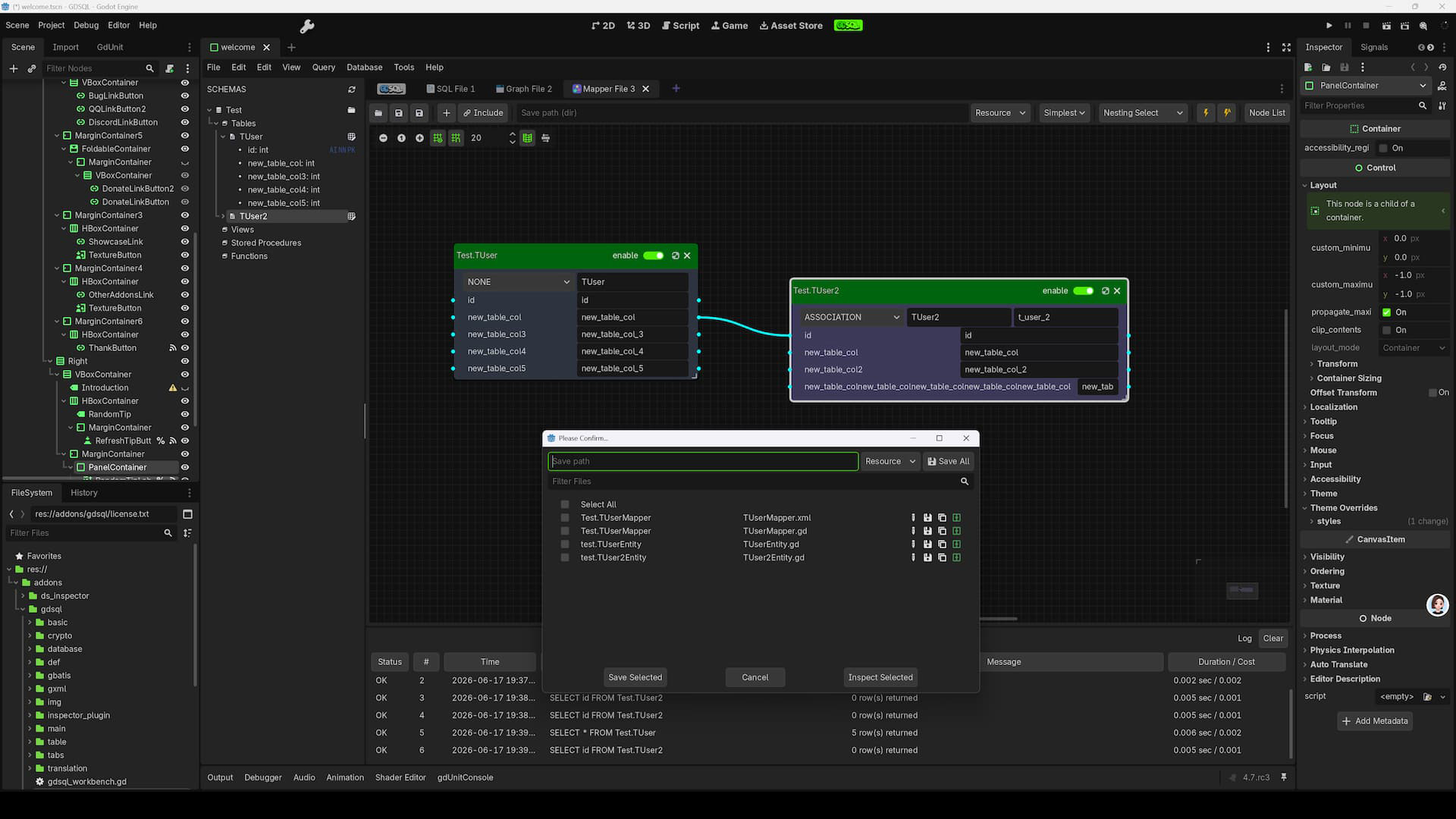
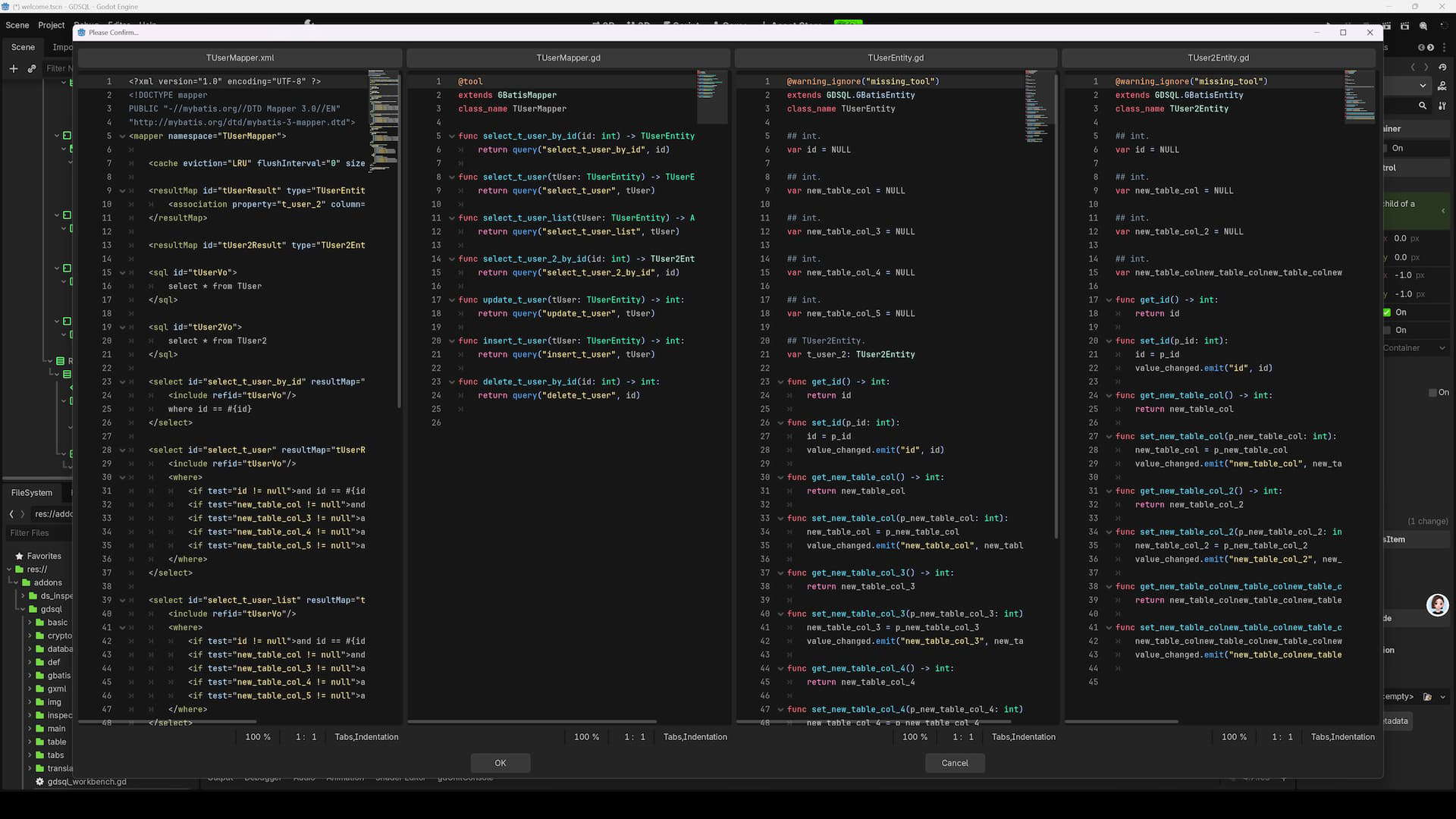
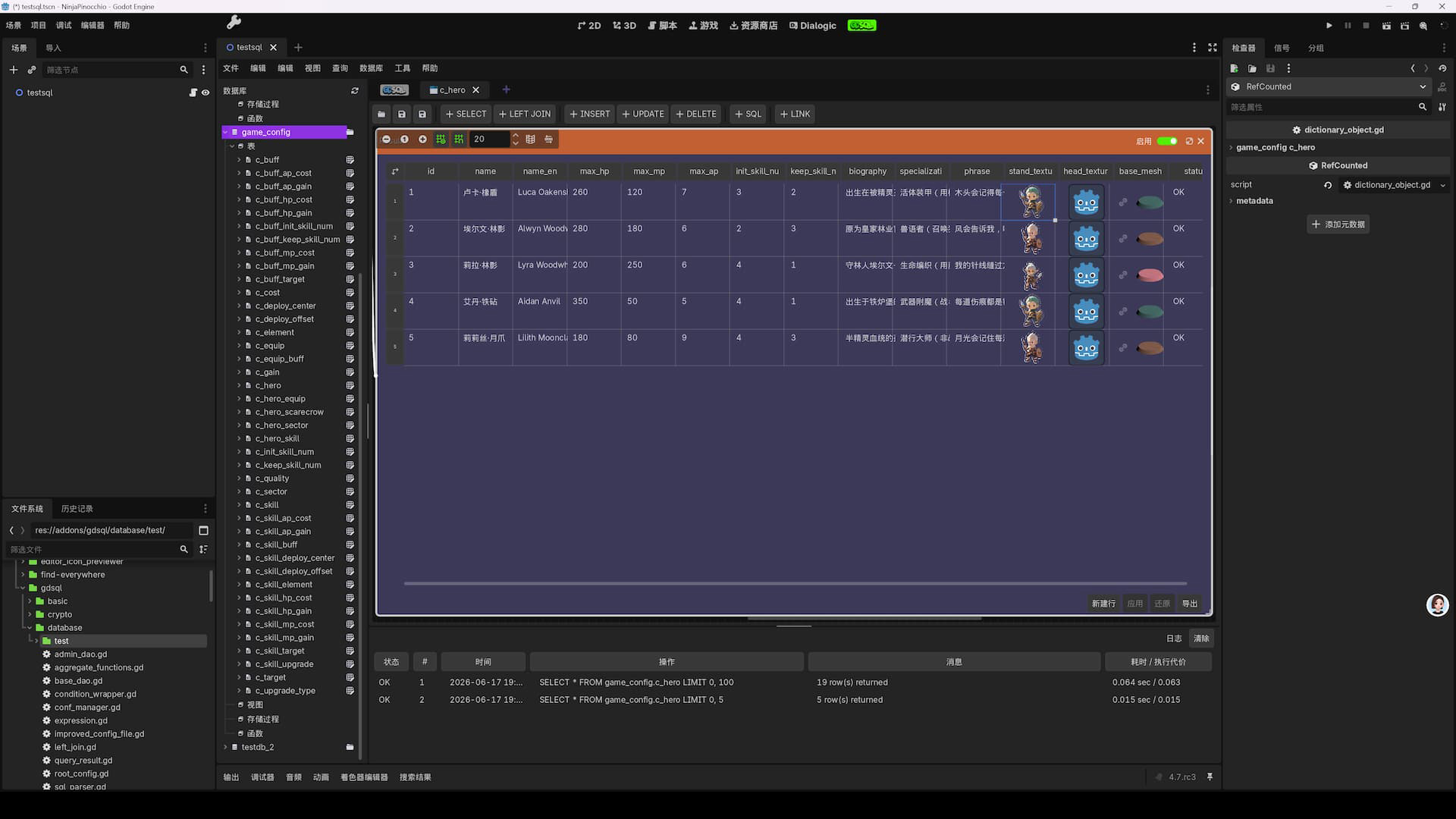
GDSQL, a ConfigFile-based SQL system. Pure GDScript, zero dependencies, no server required, AI friendly. Features: visual database management, Excel-like inline editing with auto-fill, MyBatis-style ORM (GBatis), code generator, and encryption. Supports csv/json/cfg import-export. SQL Query Engine A complete SQL engine built in pure GDScript, supporting: Statements: SELECT, INSERT, UPDATE, DELETE, REPLACE Conditions: WHERE with AND, OR, IN, NOT IN Sorting & Grouping: ORDER BY (multi-column, ASC/DESC), GROUP BY with HAVING Pagination: LIMIT and OFFSET Joins: LEFT JOIN with chainable multi-table support Set Operations: UNION ALL Subqueries: Both correlated and non-correlated Aggregates: COUNT, SUM, AVG, MIN, MAX, GROUP_CONCAT Expressions: Arithmetic operators, string concatenation, function calls, type conversion, SQL-compatible NULL semantics (three-valued logic) INSERT variants: INSERT IGNORE (skip on duplicate key), INSERT ... ON DUPLICATE KEY UPDATE (upsert) LRU Cache: Auto-caches the last 1024 parsed SQL statements for faster repeated queries You can execute raw SQL strings directly via SQLParser.parse_to_dao(), or use the visual SQL editor in the workbench. Visual Workbench A dedicated main screen in the editor, consisting of integrated panels: Database Tree Browser — Navigate all databases and tables hierarchically. Right-click for context menus (create, delete, rename, etc.). Data Table Viewer — Browse and edit data in an Excel-like grid. Click any cell to edit inline with instant commit. Drag column borders to resize. Sort by clicking column headers. Supports type-appropriate editors for int, float, Vector2, and more. Table Structure Editor — View and modify column definitions: name, data type, default value, comments, primary key, and auto-increment settings. Schema Management — Visually create and delete databases and tables through dialog-based workflows. SQL Query Editor — Write and execute SQL with syntax awareness. Results appear in a grid panel below. Query history is automatically recorded. Export results as CSV, JSON, or CFG. Diff View — Compare table content between two versions with color-coded highlights: added rows (green), deleted rows (red), modified rows (yellow). Table Inspector — Detailed column definitions, table metadata, and data statistics in the right panel. Smart Auto-Fill Accelerates data entry with intelligent pattern prediction: Least-squares fitting: Analyzes existing numeric samples to predict subsequent values Multi-type support: Numbers, strings with numeric placeholders (e.g. "enemy_001" → "enemy_002"), Vector2/3/4, Vector2i/3i/4i, Resource paths Pattern recognition: Detects numbering sequences and fills accordingly Drag-to-fill: Select a range, drag the fill handle, and watch values populate automatically |
GDSQL, a ConfigFile-based SQL system. Pure GDScript, zero dependencies, no server required, AI friendly. Features: visual database management, Excel-like inline editing with auto-fill, MyBatis-style ORM (GBatis), code generator, and encryption. Supports csv/json/cfg import-export. SQL Query Engine A complete SQL engine built in pure GDScript, supporting: Statements: SELECT, INSERT, UPDATE, DELETE, REPLACE Conditions: WHERE with AND, OR, IN, NOT IN, BETWEEN, LIKE, IS NULL / IS NOT NULL Sorting & Grouping: ORDER BY (multi-column, ASC/DESC), GROUP BY with HAVING Pagination: LIMIT and OFFSET Joins: LEFT JOIN with chainable multi-table support Set Operations: UNION ALL Subqueries: Both correlated and non-correlated Aggregates: COUNT, SUM, AVG, MIN, MAX, GROUP_CONCAT Expressions: Arithmetic operators, string concatenation, function calls, type conversion, SQL-compatible NULL semantics (three-valued logic) INSERT variants: INSERT IGNORE (skip on duplicate key), INSERT ... ON DUPLICATE KEY UPDATE (upsert) LRU Cache: Auto-caches the last 1024 parsed SQL statements for faster repeated queries You can execute raw SQL strings directly via SQLParser.parse_to_dao(), or use the visual SQL editor in the workbench. Visual Workbench A dedicated main screen in the editor, consisting of integrated panels: Database Tree Browser — Navigate all databases and tables hierarchically. Right-click for context menus (create, delete, rename, etc.). Data Table Viewer — Browse and edit data in an Excel-like grid. Click any cell to edit inline with instant commit. Drag column borders to resize. Sort by clicking column headers. Supports type-appropriate editors for int, float, Vector2, and more. Table Structure Editor — View and modify column definitions: name, data type, default value, comments, primary key, and auto-increment settings. Schema Management — Visually create and delete databases and tables through dialog-based workflows. SQL Query Editor — Write and execute SQL with syntax awareness. Results appear in a grid panel below. Query history is automatically recorded. Export results as CSV, JSON, or CFG. Diff View — Compare table content between two versions with color-coded highlights: added rows (green), deleted rows (red), modified rows (yellow). Table Inspector — Detailed column definitions, table metadata, and data statistics in the right panel. Smart Auto-Fill Accelerates data entry with intelligent pattern prediction: Least-squares fitting: Analyzes existing numeric samples to predict subsequent values Multi-type support: Numbers, strings with numeric placeholders (e.g. "enemy_001" → "enemy_002"), Vector2/3/4, Vector2i/3i/4i, Resource paths Pattern recognition: Detects numbering sequences and fills accordingly Drag-to-fill: Select a range, drag the fill handle, and watch values populate automatically |
| Category | Tools | Tools |
| License | MIT | MIT |
| Repository Provider | GitHub | GitHub |
| Repository Url | https://github.com/jinyangcruise/GDSQL | https://github.com/jinyangcruise/GDSQL |
| Issues Url | https://github.com/jinyangcruise/GDSQL/issues | https://github.com/jinyangcruise/GDSQL/issues |
| Godot version | Godot 4.5 | Godot 4.5 |
| Version String | 0.5.14 | 0.5.10 |
| Download Commit | 36368a9d991abc27b66af966e5c6b67832fc4cc6 | 384d929ff091589177bc7c1748f14196014508f1 |
| Download Url (Computed) | https://github.com/jinyangcruise/GDSQL/archive/36368a9d991abc27b66af966e5c6b67832fc4cc6.zip | https://github.com/jinyangcruise/GDSQL/archive/384d929ff091589177bc7c1748f14196014508f1.zip |
| Icon Url |
https://raw.githubusercontent.com/jinyangcruise/GDSQL-ICON/main/icon-256.png

|
https://raw.githubusercontent.com/jinyangcruise/GDSQL-ICON/main/icon-256.png
|
| Preview Insert | ||
|---|---|---|
| Type | image | |
| Image/Video URL |
https://raw.githubusercontent.com/jinyangcruise/GDSQL-ICON/refs/heads/main/Screenshot-2026-06-17-193925.jpg
|
|
| Thumbnail |
|
|
| Preview Insert | ||
|---|---|---|
| Type | image | |
| Image/Video URL |
https://raw.githubusercontent.com/jinyangcruise/GDSQL-ICON/refs/heads/main/Screenshot-2026-06-17-193934.jpg
|
|
| Thumbnail |
|
|
| Preview Insert | ||
|---|---|---|
| Type | image | |
| Image/Video URL |
https://raw.githubusercontent.com/jinyangcruise/GDSQL-ICON/refs/heads/main/Screenshot-2026-06-17-193947.jpg
|
|
| Thumbnail |
|
|
| Preview Insert | ||
|---|---|---|
| Type | image | |
| Image/Video URL |
https://raw.githubusercontent.com/jinyangcruise/GDSQL-ICON/refs/heads/main/Screenshot-2026-06-17-194000.jpg
|
|
| Thumbnail |
|
|
| Preview Insert | ||
|---|---|---|
| Type | image | |
| Image/Video URL |
https://raw.githubusercontent.com/jinyangcruise/GDSQL-ICON/refs/heads/main/Screenshot-2026-06-17-194147.jpg
|
|
| Thumbnail |
|
|