Import Here 2.1.0 Tools 4.4 Community
Submitted by user citrus9950; MIT; 2026-11-26
Import Here is a lightweight Godot Editor plugin that makes importing external assets into your project faster and easier.
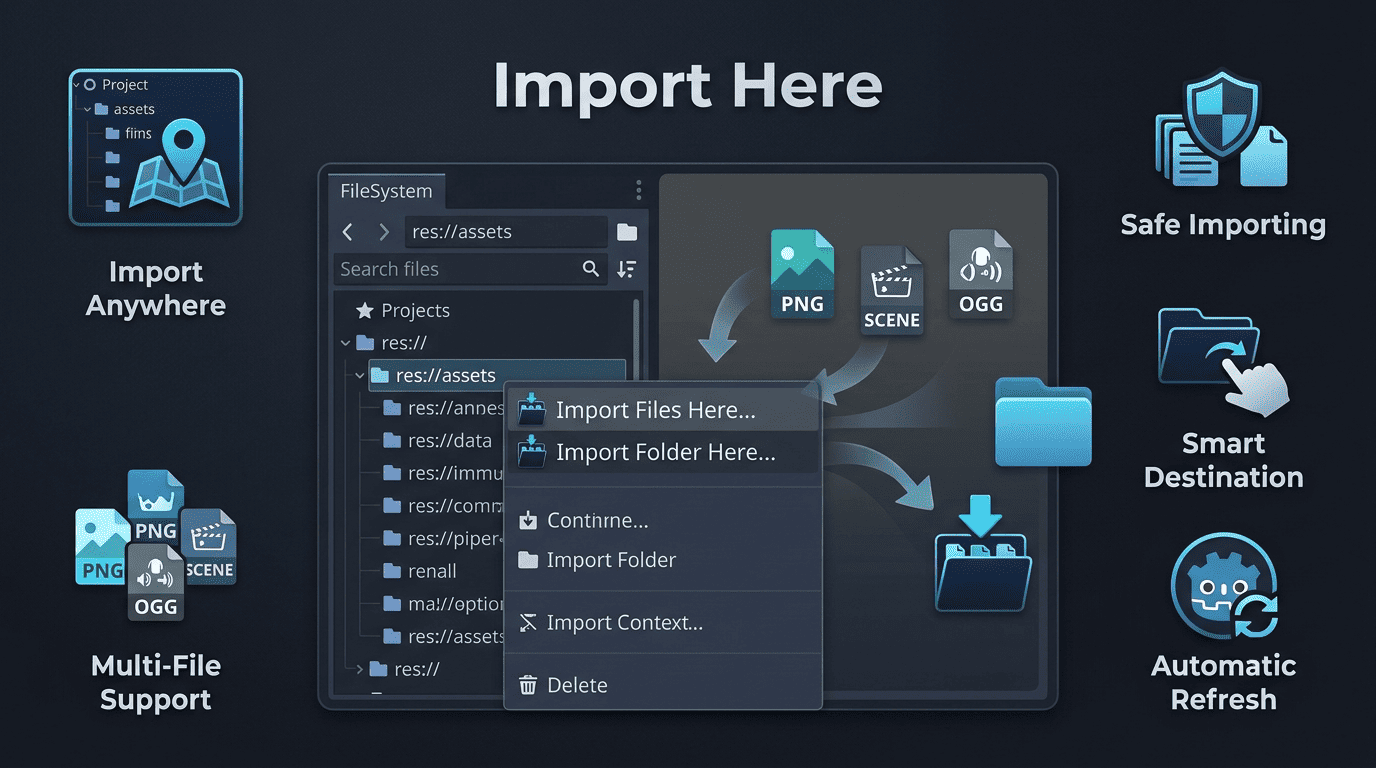
Simply right-click anywhere in the FileSystem dock and choose Import Files Here... or Import Folder Here... to copy files directly into your desired project folder.
# Features
Context Menu Integration: Import files or folders directly from the FileSystem dock.
Smart Destination: Automatically determines the destination based on the selected folder, file, or current directory.
Multi-File Selection: Select and import multiple files at once.
Safe Copying: Never overwrites existing files. Automatically renames duplicates (e.g. tree.png becomes tree_1.png).
Automatic Refresh: Notifies Godot to rescan project files so newly copied assets are detected and imported immediately.
Remembers Last Location: The file picker remembers your previously selected directory.
# Installation
Copy the addons/import_here folder into your Godot project's addons/ directory.
Open Project → Project Settings → Plugins.
Enable Import Here.
# Requirements
Godot 4.4 or newer.
# Configuration
Customize how the editor refreshes after copying files using REFRESH_METHOD in import_here_menu.gd:
focus – Simulates the editor regaining focus (default).
scan – Performs a full filesystem scan.
none – Only copies files without triggering a refresh.
Import assets exactly where you need them, without leaving the Godot Editor.
View files Download Submit an issue Recent Edits