Holo Forge - Parametric CAD 0.1.4 3D Tools 4.7 Community
Submitted by user Blazer_mk1; MIT; 2026-11-19
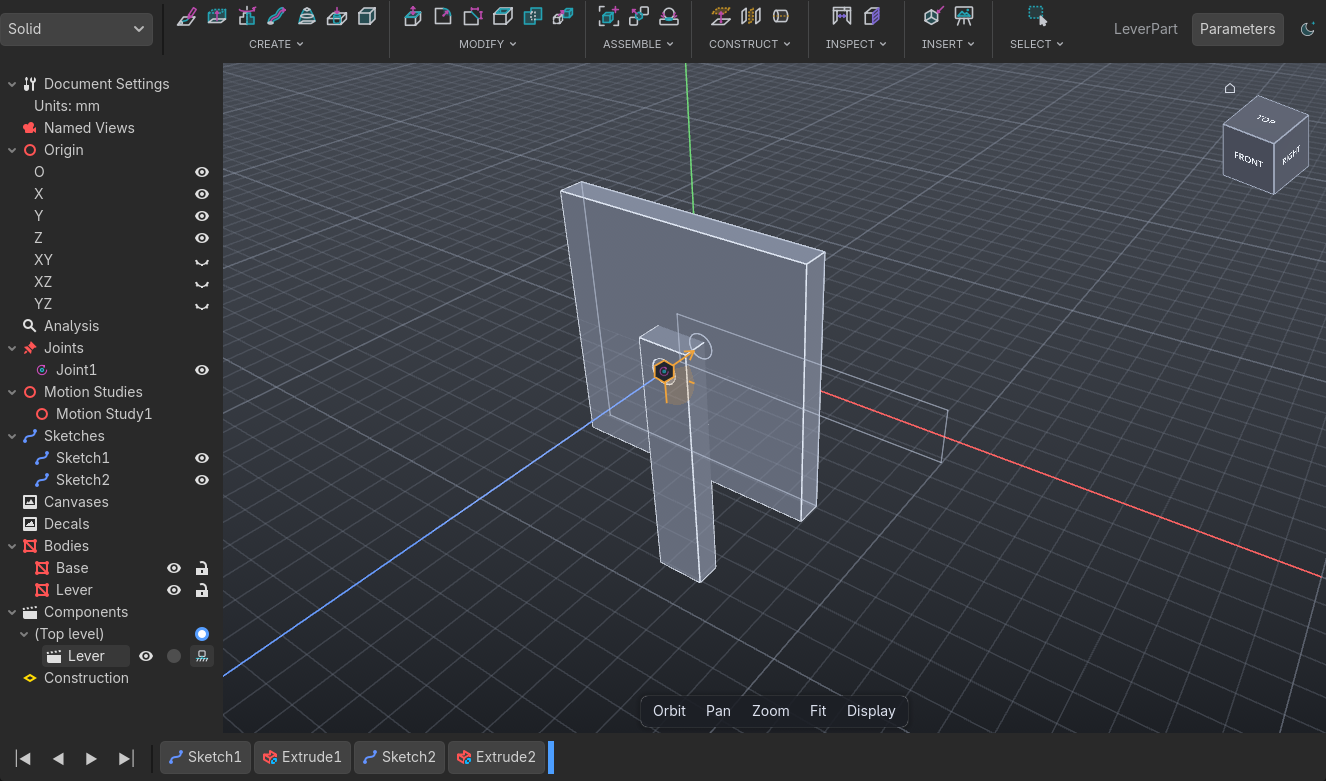
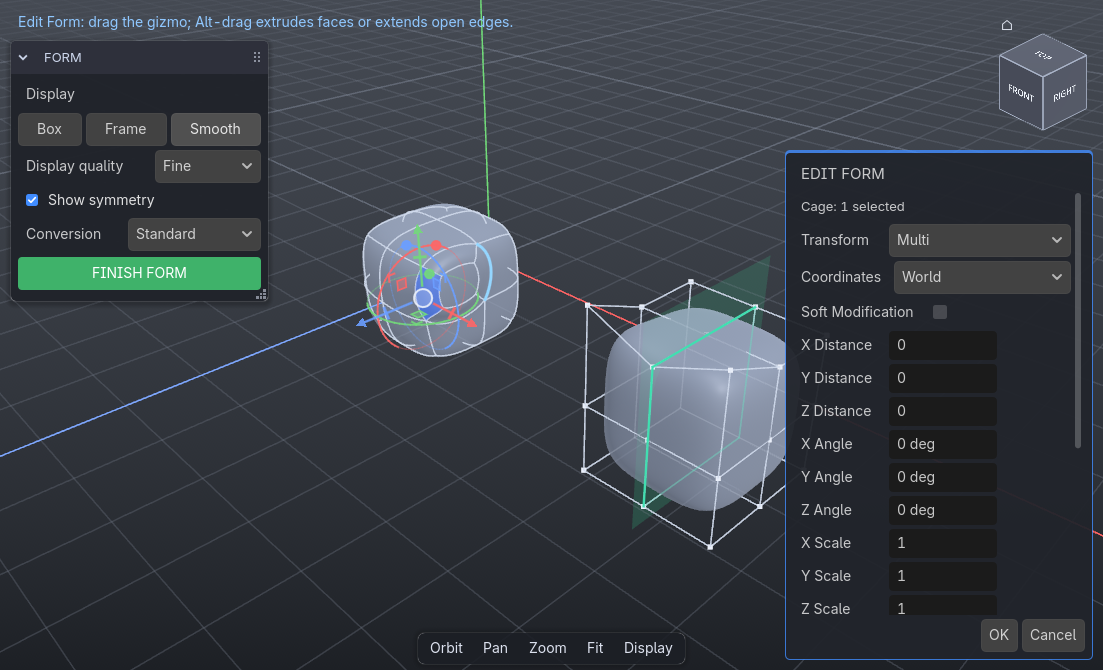
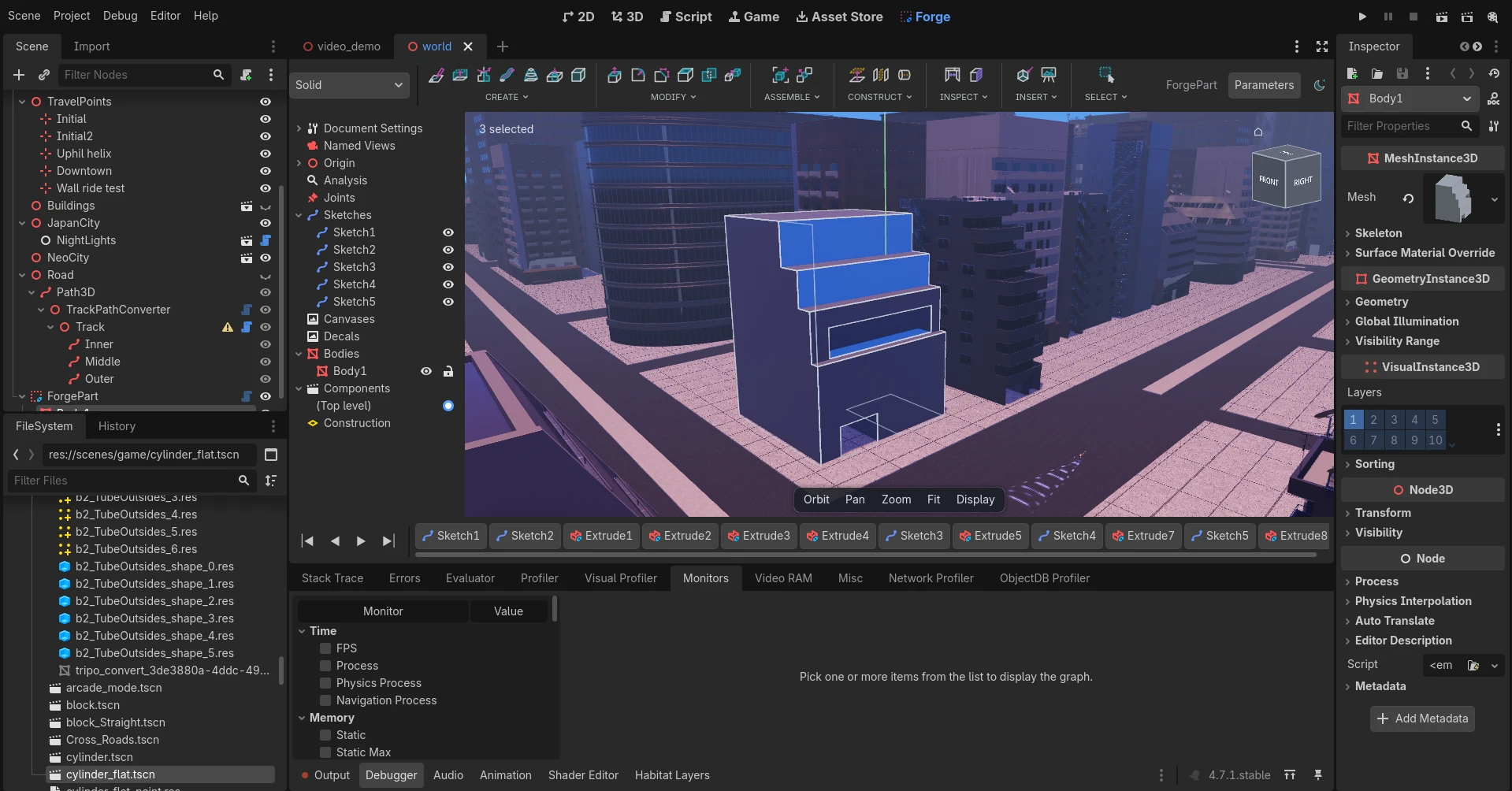
Parametric CAD inside the Godot editor. Holo Forge adds a Forge tab next to 2D / 3D / Script, where you sketch with constraints and dimensions, model solids and surfaces, sculpt subdivision forms, edit meshes and build jointed assemblies. Your parts are then used in the game as ordinary baked meshes.
Features
- Real CAD kernel: OpenCASCADE 8.0.1 for solids and surfaces, the planegcs constraint solver for sketches, OpenSubdiv for subdivision forms.
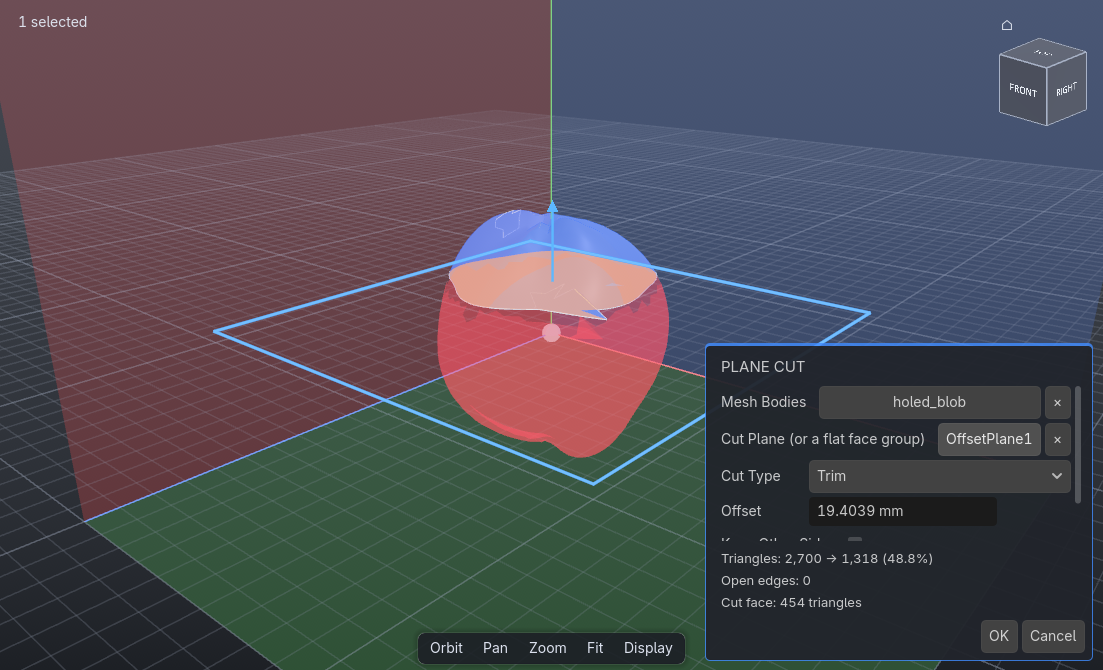
- Workspaces: Sketch; Solid (Extrude, Revolve, Sweep, Loft, Fillet, Chamfer, Shell, patterns, Hole, Thread...); Construct; Inspect; Insert (SVG, DXF, STEP, IGES, meshes, decals, canvases); Surface; Form (subdivision); Mesh; Assemble (joints, limits, motion links, contact, motion studies).
- A parametric timeline with rollback, user parameters and expressions, and drag handles on the dimensions in the view.
- Extrude works both ways and picks Join, Cut or New Body by itself, with a preview of what is added or cut away.
- Passthrough: see the part where it stands in its 3D scene while you model it.
- Appearances and texture mapping on bodies and faces.
- Every body bakes as its own MeshInstance3D and every component as its own node, with optional collision and Godot joints (tuned for Jolt Physics).
- Export to STEP, IGES, STL, OBJ, 3MF, GLB and .tscn.
Requirements
- Godot 4.7 or newer, Windows 64-bit editor. The kernel is a prebuilt GDExtension; there is no macOS or Linux build yet.
- The kernel runs in the editor only. Exported games use the baked meshes, so they work on every platform Godot supports.
Getting started
Enable Holo Forge in Project > Project Settings > Plugins. Add a CadPart node to a 3D scene, select it and open the Forge tab. Press S in the Forge tab to search every command by name.
License
Holo Forge's own code is MIT-licensed. Each part you make is a CadPart node that keeps its design data in your scene, so the scripts that hold that data ship in your exported game along with the baked meshes. That doesn't make your game open source; just keep Holo Forge's copyright notice in your credits or a license file. The LGPL libraries (OpenCASCADE and planegcs) run only in the editor and are never exported with your game. Third-party licenses are listed in addons/holo_forge/THIRD_PARTY_NOTICES.md.
Source code, build instructions and issues: https://github.com/Blazer-Humphreys/HoloForge
View files Download Submit an issue Recent Edits