Nerd Fonts plugin for Godot 1.0 2D Tools 4.0 Community
Submitted by user jomoho; MIT; 2026-01-06
# Nerd Fonts plugin for Godot
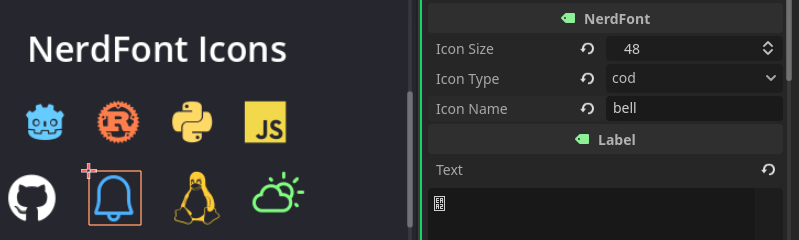
Use [Nerd Fonts](https://www.nerdfonts.com) 3.4.0 icons in Godot 4.x!
Nerd Fonts includes 10,764 icons from 17 icon sets: FontAwesome, Material Design, Devicons, Codicons, Octicons, and more.
## Usage
Create a new "NerdFont" Node and configure its values. To change color, simply go to theme overrides and change the font color.
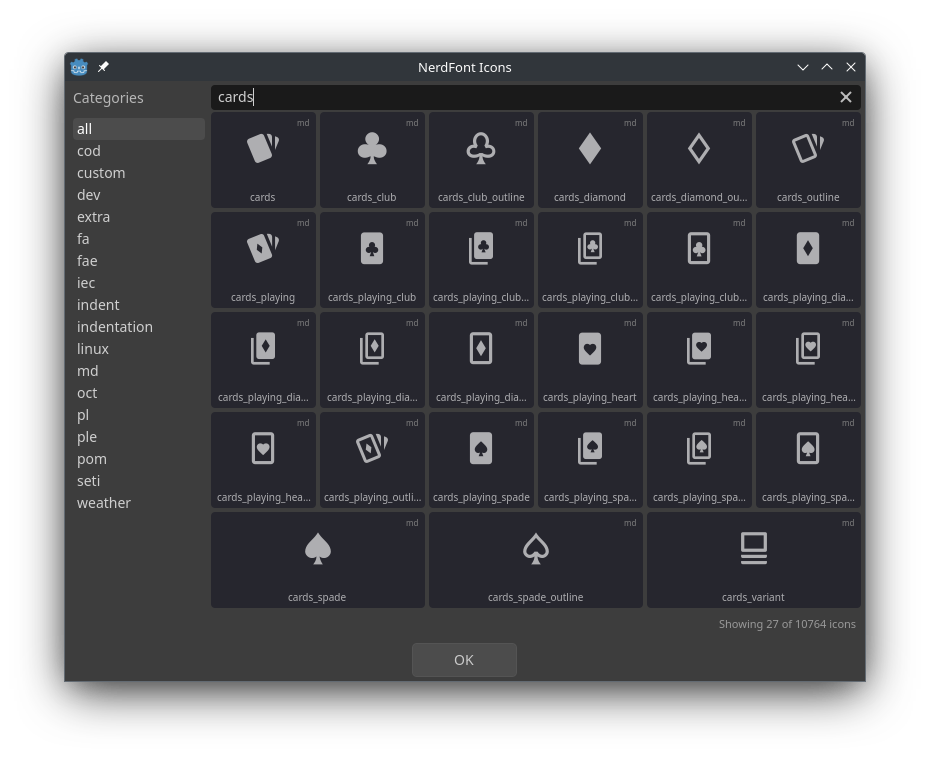
All icons can be found under **Project > Tools > NerdFont Icons**.
### Icon Categories
- `cod` - VS Code Codicons
- `custom` - Custom icons
- `dev` - Devicons (programming languages/tools)
- `extra` - Extra glyphs
- `fa` - FontAwesome
- `fae` - FontAwesome Extended
- `iec` - IEC Power Symbols
- `indent` / `indentation` - Indentation guides
- `linux` - Linux distribution logos
- `md` - Material Design (largest set)
- `oct` - Octicons (GitHub)
- `pl` / `ple` - Powerline / Powerline Extra
- `pom` - Pomicons
- `seti` - Seti UI icons
- `weather` - Weather icons
## Using Different Fonts
The plugin includes `SymbolsNerdFont-Regular.ttf` by default (icons only, ~2.4MB).
You can replace it with any patched Nerd Font from [nerdfonts.com](https://www.nerdfonts.com/font-downloads):
1. Download a font (e.g., FiraCode Nerd Font, JetBrains Mono Nerd Font)
2. Extract and copy the `.ttf` file to `addons/nerdfonts/fonts/`
3. Update the `icon_font` path in `NerdFont.gd`
## Updating
To update to a new version of Nerd Fonts:
1. Download `glyphnames.json` from the [Nerd Fonts repository](https://github.com/ryanoasis/nerd-fonts)
2. Open `utils/dump_nerdfonts.html` in a browser
3. Drop `glyphnames.json` into the page
4. Copy/download the output and replace `All.gd`
5. Update font files in `addons/nerdfonts/fonts/` if needed
View files Download Submit an issue Recent Edits