DsInspector 1.3 2D Tools 4.2 Community
Submitted by user xlljc; MIT; 2025-12-26
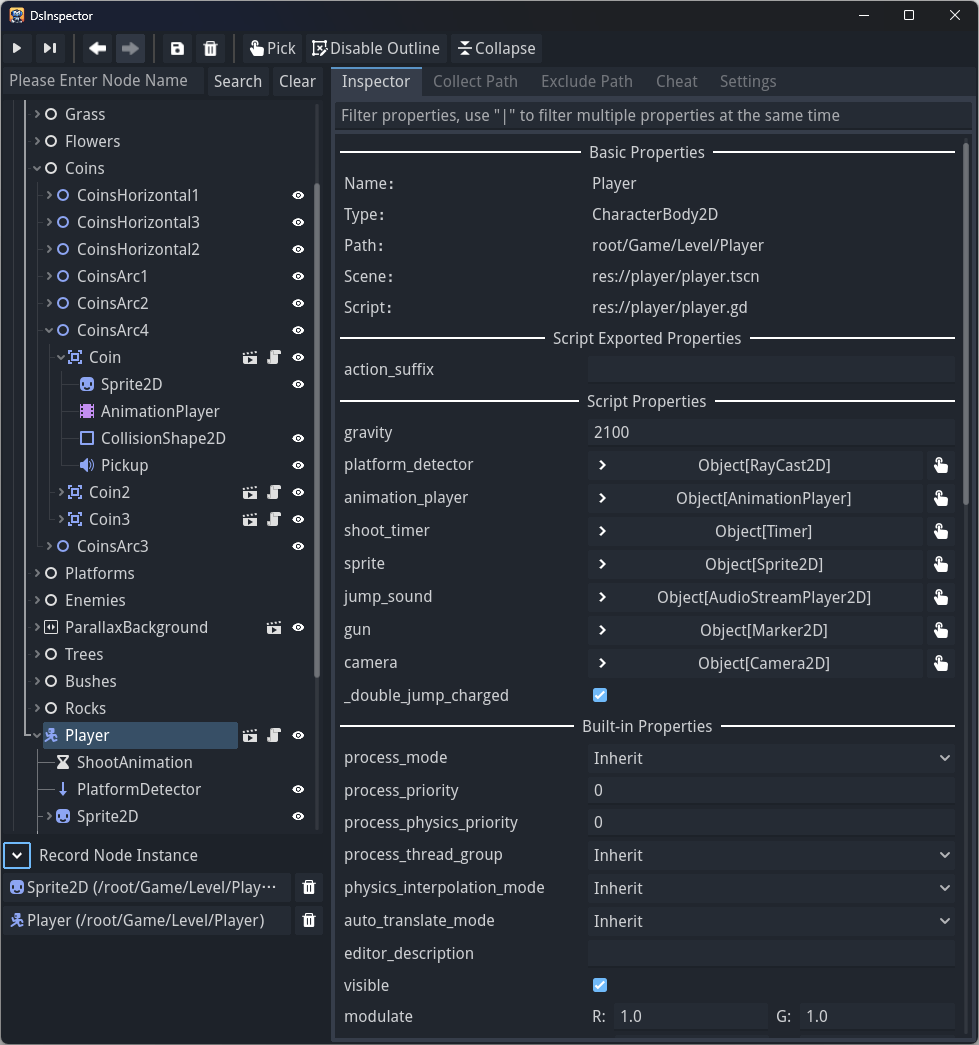
DsInspector (Developer Support Inspector) is a Godot 4 runtime debugging plugin that allows you to view and modify nodes and properties in the scene tree in real time while the game is running. It provides functionality similar to the built-in Editor Inspector, making debugging and testing much more intuitive and convenient.
Features
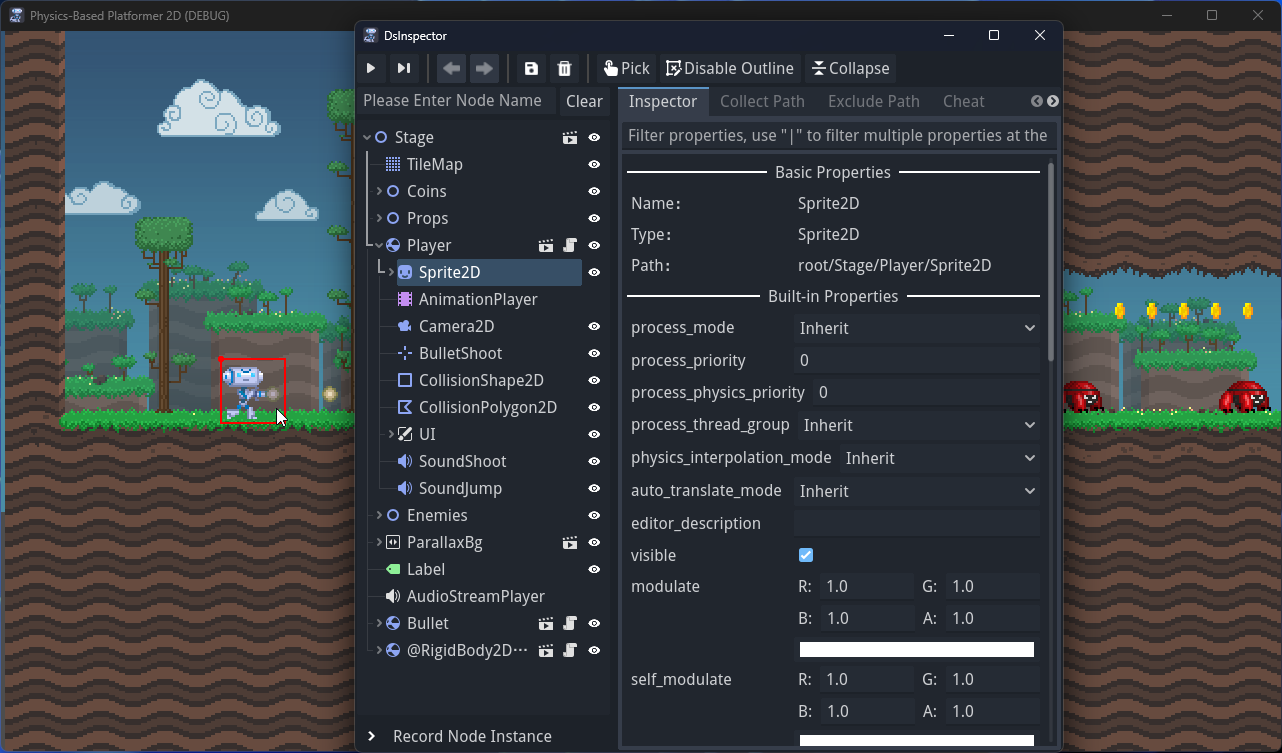
* Real-time Node Tree View: Displays all nodes in the currently running scene, allows dragging nodes to move positions. (Only supports 2D scene inspection; 3D scenes are not supported.)
* Node Property Inspection: View and modify node property values (including script-exported variables). Changes take effect immediately. Supports property filtering, you can use "|" to split multiple filter conditions.
* Node Search: Quickly find target nodes.
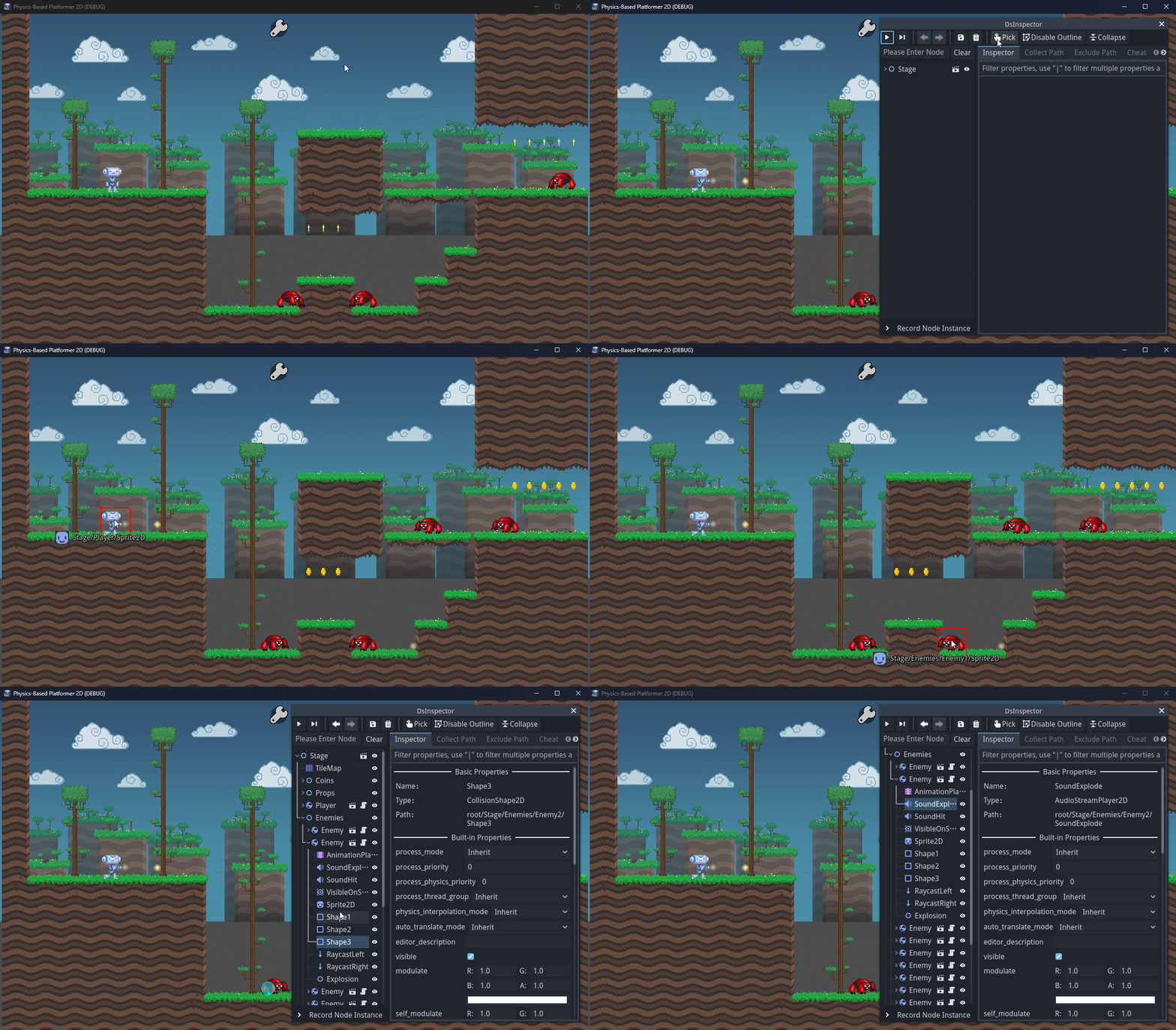
* Node Selection Highlight: Locate the selected node in the game viewport.
When "Pick Node" is enabled, click on an element in the scene to select it.
If elements overlap, repeatedly clicking cycles through them.
* Record Node Instances: Drag nodes to the record area, click recorded nodes to quickly jump. Temporarily records nodes, when nodes are destroyed the records are removed.
* Favorite Paths: Favorite specified paths, permanently saved, click to jump to the node at that path.
* Exclude Paths: Filter out specific node paths, permanently saved, nodes under these paths will not be selected when picking.
* Frame-by-Frame Execution: Pause the game and advance it one frame at a time.
* Open Script/Scene Path: In the property panel, quickly open the associated script or locate the scene file in the file explorer—making it easy to jump to source files.
* Save Node as Scene: Export and save the selected node as a new scene (e.g. `.tscn`), useful for reuse or sharing.
* Cheat Buttons: Quickly add custom cheat/debug buttons via `DsInspector.add_cheat_button()`.
* Auto-Disable on Export: The plugin is active only when running the game from the editor; all features are automatically disabled in exported builds—no extra setup required.
* C# Support: Fully compatible with C# projects.
The plugin automatically recognizes C# scripts and `[export]` attributes—no extra configuration needed.
* Run in Godot Editor: Allows the plugin to run inside the Godot Editor itself, enabling real-time inspection of internal editor nodes.
This is especially helpful for developing editor plugins (feature not supported in the 3.x version).
* Multi-language Support: Can be switched in settings, currently supported languages include: Simplified Chinese (zh), Traditional Chinese (zh_tw), English (en), Spanish (es), Japanese (ja), Russian (ru).
View files Download Submit an issue Recent Edits