

loading

Godot 4.6 Release

All about your flow

Download Godot 4.6

With the stability gained over the past five Godot 4 releases, the engine has matured enough to enter a new development phase. Godot 4.6 kicks off a period of polish, quality-of-life improvements, tighter integration of industry standards, and doubled-down effort on performance optimization.

The result: a release that puts you and your workflow first. The new editor theme lets your projects take center stage, while dozens of improvements across the board reduce friction and speed up everyday development. Every aspect, from loading assets to editing, debugging, exporting, and testing, has received some love to keep you focused on creating and minimize the time you spend wrestling with UI, or fiddling with external tools and plugins.

Godot is made possible by your donations
Join the Development Fund

Highlights

Fresh look, fresh focus

New editor theme: “Modern”

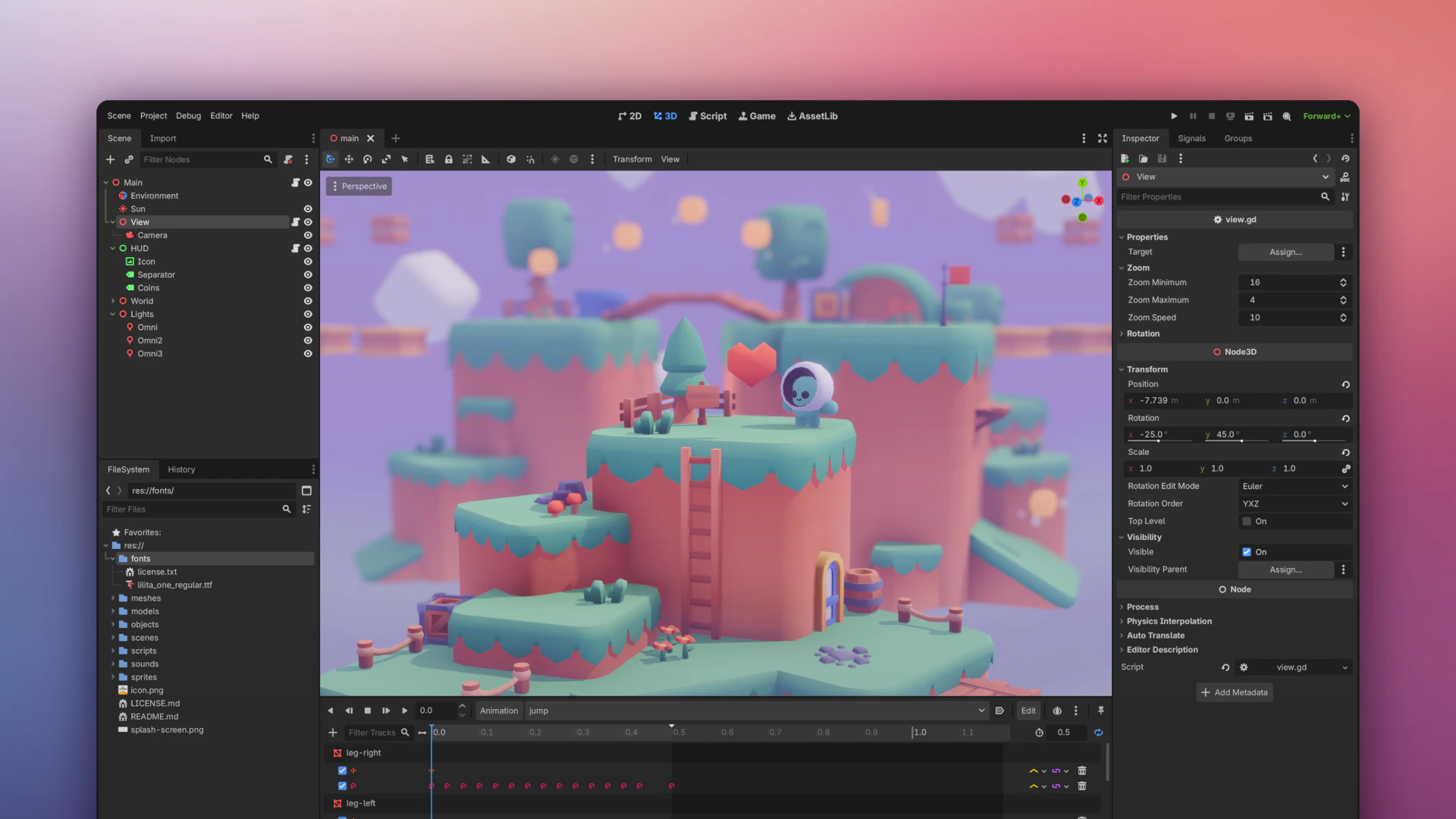
Since its launch last year, “Godot Minimal Theme” has quickly become a fan favorite with its clean lines, reduced clutter, and contemporary feel. It was time to integrate it and make it official!

You can now choose between the older “Classic” theme and the newer “Modern” theme, with the “Modern” theme enabled by default in Godot 4.6.

The new theme, which will continue to mature with user feedback, brings you subtle contrast adjustments and improved readability and spacing between UI elements. Many testers have found it helps reduce competition on focus and gives center-stage to the viewport where your game lives.

The new grayscale allows you to do color-sensitive work on your game without the blue tint altering your perception.

Time for a test drive! Give your eyes some time to get used to the new look before you can start to notice its impact. If you still prefer the classic theme, you can easily switch back in the editor settings. Learn more in this article by GDQuest.

VIDEO
@Tibo

We put a bolt on Jolt

Jolt Physics by default

Remember when we integrated Jolt Physics as an experimental option in 4.4? Since then, many of you have tested it in real projects, and it has proven itself ready for production. So here it comes!

Jolt is without a doubt a fantastic standalone physics engine. It’s fast, stable, and it’s no surprise it powers AAA games like Hideo Kojima’s Death Stranding 2. We’ve built a tight, high-quality integration that brings all of Jolt’s power directly into the engine. With this release, we’re confident enough to remove the experimental label and make Jolt the default physics engine for all new 3D projects.

Existing projects aren’t affected: your current physics settings stay exactly as they are. Only new projects use Jolt by default. You can manually change the physics engine by going to the project settings.

VIDEO
@Tibo

Dock your heart out

Movable floatable docks and panels

Panel shufflers and multi-monitor Feng Shui masters rejoice… 4.6 is your version. You can finally move that bottom panel.

We unified the entire docking system in this release. Bottom panels are now regular docks, and you can drag and drop docks and move them around between the sides and the bottom of the editor. Most docks can also be floated.

It’s a significant step toward a full workspace system, allowing you to arrange the editor in a way that makes sense for your workflow.

Note that not all docks support both horizontal and vertical layouts just yet, but they’re movable!

VIDEO
@Tibo

B-B-B-B Back to the bone

Brand new IK framework

It’s time to pull some bone chains again! Animators and gameplay programmers among us will be thrilled to know inverse kinematics (IK) is back with a bang. You decide where the endpoint goes and your chain of bones follows naturally.

Whether you need a character’s feet to plant on uneven terrain or a robot arm to reach for objects, the framework to achieve this is right at your fingertips with a full suite of modifiers and constraints.

We’re introducing the core IKModifier3D class built on the revamped SkeletonModifier3D. It comes with a family of deterministic solvers including TwoBoneIK3D, SplineIK3D, and iterative solvers like FABRIK3D, CCDIK3D, and JacobianIK3D.

You’ll also find new constraints to control the twist and angular velocity of joints, which helps prevent excessive and unwanted motion.

What’s more, you can set the target of animation constraints to 3D nodes to make, for example, the arm of a character extend and snap to a weapon.

The modular approach of this new framework lets you combine IK with other modifiers and constraints to fine-tune your procedural animations directly in the engine. Documentation is in the works to help you make the best of the framework depending on your use case.

Reflections got real

Major SSR overhaul

If your 3D game environment includes reflective materials like metal, water, and glass, things are about to get exciting for you.

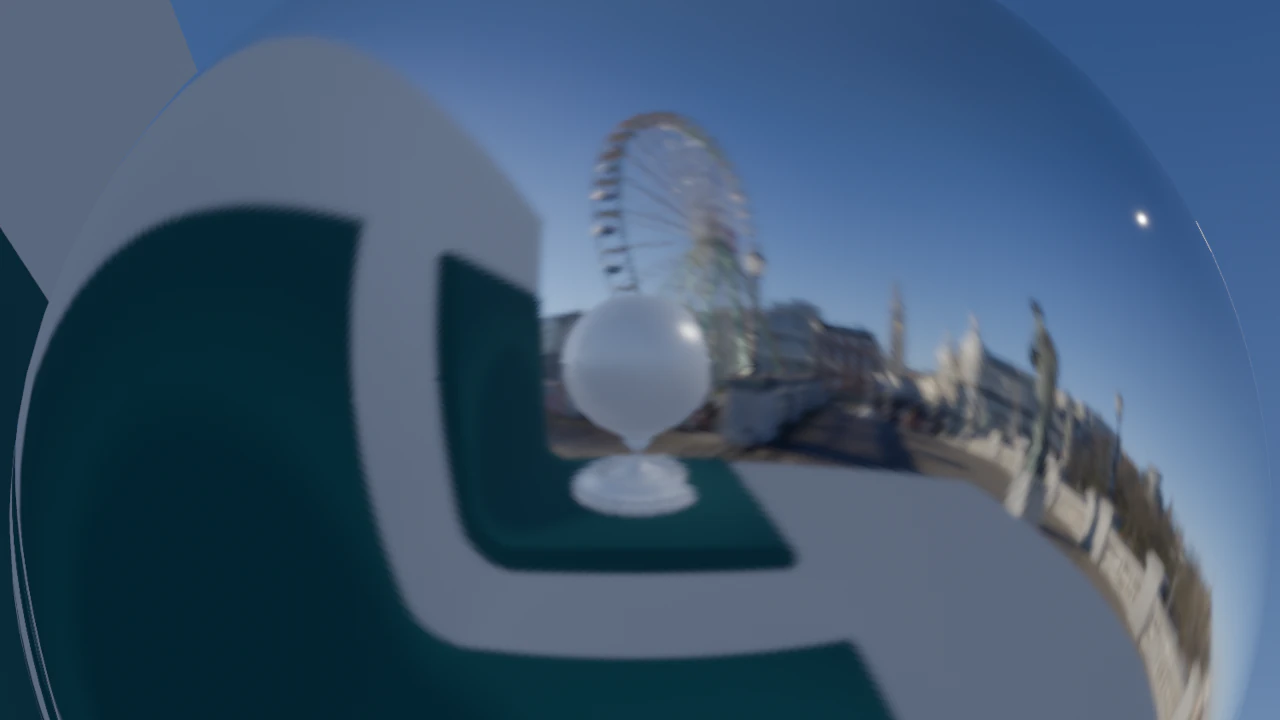
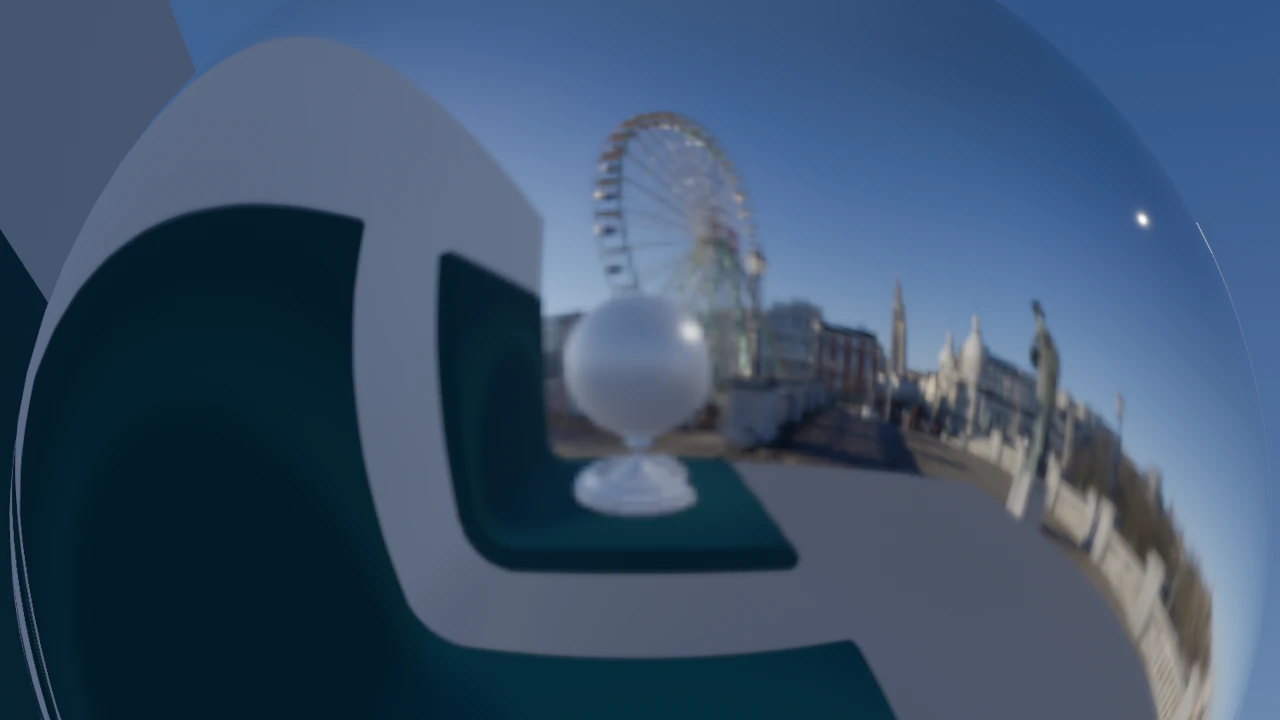
Screen Space Reflection (SSR) has been completely overhauled in this version, giving you a significant leap in realism, visual stability, and performance. Not only will your reflective surfaces look more realistic with better handling of roughness, but the effect will run faster too!

To further optimize, you can choose between full-resolution mode for maximum quality, or half-resolution mode for higher performance. Even with reflections calculated at half your viewport size, the new SSR allows you to preserve decent quality. Check it out!

VIDEO
@GDQuest

So... what changes for you?

Differences you can expect in everyday development

With loads and loads of new features this release, it’s not always easy to tell at a quick glance which ones actually affect what you do day in and day out and which ones don’t.

In practice, what differences should you be aware of most? Should you upgrade now?

We hand the mic over to GDQuest, our friends in education, for a practical rundown of the effective changes to your workflow (all positive!)

With Godot 4.6, you can mostly expect a small and varied collection of things you couldn’t do before that you can do now.

Read more in GDQuest's Free Library

General

core

A node will remember…

Introducing unique Node IDs

Nodes now have a unique internal ID, allowing the engine to track them reliably even when scenes are reorganized or refactored.

Just because you rename or move a node doesn’t mean it will suddenly forget who it is and where it comes from.

So far, renaming nodes or changing scene hierarchies could sometimes break references in complex setups with inherited or instantiated scenes.

With unique Node IDs, Godot tracks and preserves the connections making refactoring safer and less error-prone. This means you can restructure your scene tree freely without worrying about ending up with invalid references or unexpected behaviors.

For Godot, this seemingly small improvement marks a turning point in robustness at scale and opens the door to bigger, more complex game projects!

Unique Node IDs are saved and referenced in scene files, so to benefit from this change, you should ensure that all your scenes are re-saved in 4.6. You can do so via Project > Tools > Upgrade Project Files.

Godot as a library!

Introducing LibGodot

With the new LibGodot, you can now embed the engine directly into your own applications. Instead of running Godot as a separate executable, you can control startup, manage the engine loop, and integrate it seamlessly into custom workflows. Whether you’re building a specialized editor, a hybrid application, or embedding Godot into a larger system, LibGodot gives you the flexibility to make it work your way!

The initial release supports Linux, Windows, and macOS, and lays the foundation for deeper integrations and expanded platform support in future releases.

documentation

Getting mixed signals

Hidden underscored signals

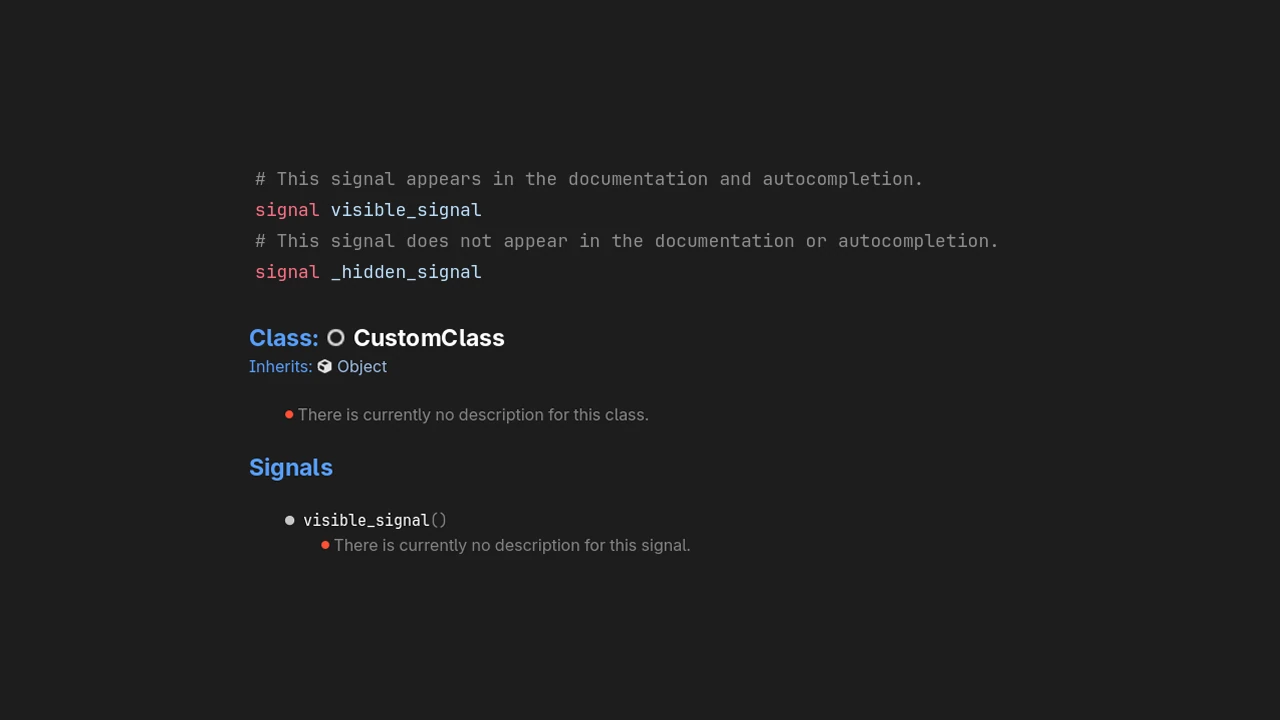
Signals starting with an underscore are now hidden from auto-completion and generated documentation, becoming more in line with other underscored methods and properties. This makes it easier to focus on the signals that are meant for public use, reducing confusion when scripting.

2D

When the tile turns

Rotatable scene tiles

Everybody knows to rotate a tile when a tile needs rotating. Thus far in Godot, only one type of tile stood out, breaking your flow and eluding your rotational aspirations: the infamous scene tile. But no more.

Starting with Godot 4.6, when you place a scene instance on a grid cell in your tile map, such as an animated chest, a glowing lamp, or a torch, you can rotate the scene tile in 90-degree increments and that’s that!

3D

I just wanna Select!

Decoupled Select and Transform modes

How many times have you accidentally moved, rotated, or scaled the wrong object while trying to just select it in a busy scene? Your woes have come to an end.

In Godot 4.6, we’ve decoupled Select and Transform so you can work more intuitively in the viewport. The Select Mode has been renamed to Transform mode and a new Select‑only mode lets you pick nodes without displaying the transform gizmo, making it easier to navigate and choose what you want to edit before moving, rotating, or scaling anything.

This update also mirrors modern 3D tools where selection and transform tools are clearly distinct, bringing familiar workflows into Godot’s editor.

VIDEO
@Tibo

Mind the gap

Bresenham line algorithm for GridMap drawing

This is one that the 3D level builders among us will surely appreciate! Godot 4.6 improves how GridMap painting and erasing behaves in the editor by using the classic Bresenham line algorithm to interpolate between input points.

Lines now fill in smoothly and solidly as you drag, so your sketches and level layouts match your intentions on the first shot. No more gaps in tiles or blocks that you have to go back and fix!

You can expect building levels or voxel-style maps to become more fluid, letting you focus on design instead of filling gaps in your GridMap creations.

VIDEO
@Tibo

However you spin it…

New rotation gizmo handle for view axis

No more awkward fiddling with the standard gizmo handles to rotate around the camera view.

You’ll notice the rotation gizmo now has a fourth handle aligned to your camera view. When you’re rotating objects in the 3D viewport, this extra handle lets you spin things around the view direction, a common action when you want to orient objects relative to how you’re looking at them, not just their local axes.

It’s another one of those little additions with a big impact on your 3D workflow.

GUI

VIDEO

Place a pivot

Set the pivot point more easily for Control nodes

Centering the pivot point of UI elements just got a whole lot easier!

So far, the pivot point of Control nodes defaulted to the top-left corner, meaning rotations and scaling happened relative to that corner. You could change this with the pivot_offset property, but it only accepted pixel values. So every time your control resized, you’d need code to recalculate and update the pivot position.

Godot 4.6 introduces pivot_offset_ratio, which lets you express the pivot point as a normalized 0 to 1 range relative to the control’s size. Set it to Vector2(0.5, 0.5) to keep the pivot centered no matter what.

VIDEO

Click != Focus

Separated mouse and keyboard focus

As of Godot 4.6, clicking a button with your mouse or trackpad will finally no longer force the blue focus outline to appear as you would expect it to when you’re navigating with a gamepad or keyboard.

You decide how to style each focus scheme independently without workarounds or hacks. Whether you keep the behavior unified or you decide you don’t need the focus outline when clicking with a mouse or trackpad because you know where you clicked… It’s your call!

Zero margin of error

Visual feedback for MarginContainer nodes

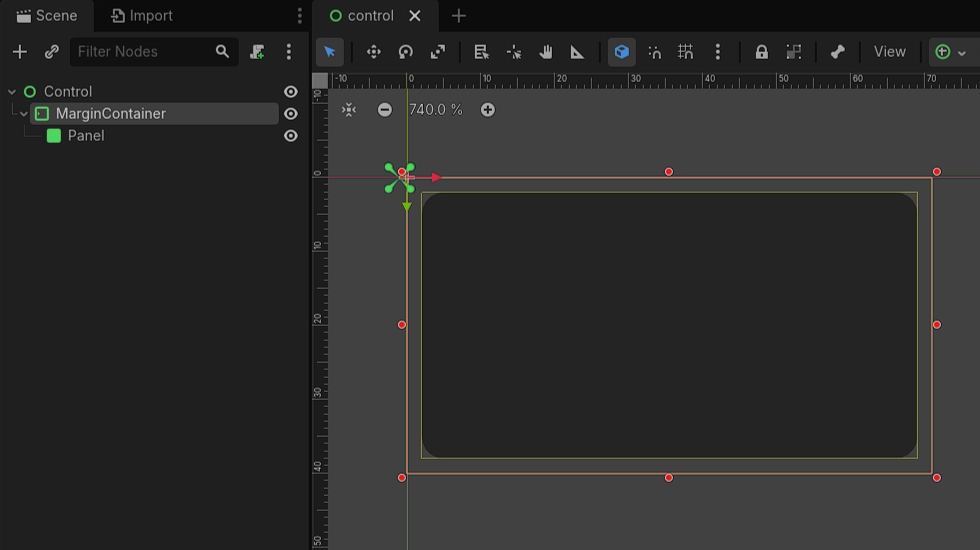
No more guessing with your UI spacing! When you select a MarginContainer node in the editor, you will now see its margins drawn directly in the viewport.

This makes it crystal clear exactly how much space you’re adding around child nodes, letting you fine-tune your layouts with confidence.

editor

Editor loot drop!

Small editor enhancements with big impact on workflow

A lot of subtle editor improvements landed in 4.6 to reduce friction and help you work faster and more intuitively. Here’s a quick round-up of all the little ways your editing experience is about to get noticeably happier:

  • You can now drag a resource directly into the script editor to automatically create an @export variable, saving time and reducing boilerplate when exposing properties.

  • The array Inspector got a facelift to make the most of available horizontal space, making deeply nested resources much easier to read and edit.

  • When testing your game in the editor, new controls let you slow down or speed up the game while it’s running, making it easier to inspect physics behavior or fine-tune gameplay without extra debug code.

  • The Inspector now shows a dedicated icon for resources that are referenced elsewhere (linked-resources), helping you understand dependencies at a glance.

  • A new menu button in the tab bar shows all open scenes or scripts, making it much easier to jump around in large projects.

  • Collision, render, and other layer flags can now be adjusted by dragging in the property editor, speeding up common setup tasks.

  • You can assign or edit groups for multiple selected nodes at once, saving time when organizing complex scenes.

  • When resources go missing due to file moves or renames, the editor now lets you resolve indirect missing dependencies manually instead of being stuck.

  • Newly-created scripts now open automatically, letting you start coding immediately without extra clicks.

All these little editor tweaks add up to help you stay focused on building your game rather than fighting the UI and losing steam.

Drag, hover ‘n’ drop

Switch tabs on hover while dragging

No more clicking to switch tabs and views before you drag and drop something. You can now just drag your resource and hover the destination tab to switch to it and drop your resource where it goes!

This is exactly one of those small improvements with a big impact on quality-of-life. It makes the editor feel smoother and more responsive during everyday use and allows you to fiddle less and focus more on your workflow.

Error, error on the wall…

Clickable files in the Output panel

When it’s time to squash bugs, one thing that grinds you down as a dev is having to manually search for the culprit, dig out the file, scroll to the right line, and only then start fixing. But no more! Godot 4.6 brings two quality-of-life improvements to your bug hunting endeavors.

You can now pop up the offending script or resource by clicking on it inside the error or warning message directly in the Output panel. What’s more, if you use an external editor, you can configure Godot to open the offending script directly there!

Spot the difference

ObjectDB snapshots and diffing for live object tracking

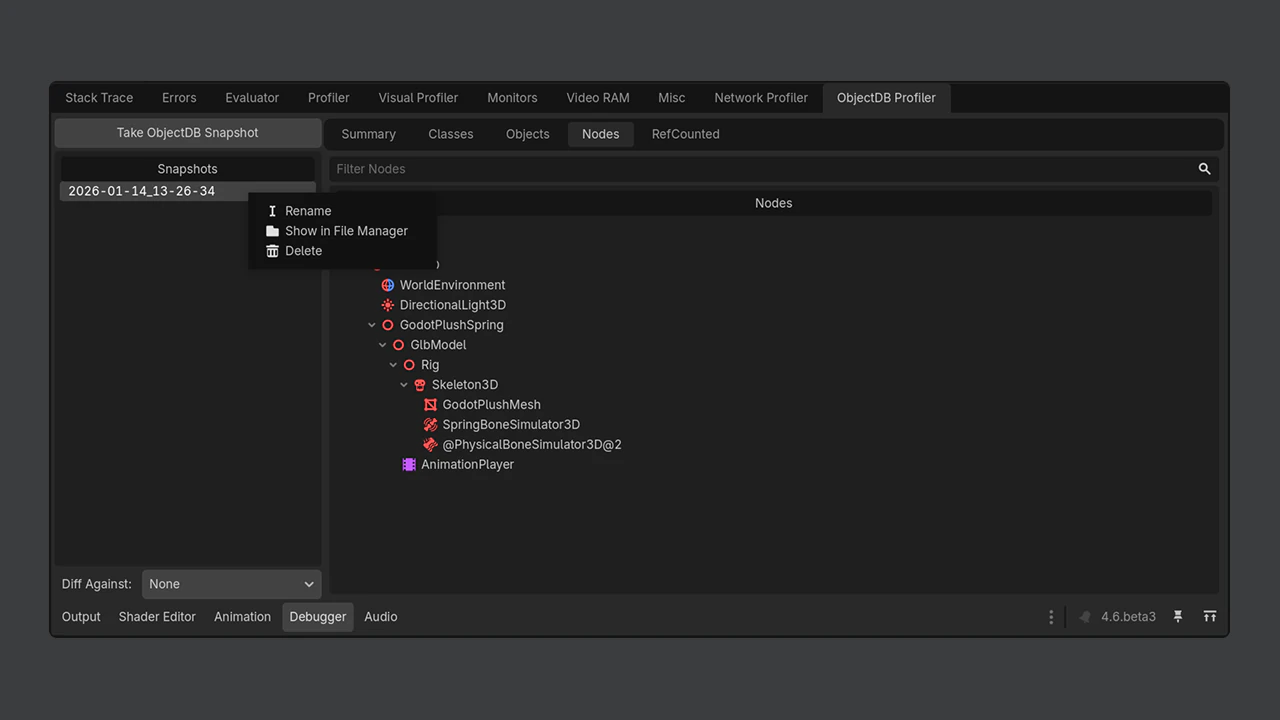
Godot 4.6 makes it much easier to understand what objects exist in your running game by adding ObjectDB snapshots and comparisons to the debugger.

You can now capture the internal list of all live objects at any point in your game and compare two snapshots to see exactly what was created, destroyed, or left behind. Tracking memory leaks or unexpected object growth will no longer require guesswork and logging.

You can now spot problems at a glance by visualizing clearly what changed over time!

Check it out now

Live previews in the Quick Open dialog

Remember those painful iterations every time you needed to select a texture, material, or other resource in the Quick Open dialog: guess which resource would look right, select it, close the dialog, observe the result, rinse and repeat? Those days are over too!

Starting with Godot 4.6, as you move through the list, the selected resource is previewed instantly in your scene. You can quickly compare options, see the result in context, and commit only when it looks right, no extra clicks, no back-and-forth.

Systems

animation

Animation editor goodies

Timeline control and quick action buttons

Tweaking and polishing your animations just got more pleasant in Godot’s Animation Editor.

You can now resize the length of animations by dragging directly on the timeline, letting you stretch or shrink clips in place without fiddling with numeric fields or extra dialogs.

Also new are visibility, lock, and delete buttons for node groups in the Bezier track editor.

These handy icons mean you can now quickly hide, lock, or remove everything associated with a node’s tracks without hunting through menus.

export

Patch and play

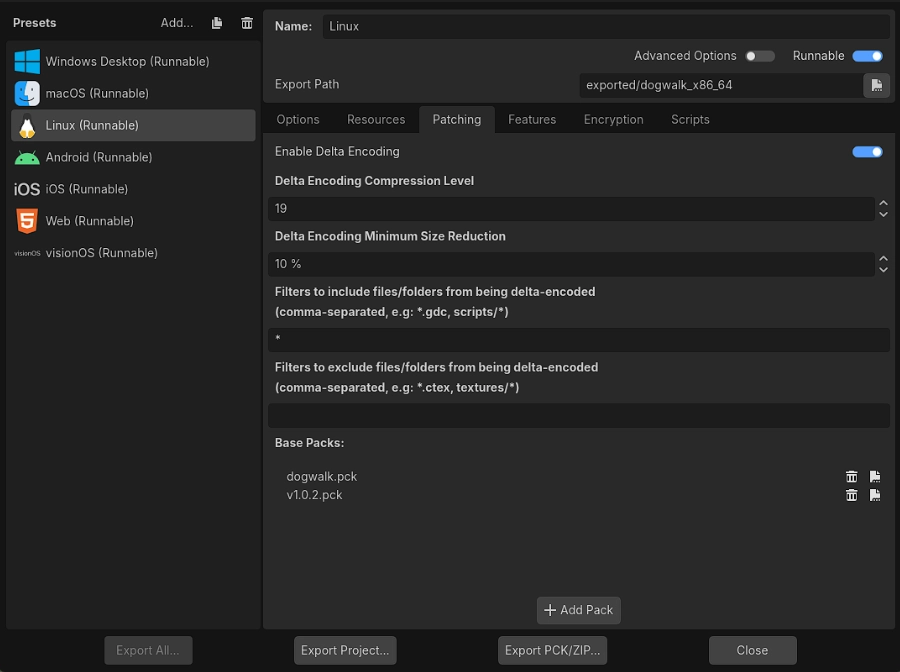
Delta encoding for Patch PCKs

Frequent updaters, this is a game changer for you (pun intended). Your exported patches just got leaner and faster.

Godot 4.6 improves patch PCKs by supporting delta encoding, allowing patch files to include only the parts of resources that actually changed instead of entire files. This can dramatically reduce the size of patches, especially for projects and games with large assets or frequent small updates (for example: if you’re localizing your project and adding languages).

For players, this means faster downloads and updates. For developers, it makes distributing incremental patches more practical and bandwidth-friendly.

input

Power-use that editor

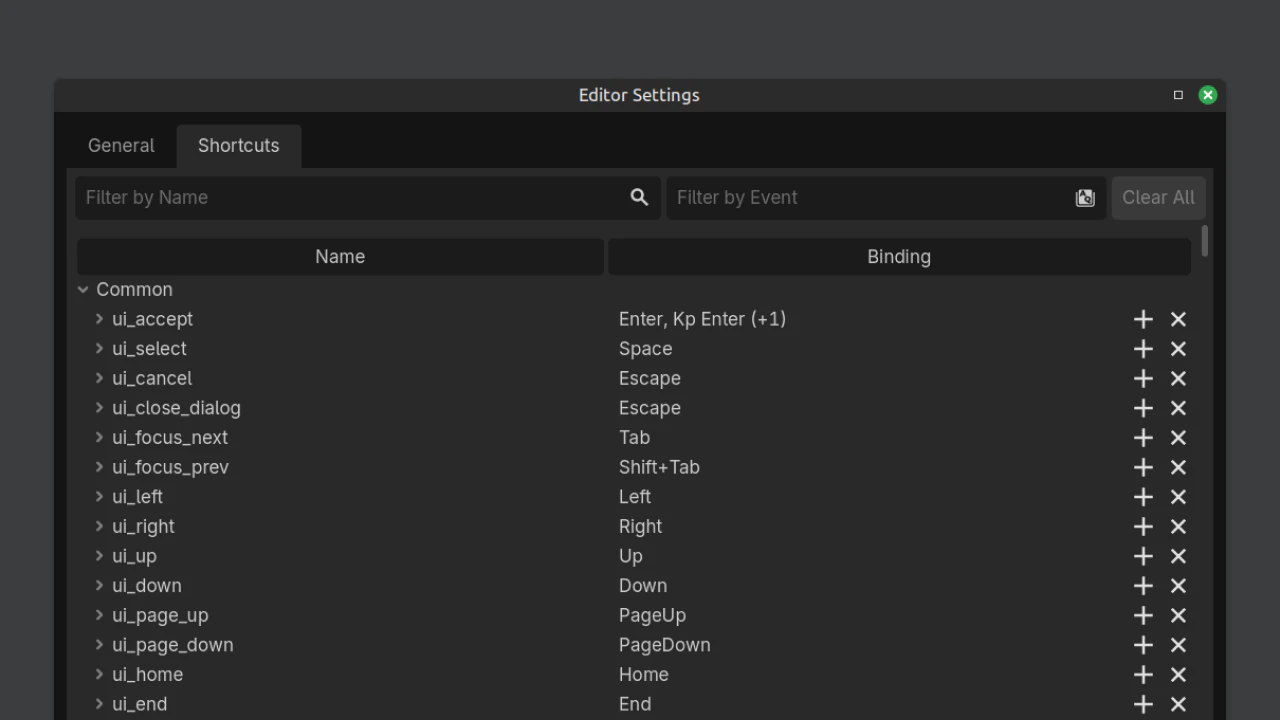
Add custom keyboard shortcuts through EditorSettings

Godot 4.6 gives you the power to define and register new keyboard shortcuts directly through EditorSettings. This opens up more customization for your workflow and lets plugins expose their own commands that feel like native editor actions.

Previously, adding custom shortcuts was awkward and often required hard-coded workarounds; now you can register and reuse shortcuts cleanly through the editor’s own settings system. Whether you’re building tools or fine-tuning your daily workflow, this makes managing and discovering shortcuts much more intuitive.

Light up your gamepads

Foundation for advanced joypad features support

You can now customize the LED light colors on supported controllers, but this is only the beginning! Godot 4.6 lays the foundation for advanced joypad features support.

Starting with Godot 4.6, the door is wide open for the integration of motion sensors, touchpads, haptic feedback, adaptive triggers, and controller information queries like controller type, button layout, connection method, and battery state.

Upcoming releases will allow you to fully leverage the capabilities of modern controllers to set up a richer gaming experience in your projects.

import

Faster than you can say: Texture

Betsy: Convert RGB to RGBA on the GPU

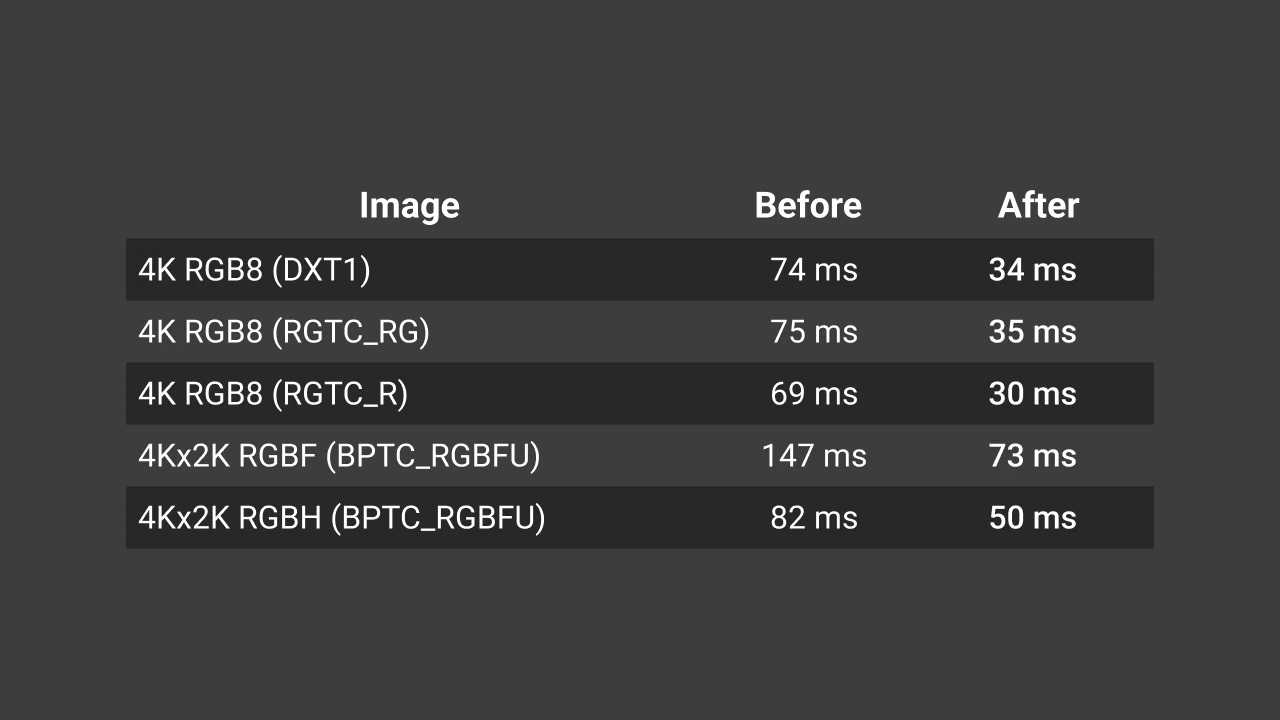
Textures in Godot are compressed by default to make your game smaller on disk and more efficient in memory, often reducing size by four to six times.

Starting with Godot 4.6, 3D textures compressed this way now import up to two times faster, so you spend less time waiting when importing assets and more time building your world. This was accomplished by changing the way Betsy handles RGB textures to instead convert them to RGBA on the GPU and use them directly.

So far, so sharp

Component pruning for mesh simplifications

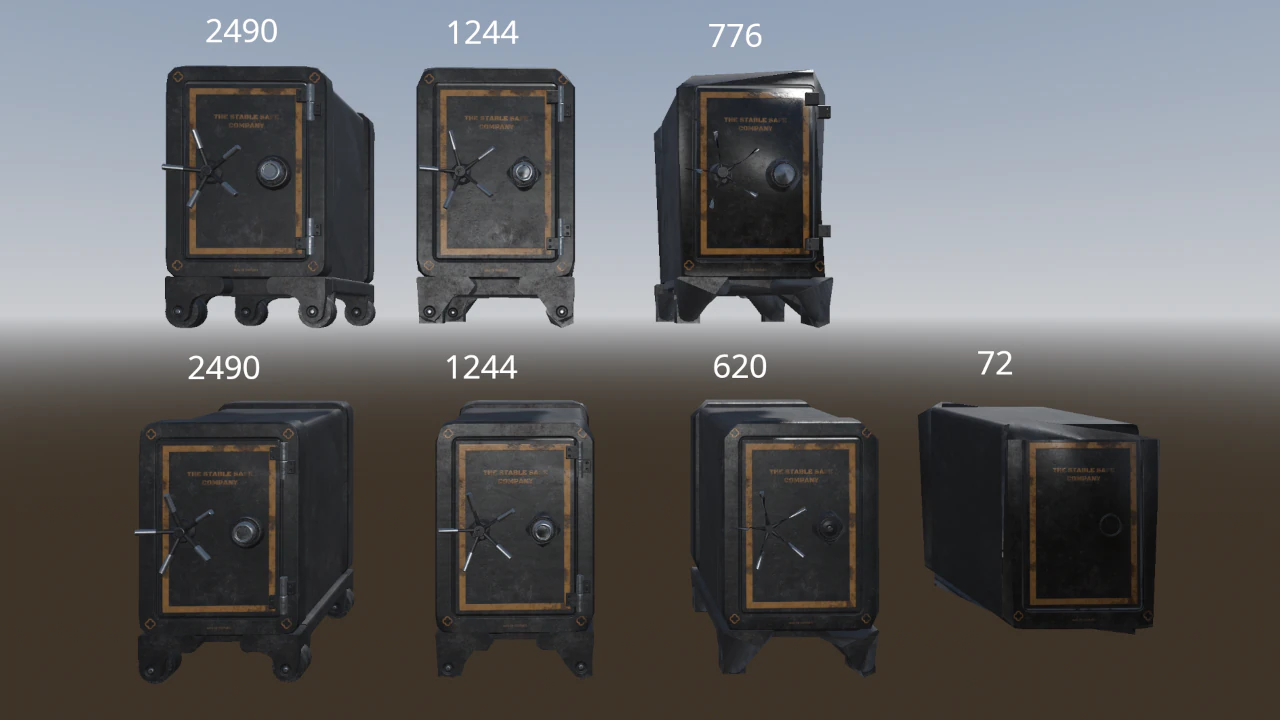
Godot now generates LOD (level-of-detail) models that better preserve the shape of the original object, particularly for meshes built from multiple separate parts.

This ensures that distant objects in your game retain their intended form while still benefiting from performance-friendly simplification.

Rendering

Glow in the dark

Improved glow blending defaults

Glow is now blended before tonemapping, with Screen as the new default mode. This corrects the order and improves visual results with at least similar or outright better performance. The tweak standardizes behavior across renderers and takes one more step towards improving HDR support.

1.53 contrast
Default contrast
@Allen Pestaluky

Tone it down

Configurable AgX tonemapper parameters

The AgX tonemapper now exposes agx_white and agx_contrast, letting you control how bright and contrasted your scenes appear and allowing you to achieve a more consistent hue on bright colors even at high contrast.

Previously, these values were fixed, giving you limited flexibility when adjusting dynamic range. While this change lays the foundation for future HDR support, the new curves don’t break compatibility with 4.4 and 4.5!

After
Before
@Darío

Lighten the load of reflections

Octahedral maps for reflection and radiance probes

Reflection and radiance probes now use octahedral maps. This makes them cheaper to compute for your GPU and lighter on memory.

For you, it means you can efficiently add high-quality localized reflections to your scenes, like water reflecting a room or glossy surfaces in a specific area. Plus, since the dependency on cubemaps has been removed, probes work more reliably across a wider range of hardware.

After
Before
@Hugo Locurcio

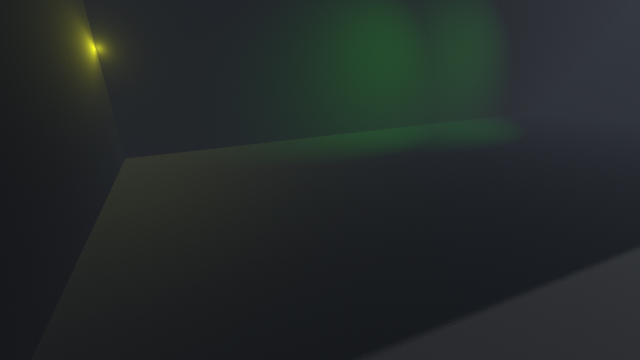
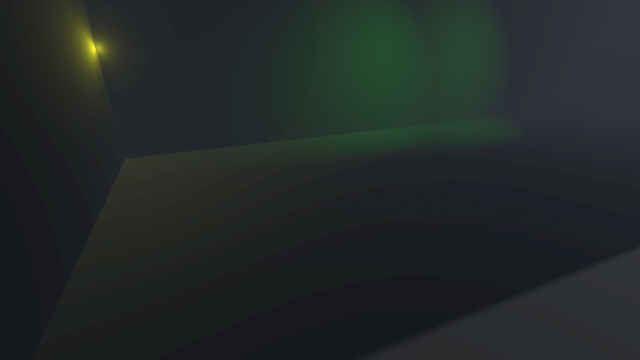
Banding dismissed

Material debanding and improved HDR precision

The Mobile renderer steps up for 3D. Previously, visible color banding made it a tough sell for projects aiming at the highest visual fidelity. Not anymore!

Material debanding is now available for 3D: enable the existing debanding project setting and watch those ugly color bands disappear from your scenes. Additionally, when HDR 2D is enabled, the renderer now maintains higher color precision throughout the entire 3D pipeline, preventing quality loss.

Combined with all the optimizations unique to the Mobile renderer, these changes make it an excellent choice for high-performance 3D games on both mobile and desktop platforms.

Mobile mended

Vulkan Mobile crash fixes for Mali and Adreno GPUs

Godot is a general-purpose engine used by a wide variety of people, on a wide variety of devices, with a wide variety of graphics drivers, and not all of them work gracefully. Ensuring stability across the board is a constant effort, and this release makes big strides.

Thanks to developers of games like Rift Riff and Kamaeru sharing detailed crash logs from Google Play and giving us access to their projects, we tracked down and fixed a series of crashes affecting devices with certain Mali and Adreno mobile GPUs. If you’ve been seeing unexplained crashes on Android with the Mobile renderer, this release should bring relief to you and your players.

internationalization

1 fish, 2 fishes?

Improved CSV translation support and template generation

Spreadsheet-based localization has just leveled up, making CSV files more adapted to real game translation workflows.

You can now include optional ?context columns to pass meaningful context for translators (so the same key can mean different things in different places), and ?plural columns to define plural forms directly in your CSVs, including rules for languages with complex plural logic.

In addition, Godot now lets you generate CSV translation templates, giving you a good starting point for translators and making it easier to maintain consistent, exportable localization tables across languages and projects.

Bonjour, C#

C# translation parser support

C# translation calls are now parsed just like GDScript, so localized text is collected automatically during POT/CSV exports.

This means strings inside Tr(string) and TrN(string) in C# will now be picked up automatically when generating translation files, so you don’t have to manually extract or manage them yourself. It closes a longstanding gap in localization workflows.

XR

Headsets in the loop

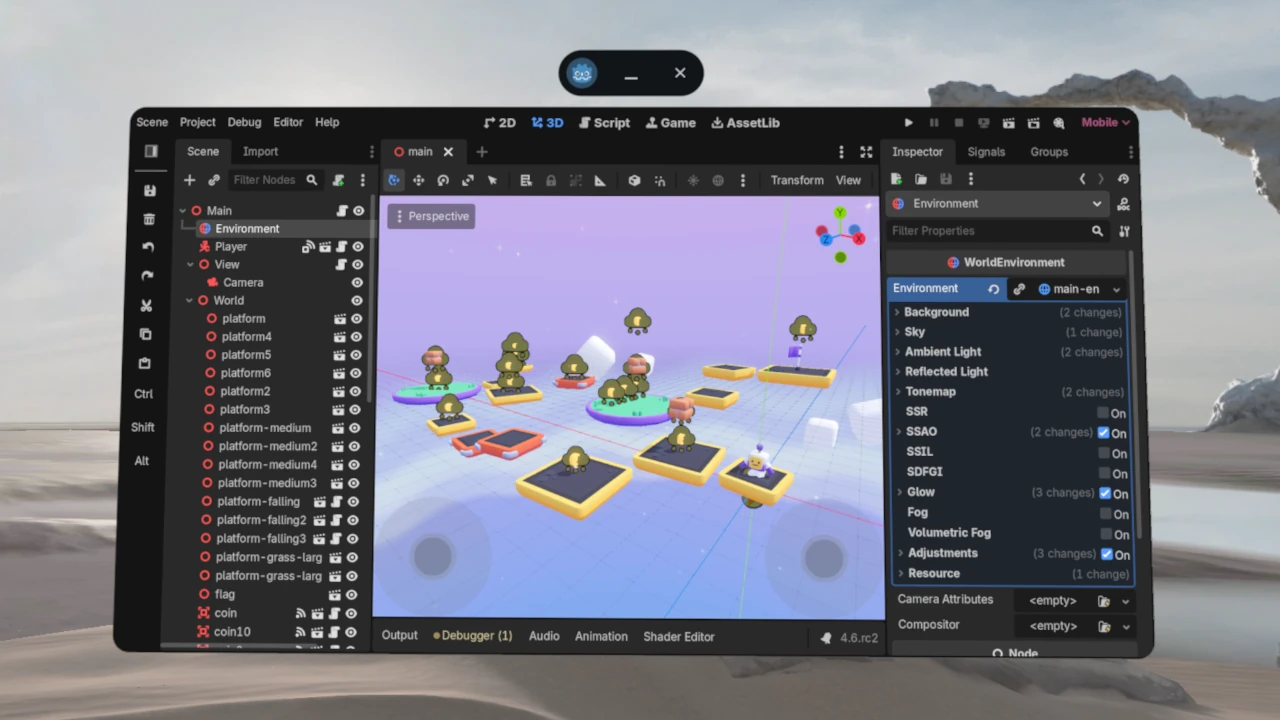
XR Editor support for Android XR devices

You can now use the Godot XR Editor with Android XR devices, making it simpler to test and iterate your extended reality projects directly on Android XR hardware.

Instead of juggling separate tools or workflows to deploy and debug your app on a headset or AR device, the editor can recognize and work with Android XR devices more directly, shortening the development loop and letting you focus on building immersive experiences.

This is an important step toward tighter device-editor integration as XR support continues to mature in Godot.

Hello OpenXR 1.1

Native OpenXR 1.1 support

The days of OpenXR 1.1 are upon us. Godot 4.6 will now automatically enable OpenXR 1.1 features on headsets and runtimes that support it. While largely a maintenance release, OpenXR 1.1 guarantees support for previously optional features, most notably the surface grip pose for reliable virtual hand positioning when hand joint tracking isn’t available. It also standardizes interaction profiles for VR controllers, letting you distinguish between specific controller models.

The change also comes with a compatibility layer that ensures as much feature parity as possible on devices where OpenXR 1.1 is not supported. Godot automatically falls back to OpenXR 1.0 and enables as many extensions as possible transparently, maximizing compatibility across devices.

One API to rule them all

Support for OpenXR spatial entities

When you want to place objects on real-world surfaces, track persistent locations, or react to QR codes in AR or VR, you now get spatial anchors, surface detection, and marker tracking through the standardized OpenXR Spatial Entities extensions.

This is the first phase of a broader effort to replace vendor-specific implementations with a single, consistent API for tracking and anchoring content in the real world. While some advanced features like furniture detection still require platform-specific solutions, spatial entities give you a solid foundation that will only grow as XR ecosystems evolve.

Platforms

Android

VIDEO
@bruvzg

Coming to a big screen near you

Scrcpy runs exports in the editor

When exporting to Android, you can now enable an option to automatically run your exported game or app through scrcpy. This mirrors your connected phone or tablet onto your computer screen while the game runs on the device itself.

Instead of picking up your phone every time you test a change, you can stay focused where you’re creating and interact with the game directly from your workstation, making it easier to test on real hardware and faster to iterate. You can even test different screen sizes and run multiple apps on the same device!

Pronto Gradle

Android editor Gradle build support

This feature is a major win for developers working in the Android editor. You can now build Android projects using Gradle directly from Android through a companion app called GABE, which helps keep the editor itself lightweight.

Before this, you could not export apps that used Android plugins from the Android editor. Now, you can!

Get specific consent

Storage Access Framework (SAF)

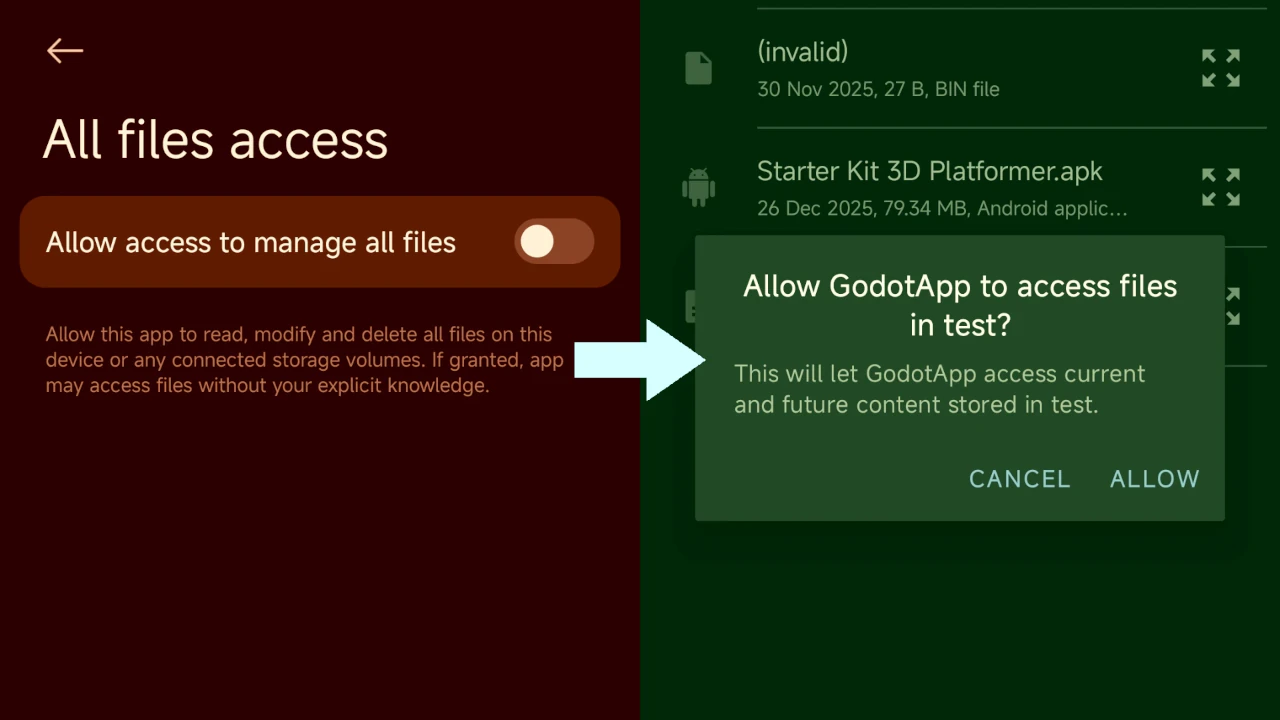
Starting with Godot 4.6, you can provide players with the possibility to load and save specific files using the system file picker, without asking for broad storage permissions.

This makes it possible to support loading custom content (like levels), importing data files, or exporting saves and presets, in a more granular manner, avoiding Play Store compliance issues and keeping players in control.

Windows

Render parity

Direct3D 12 as the new default on Windows

With Direct3D 12 now pretty much on par with Vulkan, new Windows projects default to Direct3D 12 for more stable driver support and fewer platform quirks. This improves cross-platform rendering consistency while keeping existing projects unchanged.

Physics

Abracadabra, mesh to collision shape

Turn meshes into collision shapes

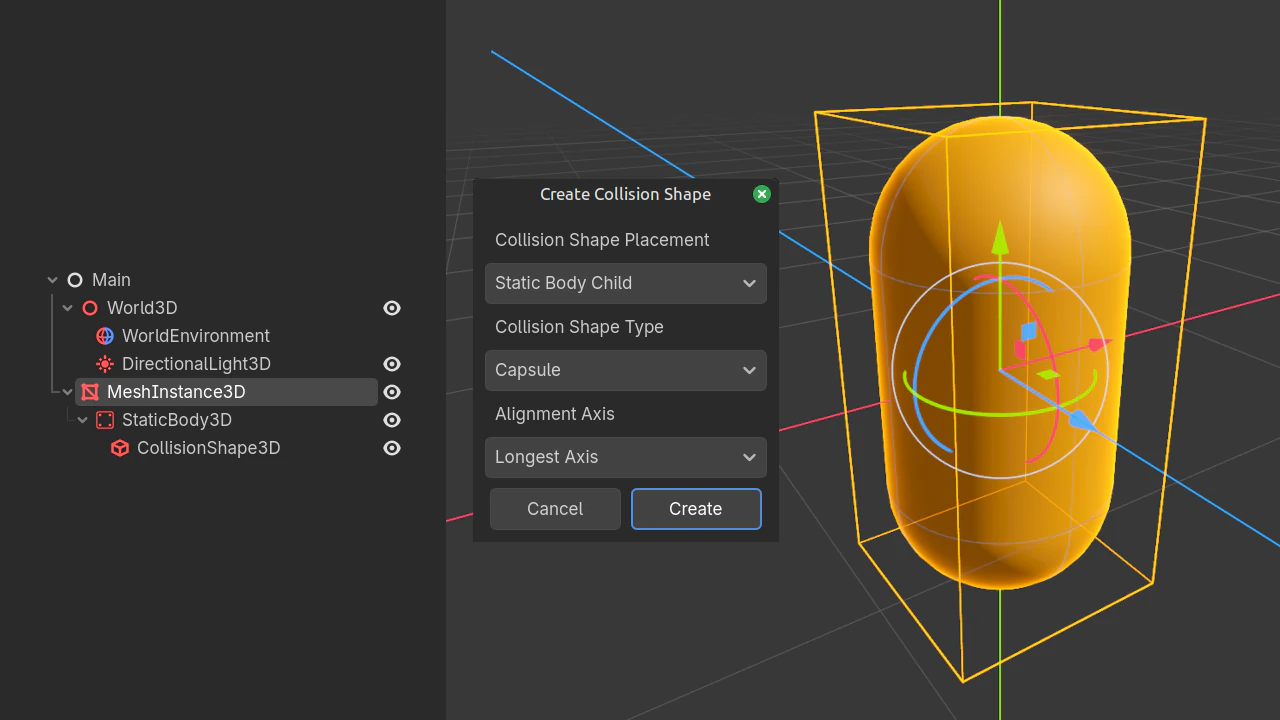
Until now, to get a collision shape from a primitive mesh, you had to manually choose a shape type and align it by hand. Literally a drag… But no more.

Starting with Godot 4.6, whenever your mesh is a simple geometric shape like a box, sphere, cylinder, or capsule, you can now automatically generate a matching CollisionShape3D from the Mesh menu. One more quality-of-life boost!

Scripting

GDExtension

It’s required if you say it is…

Mark object parameters and results as required

This one’s for you if you’re already taking advantage of GDExtension to write high-performance game code and editor plugins in languages like C and C++, or the community-supported Rust, Zig and more!

Starting with Godot 4.6, parameters and return values in the Godot API can be declared as required, meaning nullable values are no longer implicitly allowed in those positions. This is especially helpful in languages with strict nullable/optional types like Rust, Swift, or Kotlin, because it helps you catch mistakes at compile time or fail clearly at runtime!

The result is safer, clearer APIs with better integration of modern type systems in your tooling.

JSON’s here!

JSON-based GDExtension interface

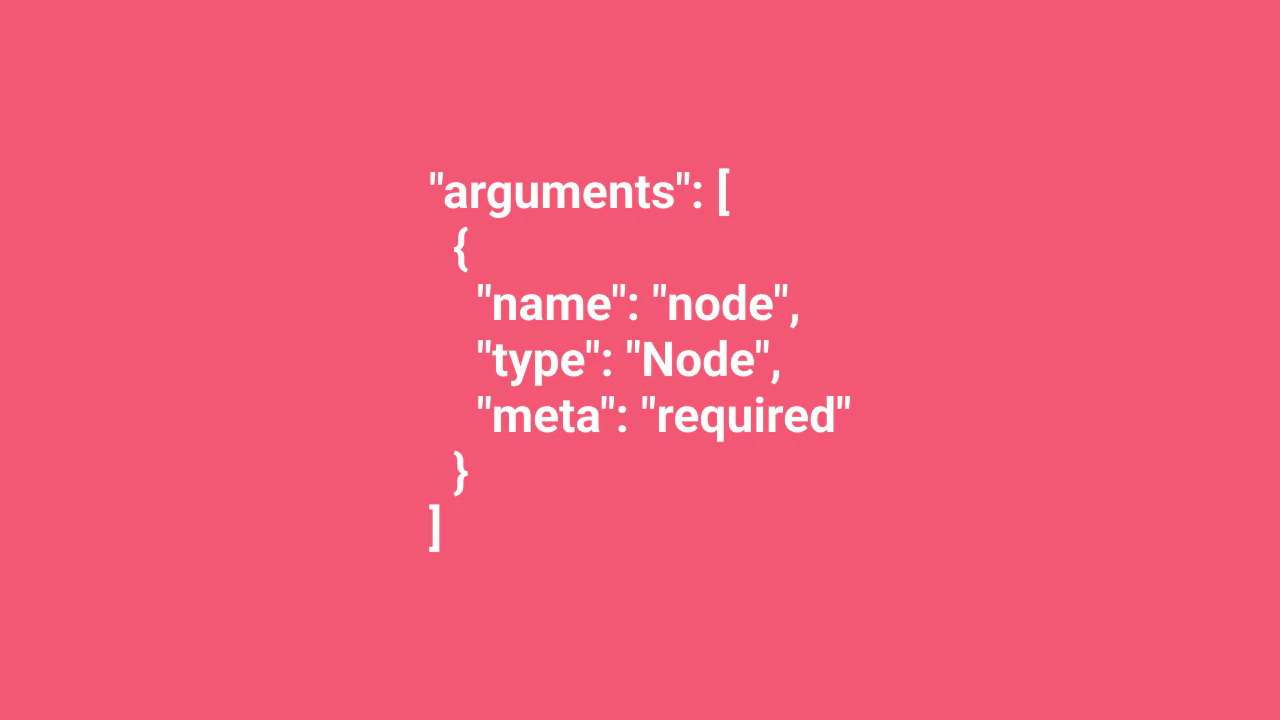
This one is mostly under the hood but to many of you it will come as a great relief and open new possibilities. As of this release, GDExtension’s interface, the bridge between Godot and native code, is now defined in JSON instead of a C header.

This makes it much easier for tools, scripts, and language bindings to read, analyze, and work with the API automatically. This long-awaited upgrade lays the foundation for faster automation, improved bindings, and smoother integration, unlocking possibilities that weren’t practical before.

The C header is of course still available, but it is now generated from the JSON definition.

GDScript

Get outta that function already

Script debugger: Step Out button

If you’ve ever gotten stuck inside a function while debugging, wishing you could jump straight back to the caller, this small feature will surely improve your quality of life.

You now have a Step Out button alongside the existing Step Over and Step Into ones. It lets you leave the current function and continue execution at the point where it was called. No more manually stepping through lines or navigating the call stack when exploring complex logic or tracking elusive bugs.

Go all Dick Tracy

C++ tracing profilers

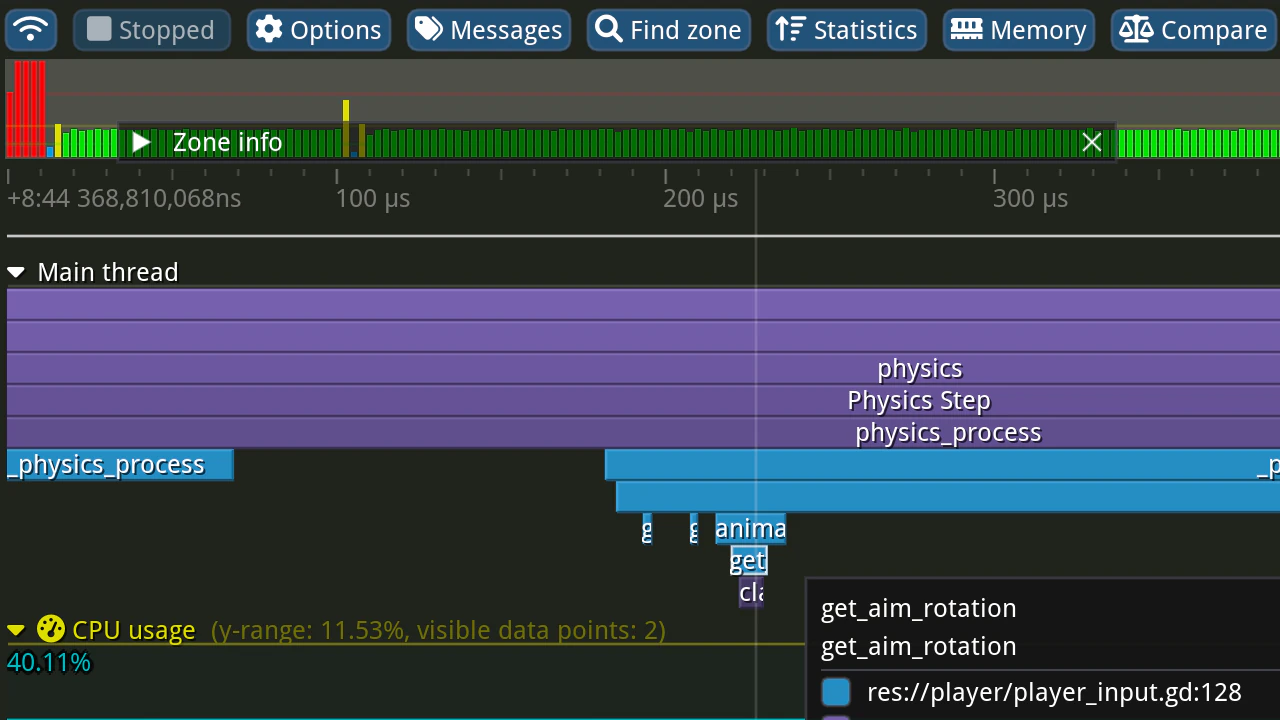
Ever wonder which of your script functions is costing you in performance, or which calls to Godot APIs are hogging your frame time? Godot 4.6 now lets you profile your scripts using dedicated tracing profilers like Tracy, Perfetto, and Instruments.

These tools give you more detailed insights than the built-in profiler, letting you pinpoint bottlenecks, debug lag spikes, and optimize GDScript, C#, or GDExtension code with confidence.

Here are instructions to start taking advantage of these powerful profilers!

It’s written in BOLD

GDScript LSP: Improved BBCode to Markdown conversion

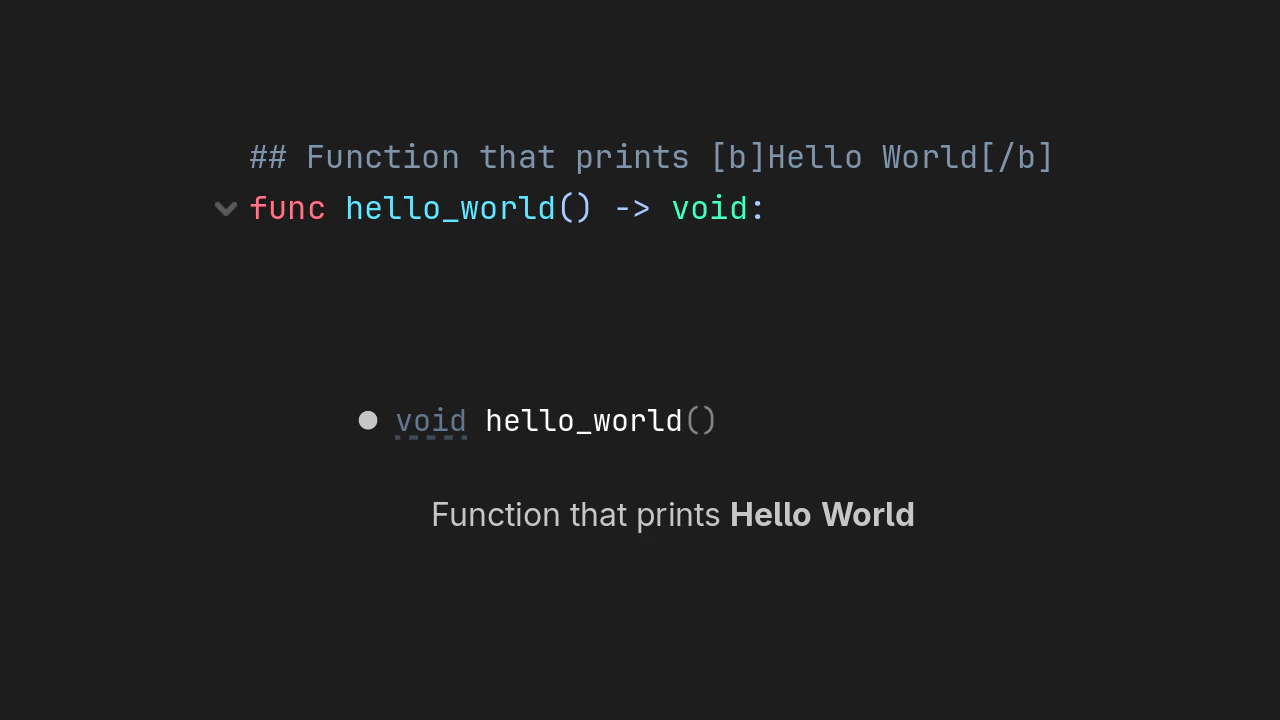
Now when your comments include formatting like bold, code blocks, and structured text, they render more clearly in editors and IDEs that support Markdown.

Godot 4.6 improves the GDScript language server so docstrings that use BBCode now convert to Markdown more faithfully. You get better readability in documentation popups, tooltips, and editor previews, making it easier to write and maintain rich in‑code docs.

I spy with my little eye

String placeholder highlighting

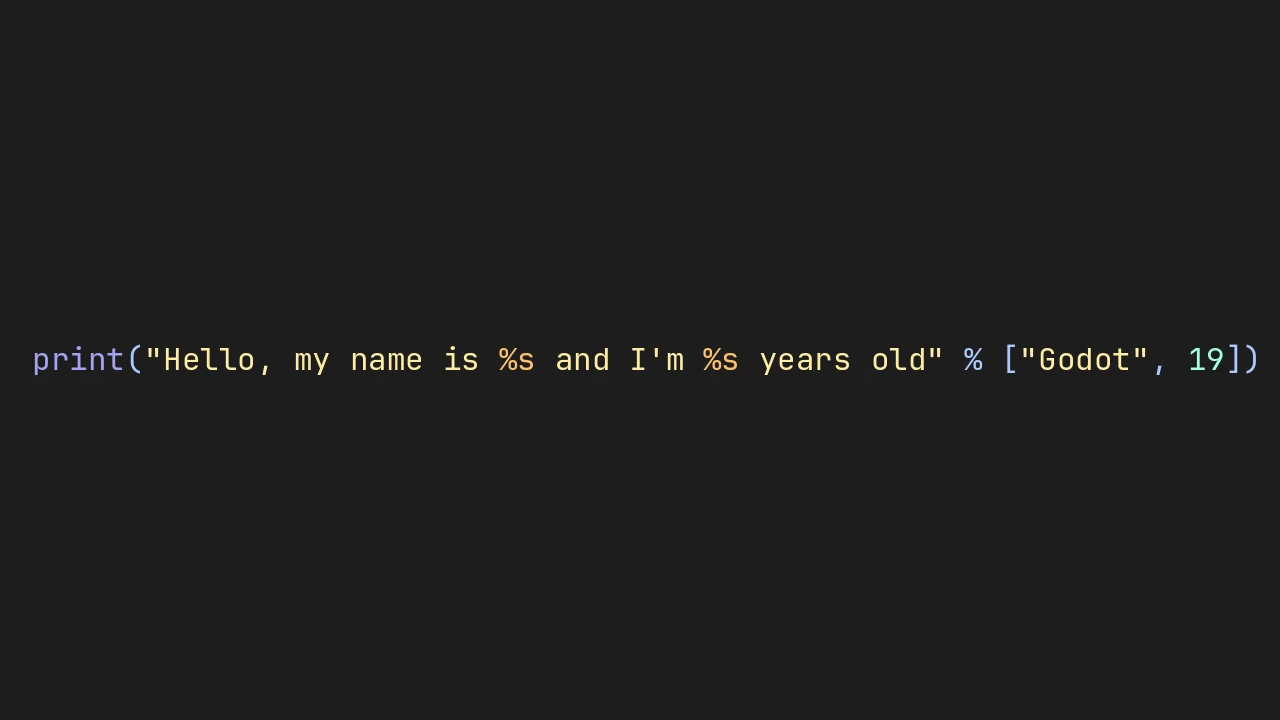
Godot 4.6 now highlights placeholders in your strings, so %s, %d, or {name} jump right off the page. You’ll no longer have to squint to spot missing or miswritten placeholders. This is sure to make string substitution or formatting more pleasant.

Team work makes the dream work

Thanks to all the contributors who had PRs merged into this release. Special thanks goes out to all the engine teams that collaborated on this release, especially since commits to other related repositories do not show up in this graphic.

0xcafeb33f 2frac 4d49 aaronfranke aaronp64 AayushSarikhada abrusle AbsoluteMoose adamscott AdelynneBrito AdvanceControl AeioMuch aflorea-2k AidanCooper2003 akien-mga AleksLitynski Alex2782 Alexofp AllenDang allenwp altamkp Amogh-2404 Andrewyuan34 ArchercatNEO archhabra archiethehead AR-DEV-1 AriaTheCurseling arkology Armynator Arnklit ashwinvbs AThousandShips atlasapplications AtlaStar aXu-AP ayanchavand basicer BastiaanOlij beicause benbot BenEklundCS Benjamin-Dobell BenLubar bfloch bitwise-aiden bjornmp BlueberryGecko BlueCube3310 blueskythlikesclouds bnjmntmm boozee br0b Break-Ben BrianPetkovsek Brogolem35 Bromeon BrotherShort bruvzg brycehutchings Caaz cabranca cadence-s Calinou carterwilson1337 channesl Chaosed0 Chaosus charjr Chestnut45 chocola-mint ChristophHaag Chubercik clayjohn Clubhouse1661 ColinSORourke CookieBadger coppolaemilio cpl-s-matsuyama CrabNickolson CrayolaEater CrazyRoka CreatedBySeb CSLRDoesntGameDev Cyberhead21 Cykyrios dagarsar dalexeev DallasHuff DanielKinsman DarioSamo Dark-Horizons davismit54 DeeJayLSP dementive DenisCiammaricone dennmar deralmas detomon devloglogan DevPoodle DexterFstone dhoverb dinesh1160 dsnopek DSOE1024 dugramen ed-megacrit ej-sanmartin enetheru eritschlSC Eshaan-byte estroBiologist Fahien Faless FantasmaGolicon fejesievo FeniXb3 FifthTundraG fkeyzuwu Flarkk Flynsarmy fryingpanjoe fstxz funkkiy GabCoolDude gelvinp gg-yb ghost ghostsoft Giganzo GlitchedCode922 goatchurchprime gofastlily goncalo gr8alpaca GrammAcc gtibo harperstoeckle hijawesam Hilderin HolonProduction IgorKordiukiewicz illusory-dream Image-unavailable Insert-Uncreateive-Name-Here IphStich Ir1ana isaaccp Ivorforce j20001970 J4RH jasonweiler jaydensipe jelolul JestemStefan jinyangcruise jitspoe jj11hh JJCUBER joaopedroxavier jogly Jojo-1000 jon1solution Joonnas Jordyfel Joy-less jroprohehe jrouwe JustSascha Kaleb-Reid KarasumaChitos3 kateyvk kb173 kbieganski kevinlam508 keyzeuh kisg kitbdev kj-art-dev kleonc kmMuellerGit KnifeXRage KoBeWi konczg Koyper kroketio ktxyz kubaofc123 kushagra10025 LanzaSchneider lawnjelly Lazy-Rabbit-2001 leandro-benedet-garcia Leftyluupy Lielay9 limbonaut LiveTrower lodetrick lrahmann lumiscosity LunaCapra m4gr3d M4rchy-S m4rr5 MadeScientist madsbangh magian1127 MagnificentJake MajorMcDoom manuelmaceira MartinDelille matheusmdx MattiaZir MauriceButler MaxiSanc37 MBCX mchlopecki Meorge metamuffin MewPurPur mhilbrunner MichaeINeumann Michakrom Mickeon migueldeicaza mihe MiracleAig mooflu mortifiedtux Mrfanta-stick mu3657 Muller-Castro mxtherfxcker Nallebeorn Namey5 nanodeath Naros nathanjf NathanLovato nattyrice Nazarwadim ndarilek nikitalita Nikitf777 Nintorch Nodragem nongvantinh Noojuno notroid5 nubels Oblepikha Olle-Lukowski Onebit5 OneBogdan01 onequid OverShifted oxeron Paeniche pafuent passivestar paulloz paul-marechal PavielKraskouski PhairZ PiCode9560 pippenpaddleopsicopolis PixelDough precup PrettyStable PrIzRaKDev QbieShay RandomShaper rapust raulsntos rburing reduz Repiteo Rindbee Rinnegatamante robob27 Roboticy3 RolandMarchand rosshadden RoyBerardo rsanchezsaez Rudolph-B Rudra-ravi rune-scape Ruw-Van rxlecky Ryan-000 ryevdokimov samuelll3d samuelpedrajas SantiagoDaza3 SatLess scgm0 Sch1nken SchultzenDK ScrappieG S-Gman Shaderd00d shadow-foss Shadows-of-Fire shakesoda shiena shitake2333 sievaxx sigmund68k Silver1063 SirishaDuba skorpnok smix8 sockeye-d SomeRanDev sorascode SpencerGoodman Splizard spoxii StamesJames StamLord StarryWorm stuartcarnie superherointj SuperTemich2005 Susmaster64 syntaxerror247 Tcarr20 teromene TheDying0fLight thiagola92 timoschwarzer timothyqiu tle-oops TokageItLab troybonneau TsFreddie ttencate twrightsman ultsi Unbansheee UrbanHelix van800 vaner-org versjon vmbaillie vmedea vnen VojtaStruhar voylin wagnerfs wenekar WesleyClements westenral WhalesState wheatear-dev WhenToBen wjt X1Vi xefensor xuhuisheng Yarwin ydeltastar YeldhamDev YYF233333 zedzee37 zenorbi zeux zorbathut zuedev Zylann

Almost 3 years after the 4.0 release, Godot 4 is starting to be a mature engine, including a wide array of features that enable countless developers to publish games in all genres. For example, Steam got over 1,200 new Godot games in 2025, while itch.io consistently gets around 500 new Godot games per week (including game jams, prototypes, etc.).

While every Godot user still has their own favorite missing feature which they’re eagerly awaiting, for the most part the engine is fully capable. But there are still so many minor roadblocks, papercuts, workflow issues or outright bugs which can make the experience of developing and publishing games more painful than we’d like.

So for this release, there was a significant focus on polish and usability, aiming to firmly establish Godot as an engine that you can rely upon, while keeping the iteration speed, lightweightness, and flexibility which make users love it.

Close to 400 contributors were involved in this new feature release, authoring 2,001 (!) commits, and we want to thank them all for their amazing contributions, as well as all users who sponsor the Development Fund, reported bugs, opened proposals, or supported each other on our community platforms.

Rémi Verschelde Project Maintainer

Release page credits

Texts and revisions
Page design and integration
Page revision
Additional fixes and contributions
Additional media content

Tagged content creators