


The 4.7 release cycle has finally reached an ever-important milestone: its very first beta snapshot! Our users have done a phenomenal job at squashing bugs nice and early once feature-freeze set in last week, and we would further encourage those who haven’t already to shift their focus to regression fixes exclusively.
For those interested in aiding us on our quest to squash any bugs that come up during this time, we once again encourage you to join our bug-hunting sprints. Anyone interested should read the Bug Triage Introduction for more information, and join the #bugsquad and #bugsquad-sprints channels on our developer RocketChat to participate.
Please consider supporting the project financially, if you are able. Godot is maintained by the efforts of volunteers and a small team of paid contributors. Your donations go towards sponsoring their work and ensuring they can dedicate their undivided attention to the needs of the project.
Jump to the Downloads section, and give it a spin right now, or continue reading to learn more about improvements in this release. You can also try the Web editor, the XR editor, or the Android editor for this release. If you are interested in the latter, please request to join our testing group to get access to pre-release builds.
The cover illustration is from Idols of Ash, a horror climbing game where you delve thousands of meters into a dark and ancient place; your presence is known, and you are not welcome. You can buy the game on Steam or itch.io, and follow the developers on Bluesky, YouTube, or itch.io.
Highlights
For those who have been following our development snapshots closely, you may be familiar with a number of the highlights in this post which were already covered in previous articles (dev 1, dev 2, dev 3, dev 4, and dev 5).
Because we’re already in feature freeze, there are no new features to cover compared to dev 5. Instead, we’ll focus on a general round-up of what to expect from Godot 4.7 as a whole, as well as expanding on some additions that we didn’t have the chance to highlight in our previous snapshots.
- Breaking changes
- Animation
- Core and buildsystem
- Editor
- GDExtension
- GDScript
- GUI
- Input
- Physics
- Platforms
- Rendering and shaders
Breaking changes
We try to minimize breaking changes, but sometimes they are necessary in order to fix high-priority issues. Where we do break compatibility, we do our best to make sure that the changes are minimal and require few changes in user projects.
You can find a list of such issues by filtering the merged PRs in the 4.7 milestone with the breaks compat label.
- Animation: Display and allow setting name/index of BlendSpace points (GH-110369).
- Audio: Fix Spectrum Analyzer effect returning jittered values (GH-114355).
- Audio: Fix volume calculation with multiple viewports in 3D (GH-114080).
- Core: Change
newoverloads to use a tag instead of a pointer (GH-112035).- Should only be relevant for modules relying on unconventional initialization methods.
- GDExtension: Bind
Object::ConnectFlagsas a bitfield, instead of enum (GH-109892). - GDScript: Improve evaluation of constant expressions with arrays/dictionaries (GH-113228).
- GUI: Add option to scale images in RichTextLabel relative to font size (GH-112617).
- Input: Add device IDs to keyboard and mouse input events (GH-116274).
- Jolt Physics: Add ability for Area3D to detect/influence SoftBody3D (GH-114198).
- Area3D will now report overlaps with SoftBody3D when using Jolt Physics, so might require re-adjusting collision layers/masks if undesireable.
- Jolt Physics: Make SoftBody3D default mass 1 kg and fix stiffness conversion (GH-116041).
- Fixes a number of issues, and makes things more consistent with Godot Physics, but will require re-adjusting the parameters of all SoftBody3D instances.
- Particles: Fix angular velocity (GH-117861).
- Bringing the functionality in-line with how it has always been documented.
- Platforms: Android: Remove deprecated Google Play OBB support (GH-118283).
- Shaders: Restrict condition parsing in shader preprocessor (GH-117173).
Animation
Tomasz Chabora starts our showcase with a feature we actually neglected to mention in the dev 2 blog post: AwaitTweener. Coming from GH-79712, a PR nearly three years in the making, tweeners can now await a specific signal to emit to perform their desired action:
extends RigidBody2D

func _ready() -> void:
	var tween := create_tween().set_process_mode(Tween.TWEEN_PROCESS_PHYSICS)
	tween.tween_property(self, ^"modulate", Color.RED, 1.0)
	tween.tween_property(self, ^"freeze", false, 0)
	tween.tween_await($"../Area2D".body_entered)
	tween.tween_callback(queue_free)
Malcolm Anderson gave the animation track editor some love in GH-113479, enabling users to collapse groups. This simple change should immediately resonate with users dealing with the absurd sizes animation trees can reach, though the benefits can be felt at all sizes.
And more:
- Animation: Optimize Animation Resource, Library, Mixer, and Player (GH-116394).
- Animation: Optimize AnimationTree, Improve internals & Editor &
Node::process_thread_groupsafety (GH-117277).
Core and buildsystem
A collective effort has been taken towards reducing compilation times across the codebase. Spearheaded by Lukas Tenbrink in this tracker, the speed at which builds complete has dramatically improved! Special thanks to Rémi Verschelde, Thaddeus Crews, and Enzo Novoselic for not only contributing to this cause, but helping improve our tooling and detection methods. While this sort of thing is hard to showcase in a blog post, we hope that anyone who compiles the engine directly has enjoyed these benefits firsthand.
And more:
- Buildsystem: SCons: Enable
wasm64support on web builds (GH-102378). - Improve thread-safety of
Objectsignals (GH-117511). - PCKPacker: Add method to add files from buffer (GH-108830).
- Use
TRACY_ON_DEMANDby default for Tracy integration (GH-117583). - Audio: Revamp audio bus UI (GH-118266).
Editor
Gustavo Jaruga Cruz gave the 3D editor some love in the form of Path3D collider snapping with GH-102085. Now when creating and editing paths, you have the option of snapping those paths to whatever collider the mouse is hovering over, rather than simply dropping a point in space arbitrarily. As demonstrated in the below clip, this behavior is toggleable in the Path3D options menu.
Robert Yevdokimov continues the 3D editor streak with vertex snapping support in GH-117235. This allows you to snap the selection to nearby nodes’ vertices, which is useful for level design and ensuring everything is visually connected to neighboring nodes.
To use vertex snapping, hold B and move the mouse near the selection’s vertices. Once you see a yellow circle, hold the mouse button and move the mouse to the desired location (you can release B at this point). The circle becomes green once a vertex to snap to is detected near the mouse cursor. For better depth perception, the yellow/green circle appears with reduced opacity if it’s occluded by another surface.
Vertex snapping works differently depending on whether the selected node has a mesh-based representation or not. For example, MeshInstance3D and CSG nodes have a mesh-based representation, while other nodes such as Label3D and Marker3D do not. Nodes without a mesh-based representation will teleport to the highlighted vertex when holding B and clicking on another node’s vertex. Thanks to the follow-up contribution GH-117380, you can opt into this behavior for nodes that have a mesh-based representation too.
Raphaël Daubelcour’s work in GH-111469 brought a highly-requested feature for the editor to life: the ability to copy and paste data from entire sections and categories. Now instead of copying the data from individual segments of a given property and pasting them piece-by-piece, this process is now handled in a singular action.
Malcolm delivered yet another highly-requested feature in the form of monospaced code names (GH-112219). You’d be surprised by just how much the readability of the UI improves when code-like data (methods, signals, properties, etc.) is represented in a font representing their context, especially when coupled with a standard font for all other information.
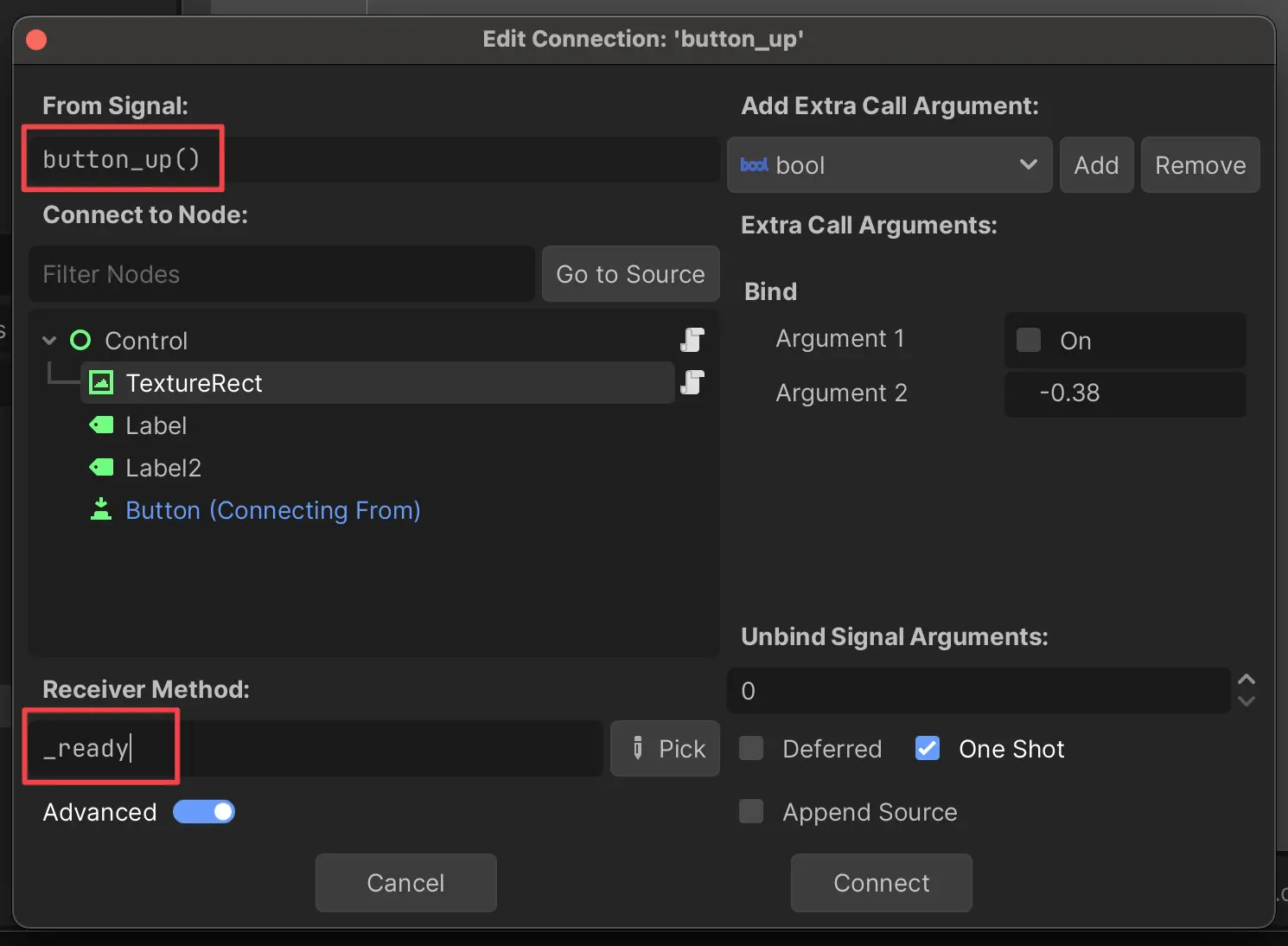
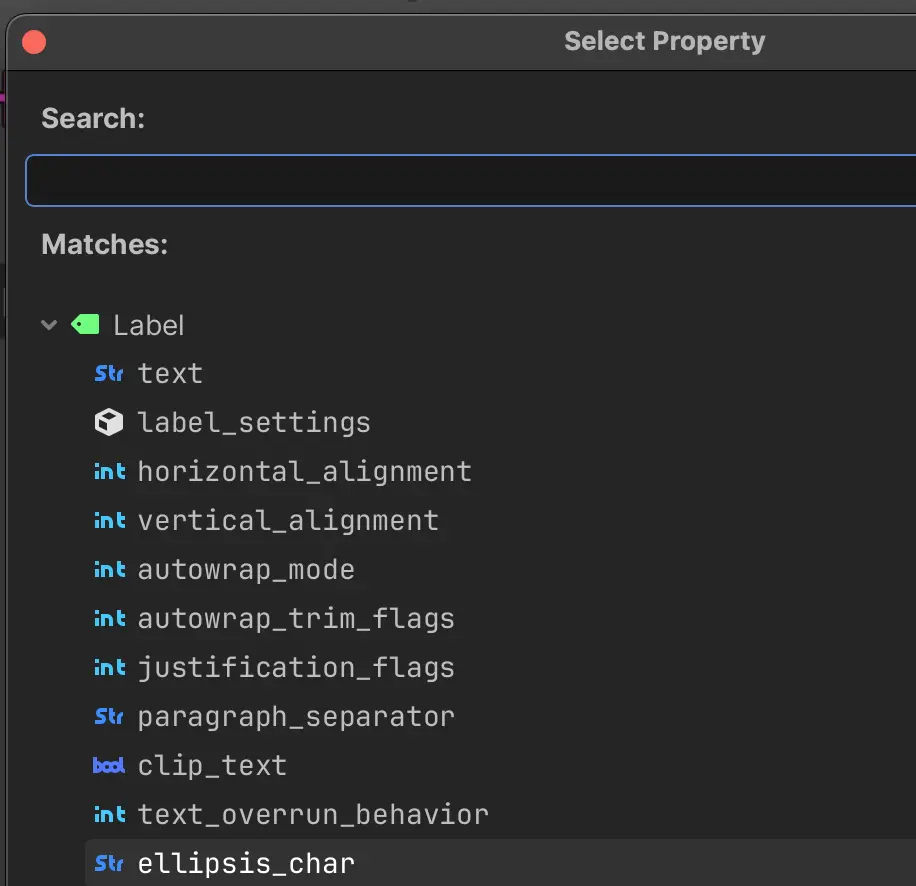
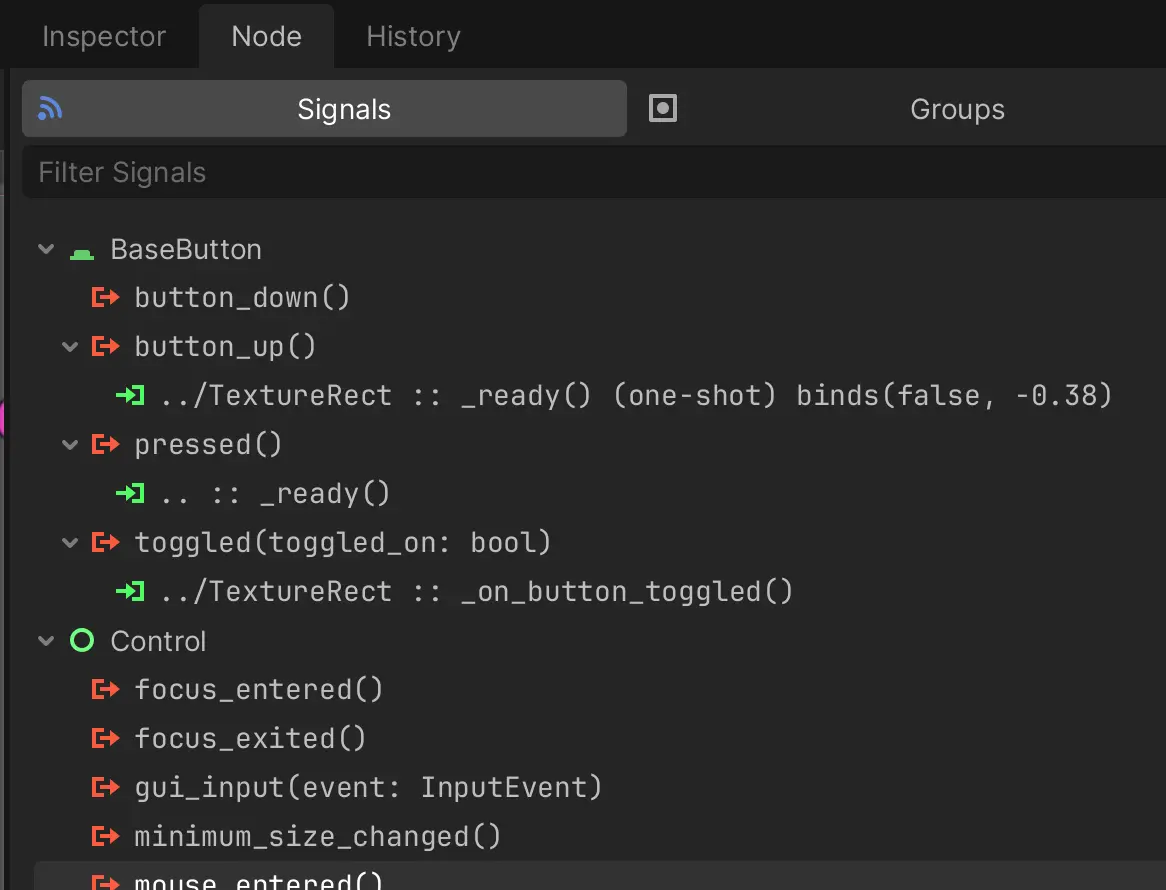
The previous behavior can be restored by toggling Interface > Theme > Use Monospace Font for Editor Symbols in the Editor Settings.
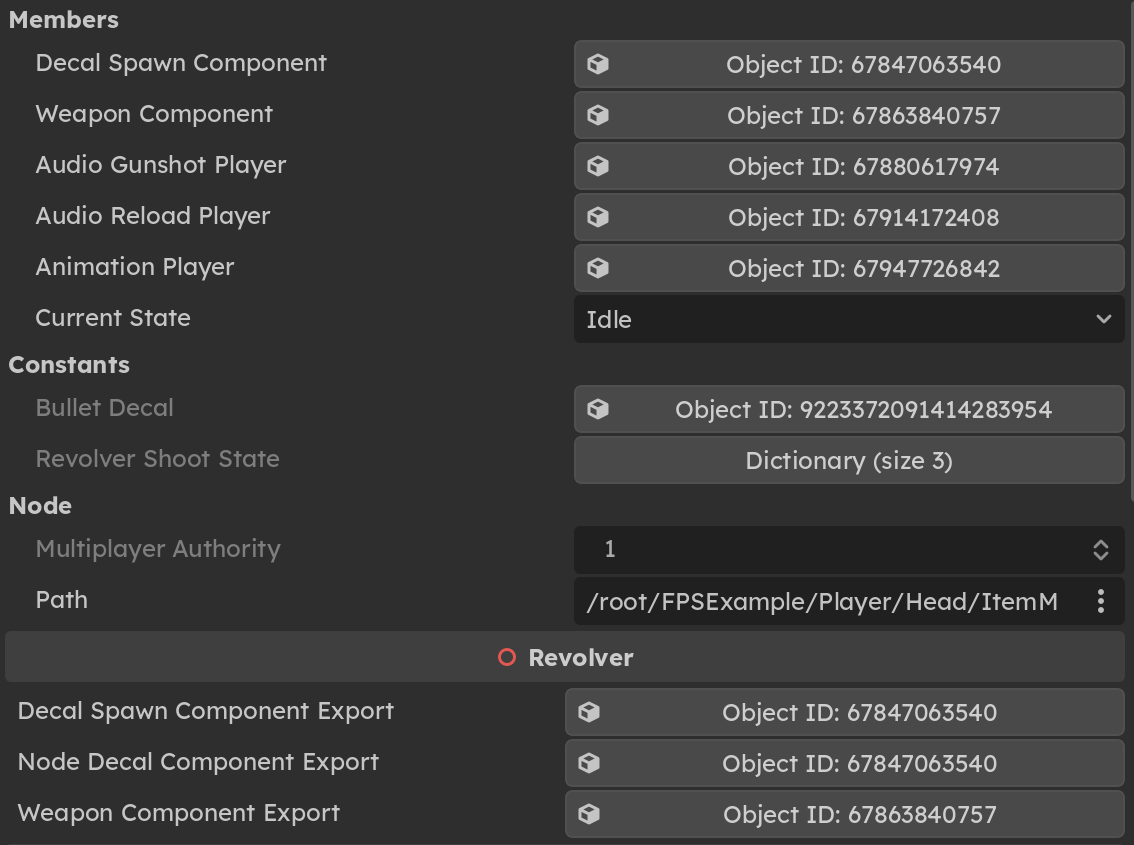
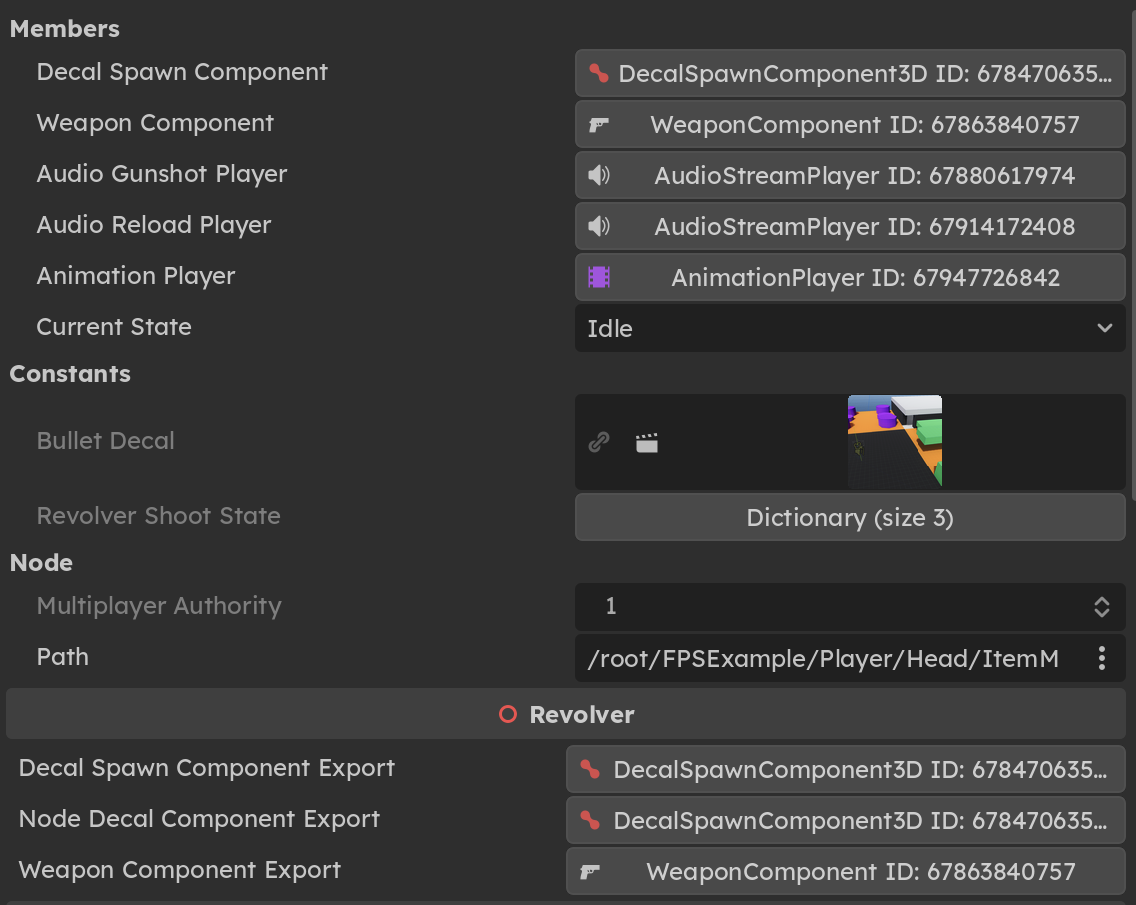
Jayden Sipe improved the remote scene tree view by adding class names in GH-115738. This means that, instead of anonymous-looking Object IDs, users can now view the objects directly.
Before
After
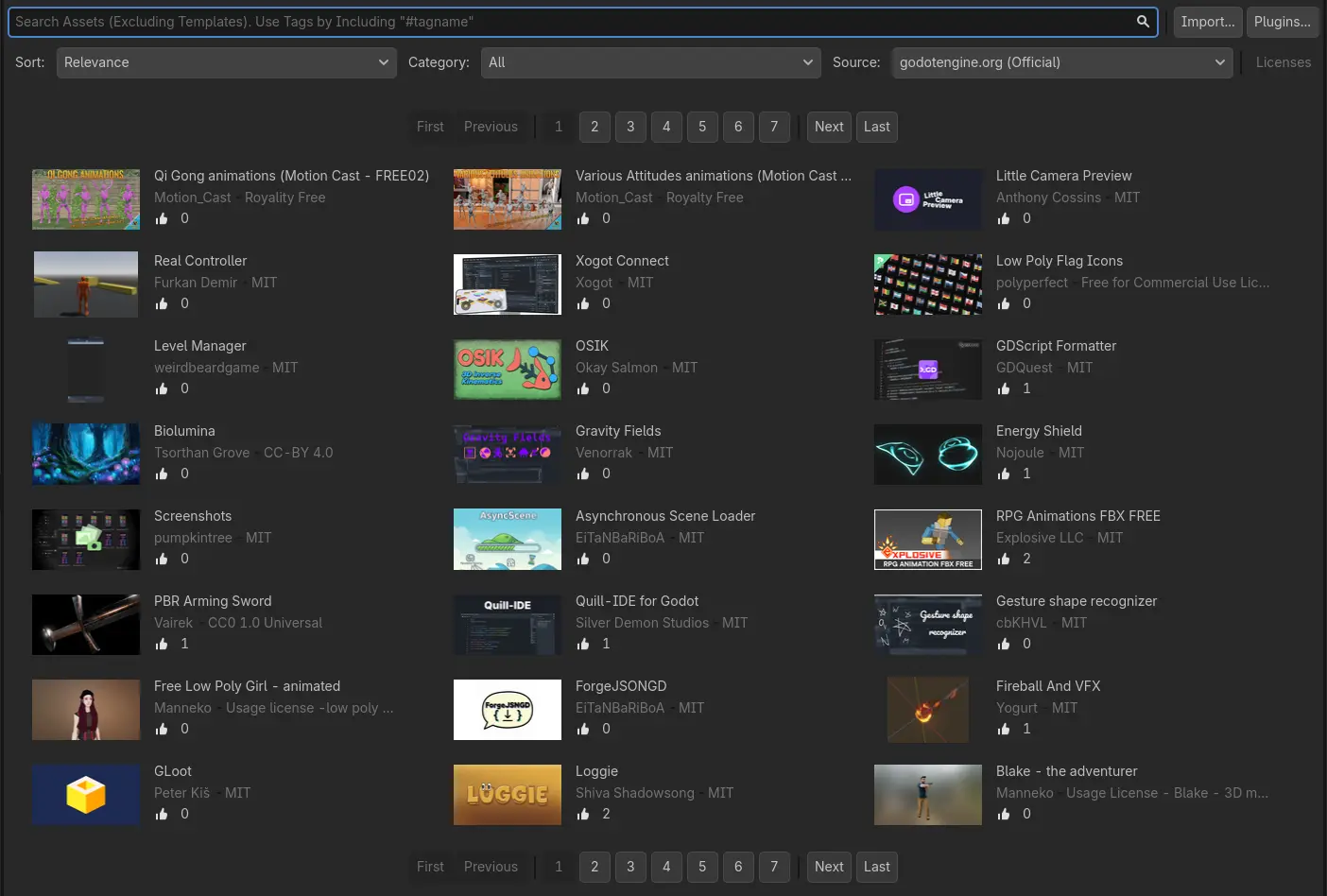
Michael Alexsander has been hard at work bringing our asset store updated visuals and API in GH-112992. Not only will it be easier to parse the asset items themselves, but more metadata and the current rating will be readily visible.
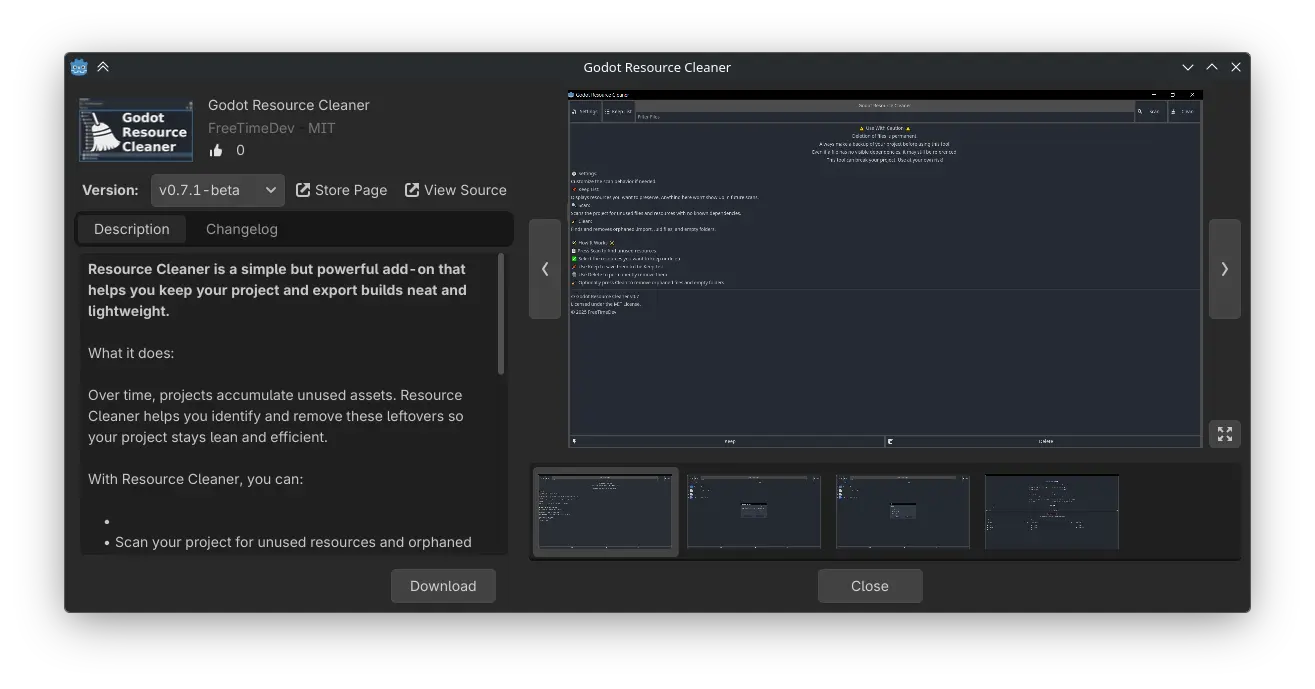
When accessing an asset in isolation, you’ll have immediate access to the current description and all existing changelogs. What’s more, the ability to change an asset’s version is now just one click away.
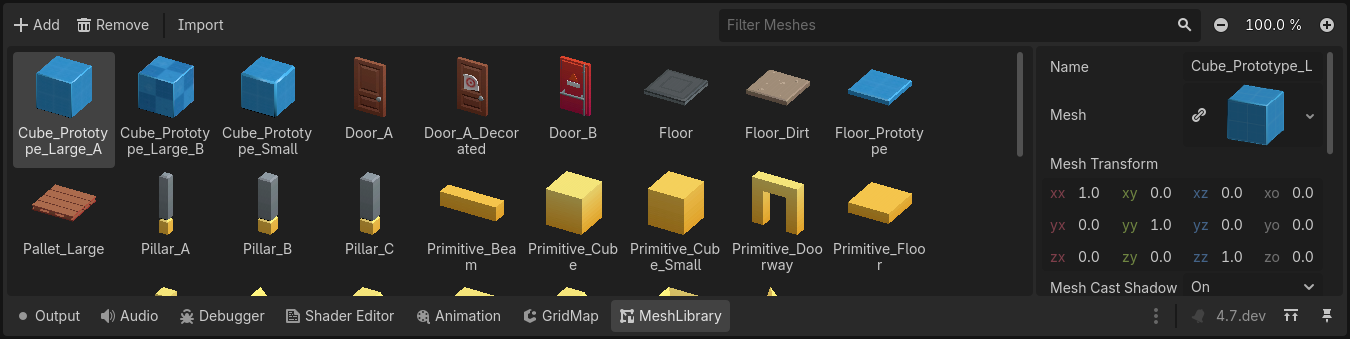
Michael’s work didn’t stop there, as MeshLibrary received a similar QOL update in GH-117376, in the form of an entirely new bottom editor. Items are now featured on a grid with search and zoom functionality, alongside a separate inspector enabling the customization of individual items. Full undo/redo support for all actions, as well as previews falling back to an item’s mesh if nothing is specified, makes this a complete package out-of-the-gate.
For a long time, Godot has been lacking some way to easily place objects in 2D scenes. While scene tiles exist in TileMap, they come with numerous limitations, the most prominent one being no way to change properties of the placed scenes.
Dexter with GH-109360 introduced the new Scene Paint tool, which allows easily painting scenes. You can quickly paint and erase scene instances, with support for grid snapping. The instances can also be pre-configured in the inspector, so it’s easy to place rotated instances and other similarly complex configurations.
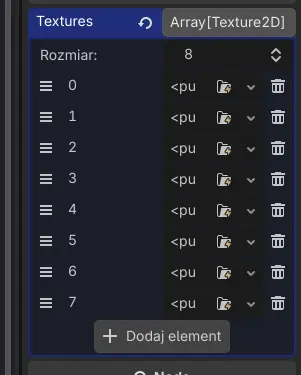
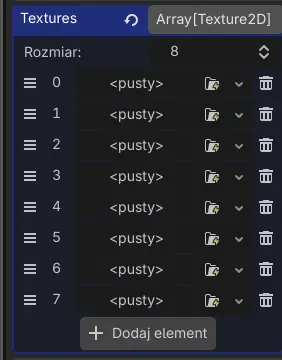
Tomasz brings this behemoth of a section to a close with two final QOL goodies. The first is a simple but obvious improvement to how arrays are displayed in the inspector with GH-118008, ensuring that whitespace isn’t wasted.
| Old | New |
|---|---|
 |  |
The second is an improvement to how export templates are received in the editor, as it’s been a long-standing pain point that they must be downloaded in bulk. Alex2782 discovered a clever workaround to this by retrieving slices of the bulk package itself, which was then ported over to C++ by Tomasz in GH-117072. With this, the only downloaded export templates are what the developer explicitly requests.
And more:
- 2D: Add a scene painter tool (GH-109360).
- 2D: Rework TileSet editor proxy objects (GH-117574).
- 3D: Add “Follow Selection” in the 3D editor by using Center Selection twice (GH-99499).
- 3D: Add automatic smoothing for CSG nodes (GH-116749).
- 3D: Add vector components to 3D ruler tool (GH-106785).
- Add
View3DControllerfor editor 3D view manipulation (GH-115957). - Add 3D vertex snap base setting (Vertex/Origin) (GH-117380).
- Add a script editor keyboard shortcut to show the documentation tooltip for the word the caret is on (GH-115767).
- Add folding to the Visual Profiler tree (GH-118120).
- Add type filters to create dialog (GH-111518).
- Add vertex snap support for subgizmo points (GH-117922).
- Depict version discrepancies in Project Manager (GH-111528).
- Generate and display documentation for the properties generated by
PropertyListHelper(GH-115253). - Hide renderer selector in main editor window and add editor setting (GH-117754).
- Improve appearance of built-in help (GH-107597).
- Improve Remote/Local SceneTreeDock buttons’ appearance (GH-118192).
- Make right-clicking on unfocused scene tabs possible (GH-112919).
- Optimize tree size computation and the scene tree dock filter (GH-110759).
- Reorganize Output dock (GH-112690).
- Revamp autoload creation (GH-91124).
- Show custom class name in the remote inspector (GH-108208).
- Stop autocomplete from eating words by default (GH-117464).
- Support folding, groups, and subgroups in remote scene inspector (GH-117357).
- Support navigating to the script in list (GH-112796).
- Take custom type of parent scripts into account when dropping
onreadyvariables (GH-115158).
GDExtension
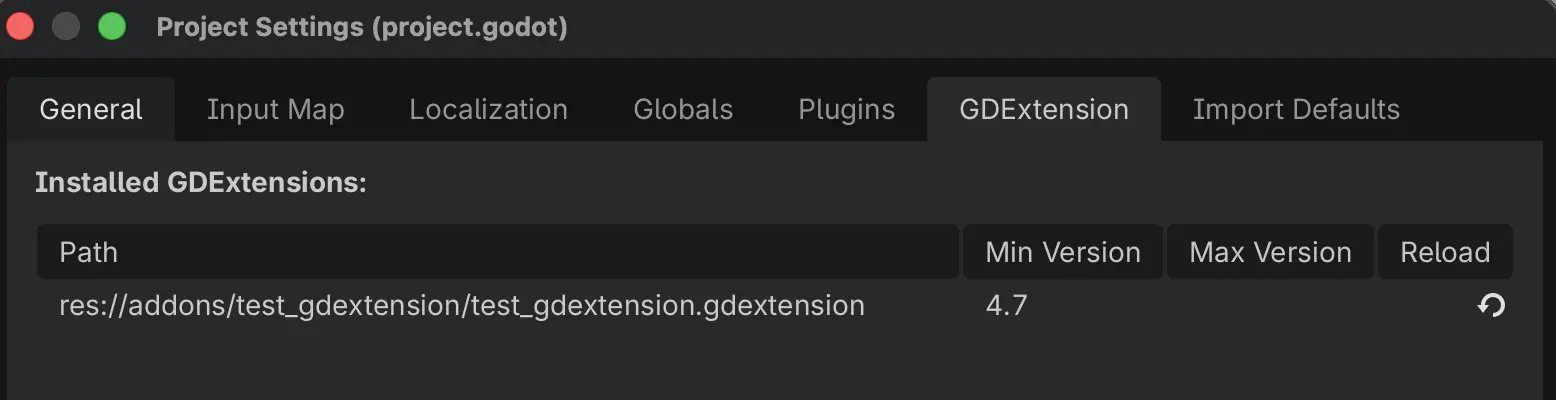
GDextensions can now be viewed in the editor directly. Thanks to Aaron Franke in GH-118063, users are now able to view any of their installed GDExtensions in a new project setting tab. As an added convenience, users are capable of reloading the extension directly from this window, which should even further streamline workflows.
And more:
- Add
Variant::get_type_by_nameto GDExtension Interface (GH-117160).
GDScript
Danil Alexeev tackled a long-time annoyance of non-exported enums reverting to integers during remote play sessions. Thanks to GH-115705, metadata is now fully retained for all declared variables, regardless of their export status.
| Before | After |
|---|---|
 |  |
And more:
- GDScript: LSP: Calculate simple string insertions on the server-side (GH-117710).
GUI
One of the most long-awaited features in Godot’s GUI system was to be able to translate, rotate, or scale a Control node without it affecting the rest of the container. Previously, Godot’s various Container nodes applied the position, rotation, and scale to their children, which meant losing any changes made to the children’s transform when the container is sorted again (which occurs when children are added, removed, or moved in the scene tree). The new transform offset properties implemented by Timo Schwarzer in GH-87081 aimed to address this limitation in a self-contained manner, similar to the transform property in CSS.
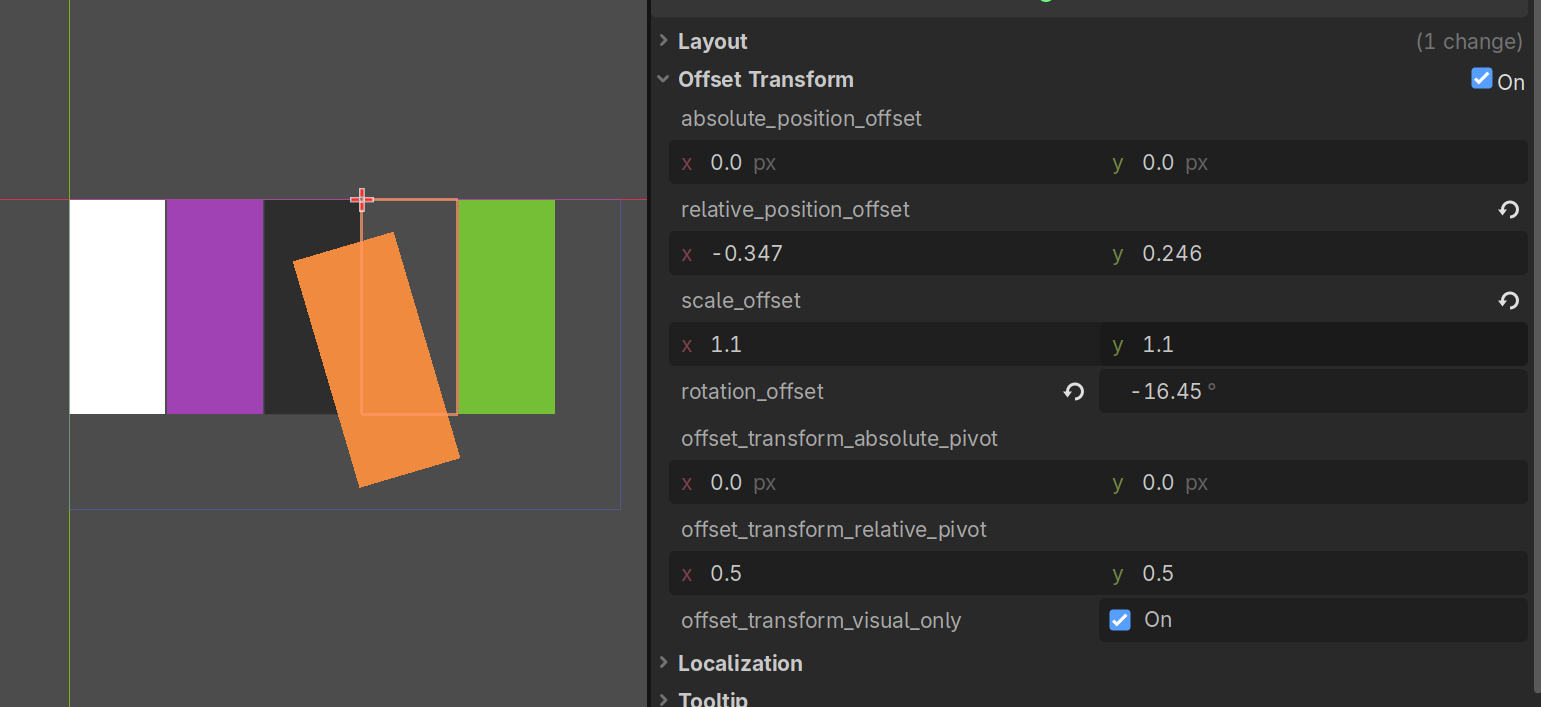
You can choose whether the transform offset affects mouse input. By default, the transform offset is purely visual, which means there is no risk of buttons losing their hover status after being transformed. Controls with a transform offset applied show their original bounding box with a gray dotted rectangle:
Another longstanding usability quirk was popups with dozens of options to choose from lacking any proper filtering beyond a rudamentary incremental search that lacked visual feedback. Alexander Streng added search bars to PopupMenu in GH-114236, making searching through massive lists more dicoverable, consequently improving usability. This feature is available in any PopupMenu node, which means it can also be used in projects such as non-game applications.
vaner spear-headed GH-112993 in order to improve the overall usability and intuitiveness of Tree drag-and-drop functionality. Now when performing a drag-and-drop operation, there will be an always-present vertical indicator showing the potential parental chain, leveraging a standalone CanvasItem to prevent StyleBox occlusion.
| Old | New |
|---|---|
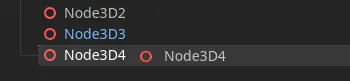 | 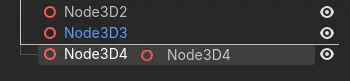 |
What’s more, this operation will now consider the x-position of the cursor while determining a to-be parent when in indent space (leftmost, empty space), whereas item space largely retains current behavior. This implementation mirrors what one would commonly find in vector design software.
Malcolm closes out this section with GH-112617, enabling RichTextLabel images, allowing width and height to specify em for their scaling. This would result in the following text…
Do you have any [img height=1em]coin.png[/img] coins?
...I said, [font_size=50]DO YOU HAVE ANY [img height=1em]coin.png[/img] COINS??[/font_size]
…displaying like this:

And more:
- Add
custom_maximum_sizeproperty toControl(GH-116640). - Add accessibility region role for landmark navigation (GH-114449).
- Add conic gradient to GradientTexture2D (GH-115394).
- Add script editor
join_lineskeybind (GH-111547). - Add triple-click paragraph selection to RichTextLabel (GH-116868).
- Improve the table in
RichTextLabel(GH-116277). - Support tiling
AtlasTextureinTextureRect(GH-113808).
Input
One of the earliest additions to the 4.7 development cycle came from Kazox61 in GH-110933, delivering a built-in solution for handling touchscreen “joystick” inputs with VirtualJoystick.
JOYSTICK_FIXED: The joystick doesn’t move.
JOYSTICK_DYNAMIC: The joystick is moved to the initial touch position as long as it’s within the joystick’s bounds. It moves back to its original position when released.
JOYSTICK_FOLLOWING: The joystick is moved to the initial touch position as long as it’s within the joystick’s bounds. It will follow the touch input if it goes outside the joystick’s range. It moves back to its original position when released.
And more:
- Add device orientation change signal to DisplayServer (GH-115434).
- Add haptic feedback on long-press right-click in the editor (GH-117198).
- Add project setting to ignore joypad events if the app is unfocused (GH-115119).
- Add support for joypad motion sensors (GH-111679).
- Add support for SDL3 joystick input driver for iOS (GH-114316).
- Wayland: Implement touch support (GH-113886).
Physics
Szunami gives 2D some love with GH-104736, adding one-way collision direction for CollisionShape2D. While they’ve always technically supported one-way collisions, they’ve been hardcoded to “up”. This has now been changed to resolve across all directions, ensuring that more complex logic like rotating platforms are properly accounted for.
One-way collisions: old behavior
One-way collisions: new behavior
Platforms
Android
Thanks to the work of Fredia Huya-Kouadio in GH-114505, Godot now has the ability to run a project and move it to a small window pinned to one of the screen corners. This relies on Android’s native support for picture-in-picture (PiP) display. For example, YouTube on Android uses this functionality to show the currently played video in a corner of the screen.
Applications cannot be interacted with during picture-in-picture mode, so this feature is most useful for applications and games that have sections that don’t require real-time input (idle games, autobattlers, etc.).
Anish Kumar in GH-117109 brought the ability to switch to portrait mode while in the script editor on Android devices. This makes it easier to view code while you’re typing on a virtual keyboard. Note that distraction-free mode must be enabled for this to be possible (it can be toggled). This restriction has to be in place, since the side docks take a lot of horizontal space and the script editor in portrait mode wouldn’t be practical with the side docks visible.
Anish continues with GH-118417, bringing support to resize and reposition an embedded game window to Android. The aspect ratio is locked by default, but can be switched to “free” mode using an on-screen checkbox (demonstrated below).
And more:
- Add support for plugins gradle platform dependencies (GH-115888).
- Allow implementing java interfaces from GDScript (GH-115498).
- Enable native file picker support on all devices (GH-115257).
- Export: Add export options to customize splash screen (GH-114671).
Windows
We’re about to get into the weeds of HDR, so we need to highlight the bullet we dodged thanks to the efforts of bruvzg. To comically oversimplify: the cost of HDR output on Windows would’ve been exorbant, unless we managed to integrate support for the C++/WinRT interface. However, this integration would’ve only been feasible in C++20, whereas the Godot codebase uses C++17 at time of writing. So similar to what we’ve done for our metal renderer, bruvzg created GH-116349 to isolate the relevant Windows code to C++20, while keeping the rest of the codebase untouched. Long story short: it worked like a charm!
And more:
- Use OneCore/WinRT emoji picker when available (GH-116351).
Rendering and shaders
Perhaps the posterchild for 4.7 overall: HDR support. This was not something highlighted in a single development snapshot; rather, of every 4.7 blog post to date, all but one have showcased incremental support for HDR! Windows support in GH-94496 by Josh Jones, Alvin Wong, and Allen Pestaluky; Apple support in GH-106814 by Stuart Carnie; and Linux and BSD support in GH-102987 by ArchercatNEO.
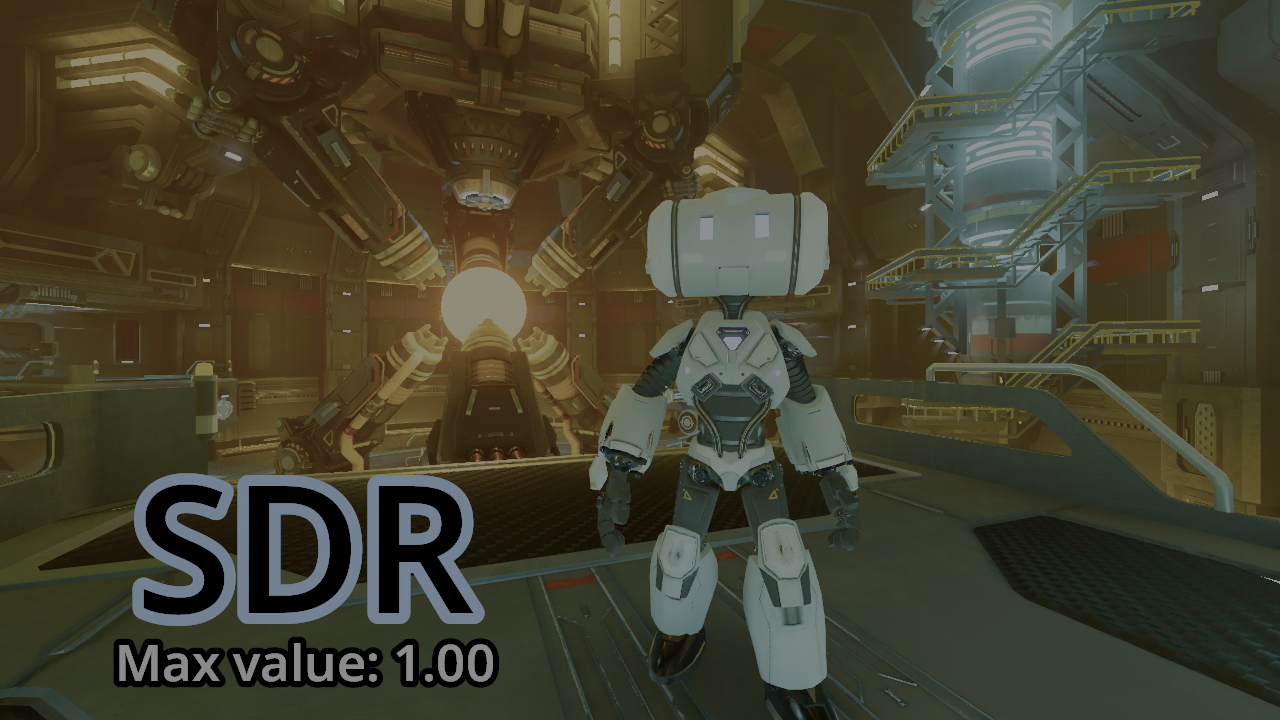
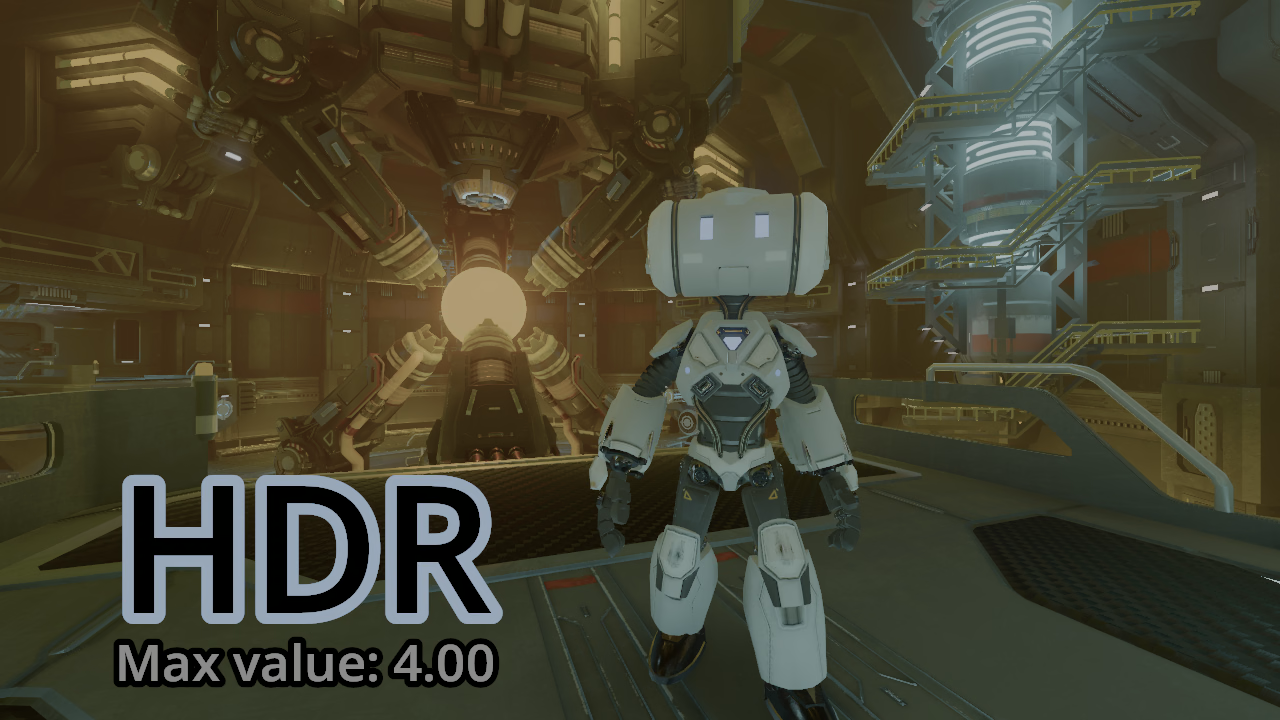
There’s so much to cover in fact, that it would warrant a wholly dedicated blog post. So in case you missed it, we would strongly encourage checking out yesterday’s article highlighting HDR output. The following comparison screenshots are lifted from that article directly.
These HDR images are best viewed on an HDR-compatible device and browser with brightness set to 50%. As of writing, Firefox does not support HDR images.
Standard dynamic range (SDR)
High dynamic range (HDR)
Antonio Caggiano laid the groundwork for raytracing with Vulkan in GH-99119. The complexity involved with bringing this to life goes well beyond the scope of this blog post (and well over my head for good measure), but users of all skill levels can see the benefits firsthand in his demo project showcasing this new functionality via GDScript.
Colin O’Rourke implemented a long-awaited DrawableTexture implementation in GH-105701. With this new class, users now have a simple API layer to abstract away all the technical noise and give users of all skill levels a convenient way to draw on a texture directly.
The above clip footage was taken from this demo project by Bastiaan Olij.
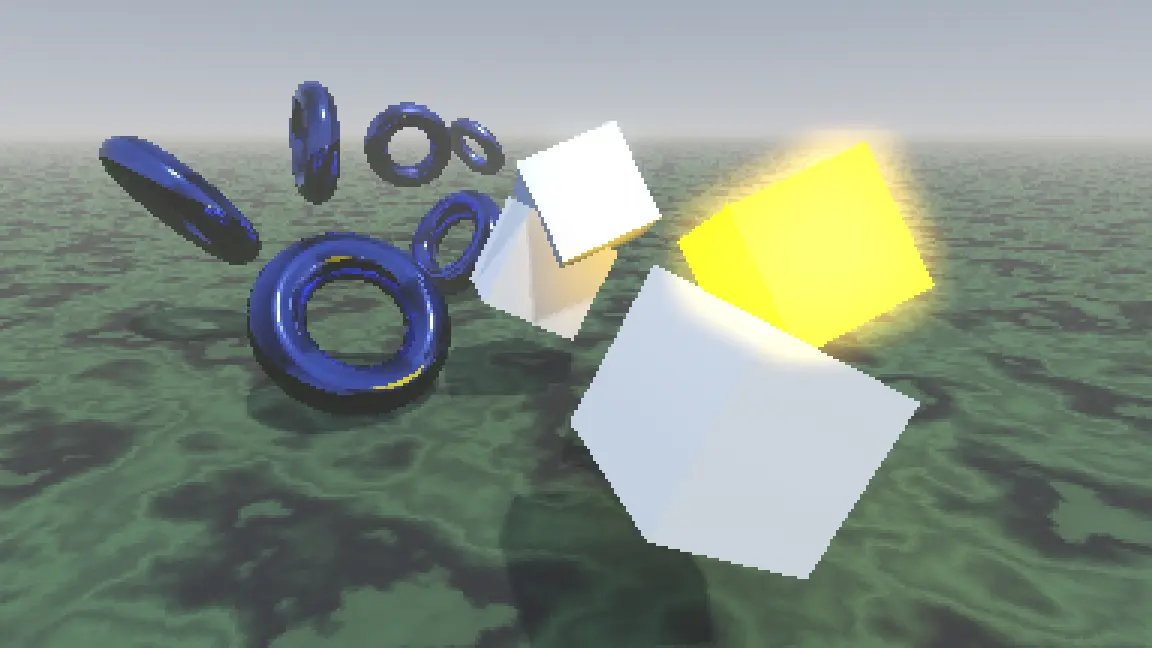
Hugo Locurcio has been refining GH-79731 over the course of nearly three years to bring one of the most anticipated integrations for our rendering system: nearest-neighbor scaling for 3D viewports. This will ensure that 3D titles with pixel-art aesthetics or lower resolution scaling will still look crisp without any compromise to performance:
Bilinear
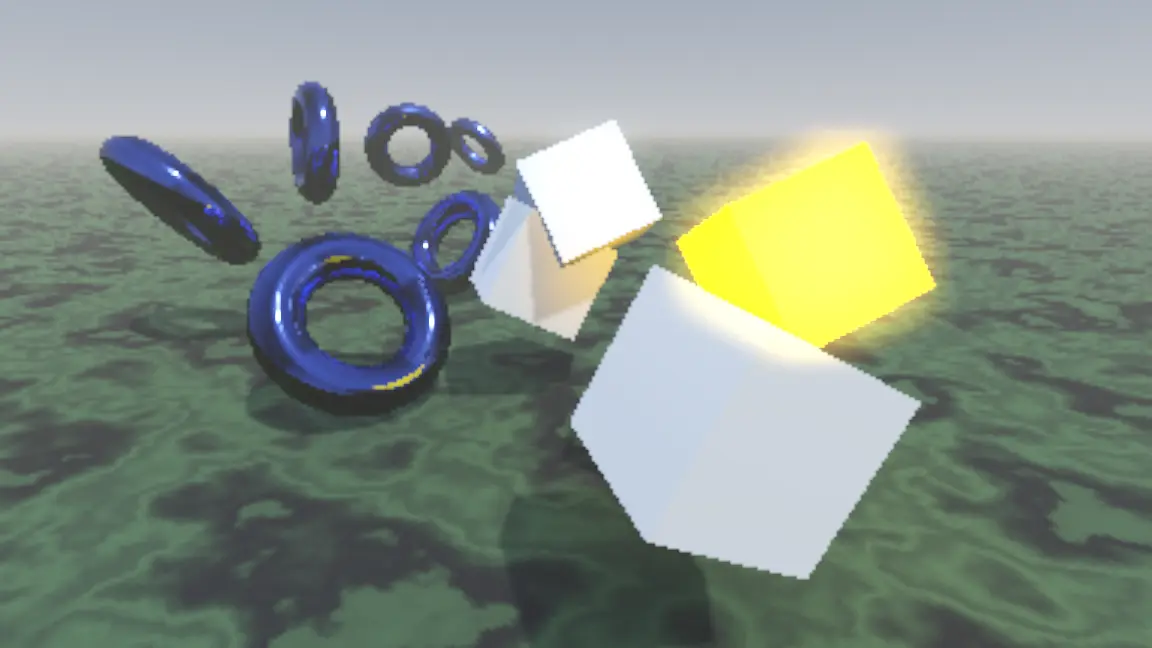
Nearest (new behavior)
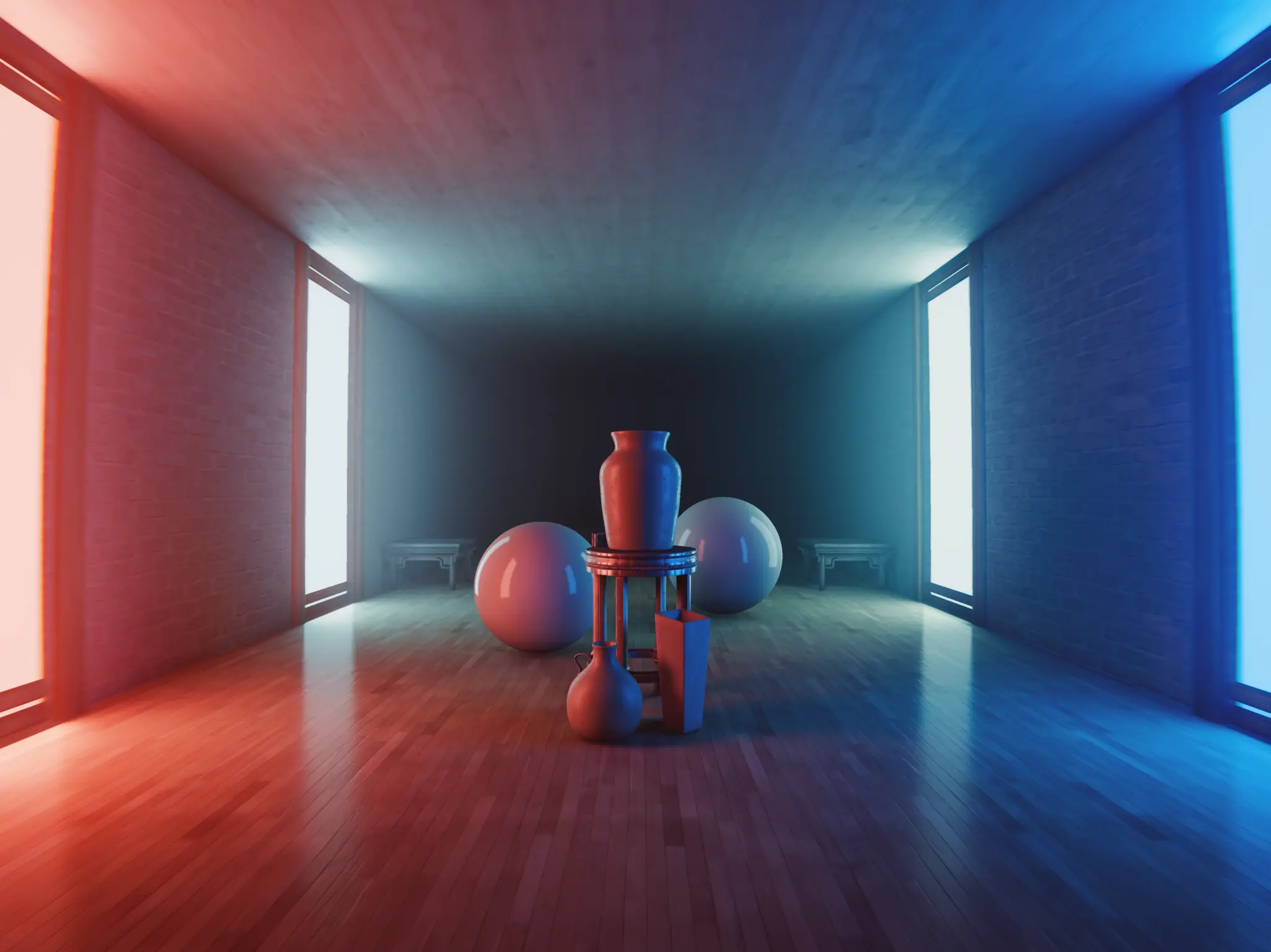
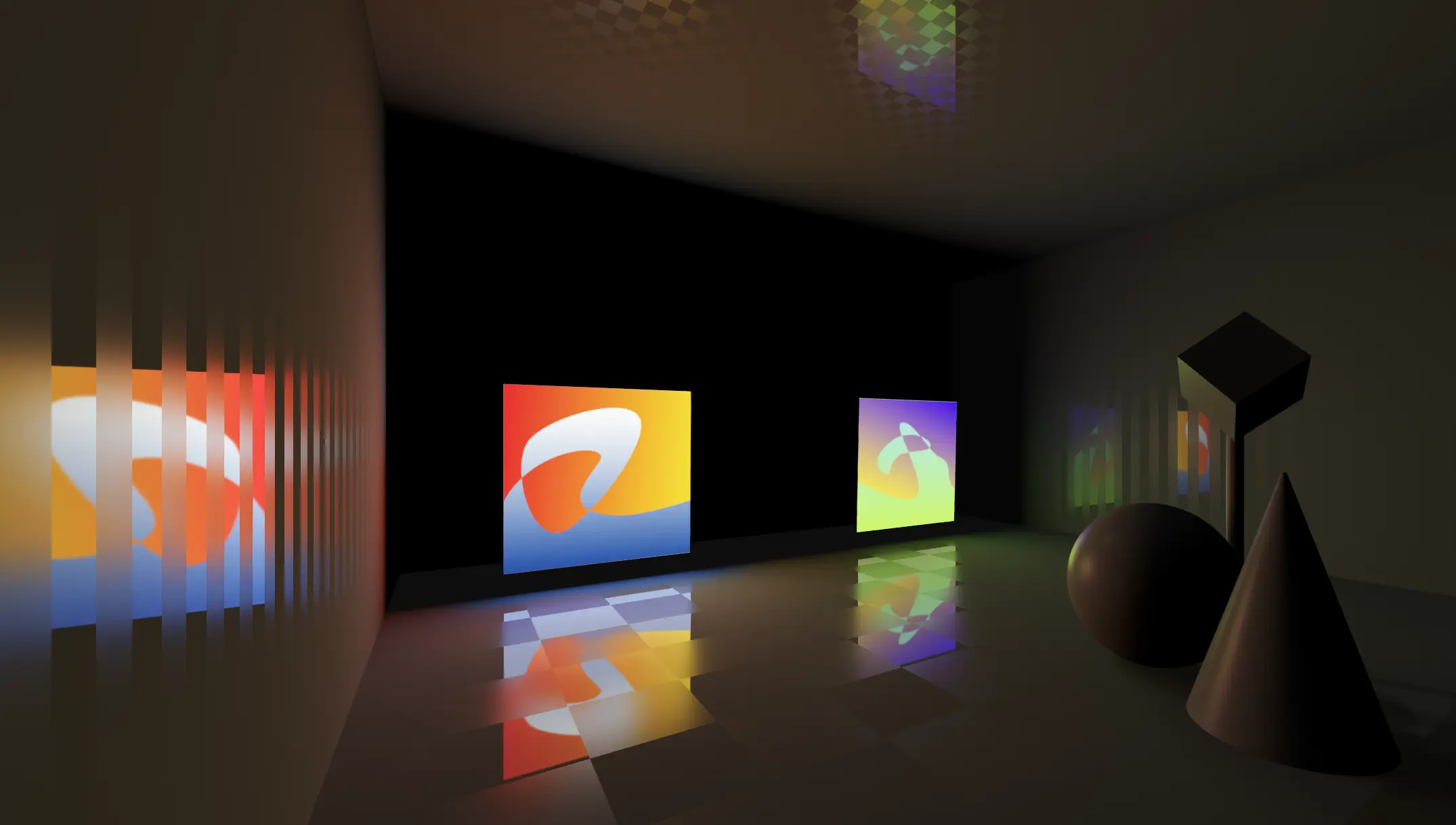
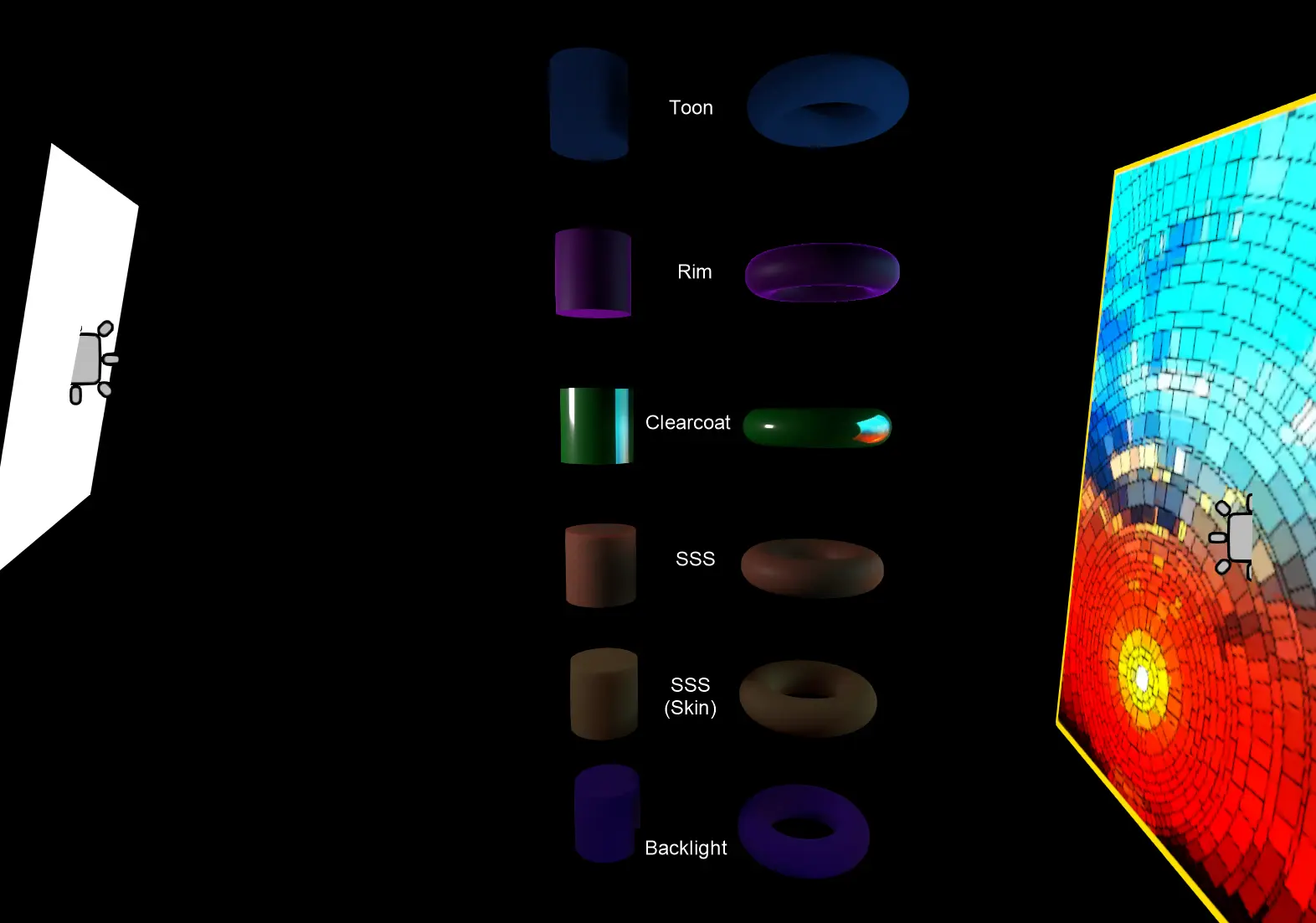
Emil Dobetsberger’s work in GH-108219 delivered rectangular area light sources. By leveraging the new AreaLight3D, it’s now possible to render real-time light from a rectangle in 3D space.
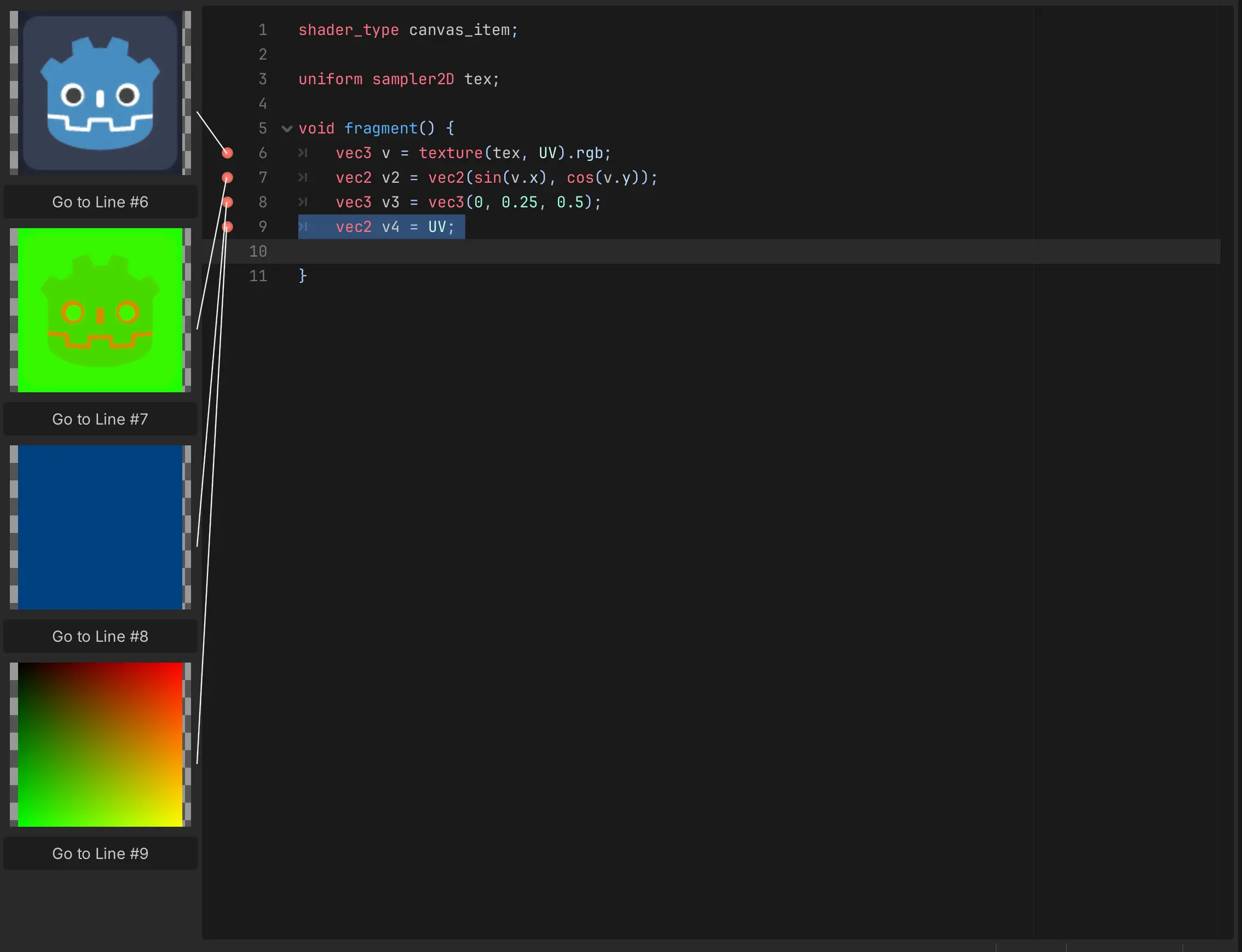
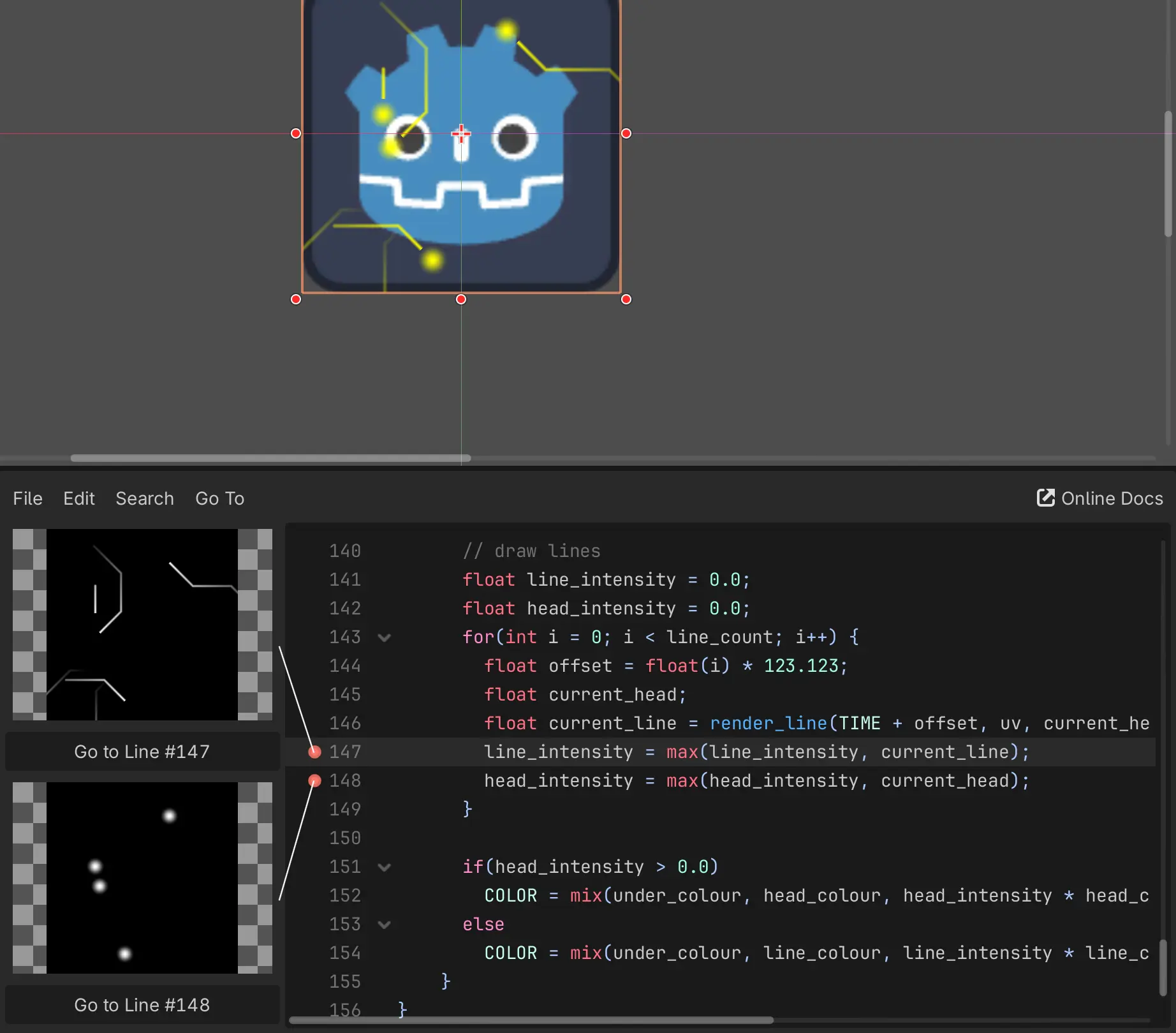
Yuri Rubinsky rounds us off with a shader highlight with his work in GH-117726 bringing inline previews. This is a C++ implementation and improvement of Godot Shader Previewer, a popular addon written in GDScript by Cashew OldDew. Much like the addon before it, this aims to reduce the amount of guesswork when constucting text shaders, as now one can readily see the resulting effects within the text editor itself:
 –>
–>
And more:
- Change embedded window options to use three stacked dots and add HDR info (GH-118079).
- Refactor raytracing pipelines (GH-118044).
- Rendering: Clearcoat improvements and fixes (GH-111464).
- Rendering: Give every pass its own unique environment uniform buffer (GH-115177).
- Rendering: Metal: Refactor; fix dynamic uniforms; acyclic render graph support (GH-114484).
- Rendering: Vulkan: Update all components to Vulkan SDK 1.4.335.0 (GH-114075).
- Rendering: Editor additions for MipMaps and rd_textures (GH-109004).
- Rendering: Add fast path to Polygon2D (GH-117334).
- Rendering: Add scale 3D and rotation 3D in particle process (GH-112447).
- Particles: Fix particles moving when timescale is 0 (GH-109911).
Changelog
309 contributors submitted 1265 fixes since the release of 4.6-stable. See our interactive changelog for the complete list of changes. You can also review changes since the 4.7-dev5 snapshot, for a more curated selection of 85 fixes from 47 contributors.
This release is built from commit 1c8cc9e7e.
Downloads
 Linux
Linux macOS
macOS Windows
Standard build includes support for GDScript and GDExtension.
.NET build (marked as mono) includes support for C#, as well as GDScript and GDExtension.
While engine maintainers try their best to ensure that each preview snapshot and release candidate is stable, this is by definition a pre-release piece of software. Be sure to make frequent backups, or use a version control system such as Git, to preserve your projects in case of corruption or data loss.
Known issues
During the beta stage, we focus on solving both regressions (i.e. something that worked in a previous release is now broken) and significant new bugs introduced by new features. You can have a look at our current list of regressions and significant issues which we aim to address before releasing 4.7. This list is dynamic and will be updated if we discover new showstopping issues after more users start testing the beta snapshots.
With every release, we accept that there are going to be various issues which have already been reported but haven’t been fixed yet. See the GitHub issue tracker for a complete list of known bugs.
- New AssetStore API fails to load if incorrect url is cached (GH-118755).
- System an hard freeze when opening a project with Vulkan as renderer (GH-116414).
- Android: Crash on startup when
VisualShaderhasvertex_lightingenabled (GH-116990).
Bug reports
As a tester, we encourage you to open bug reports if you experience issues with this release. Please check the existing issues on GitHub first, using the search function with relevant keywords, to ensure that the bug you experience is not already known.
In particular, any change that would cause a regression in your projects is very important to report (e.g. if something that worked fine in previous 4.x releases, but no longer works in this snapshot).
Support
Godot is a non-profit, open-source game engine developed by hundreds of contributors in their free time, as well as a handful of part and full-time developers hired thanks to generous donations from the Godot community. A big thank you to everyone who has contributed their time or their financial support to the project!
If you’d like to support the project financially and help us secure our future hires, you can do so using the Godot Development Fund platform managed by Godot Foundation. There are also several alternative ways to donate which you may find more suitable.