As the Northern Hemisphere’s days get shorter and colder, we get closer to our much anticipated feature freeze. Dev 5 is jam-packed with new features and enhancements as contributors try to finish off their big contributions before we hit the feature freeze and Beta 1 shortly after. As a reminder, feature freeze is the period where we stop merging anything except for bug fixes as we shift our focus to polishing the existing code in preparation for release. We plan on entering our feature freeze on December 3 and only releasing one more dev snapshot before entering the Beta phase.
Please consider supporting the project financially, if you are able. Godot is maintained by the efforts of volunteers and a small team of paid contributors. Your donations go towards sponsoring their work and ensuring they can dedicate their undivided attention to the needs of the project.
Jump to the Downloads section, and give it a spin right now, or continue reading to learn more about improvements in this release. You can also try the Web editor, the XR editor, or the Android editor for this release. If you are interested in the latter, please request to join our testing group to get access to pre-release builds.
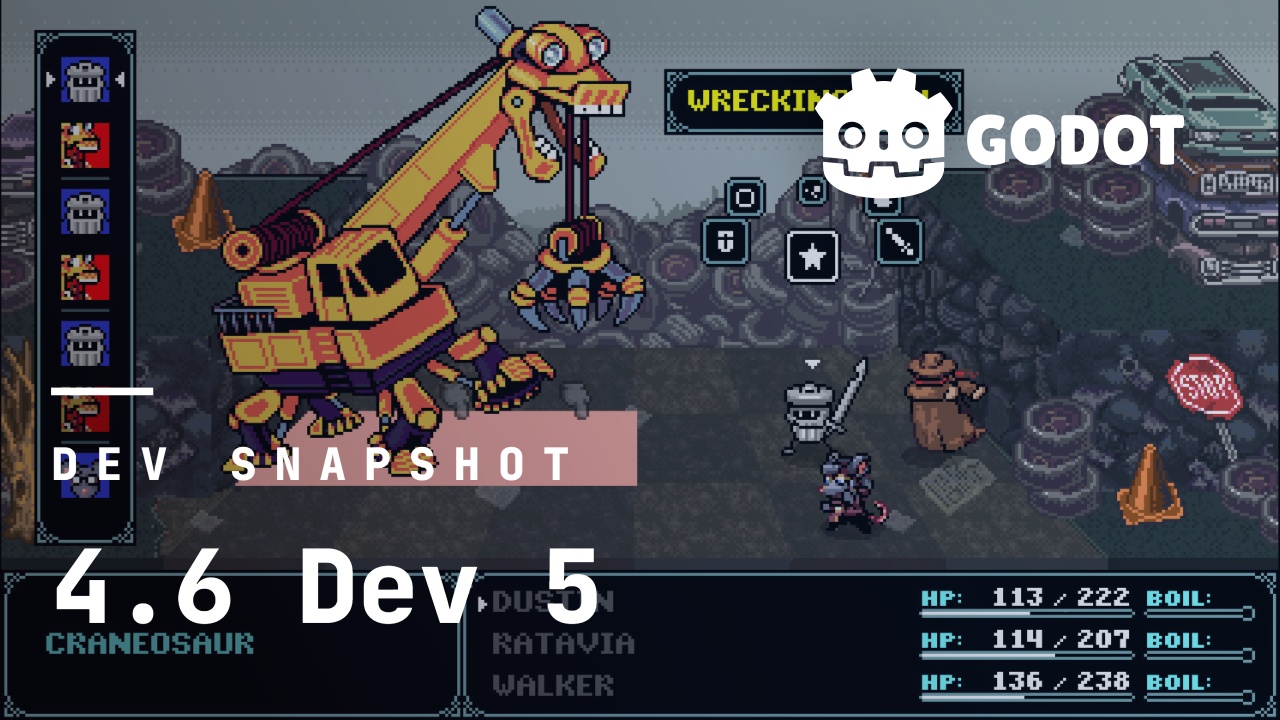
The cover illustration is from Kingdoms of the Dump, a SNES-inspired JRPG where Trash Can Knight, a trash can knight, guides their party through a fantasy world of garbage. You can get the game on Steam, and check out the developer websites for Roach Games and Dream Sloth Games. Notably: this title was created using Godot 2.1!
Highlights
Use D3D12 by default on Windows
Ever since its addition in Godot 4.3 by RandomShaper and further refinement by DarioSamo, Direct3D 12 has been a mainstay renderer for supported devices (Windows). This is because Vulkan is unfortunately unstable on Windows, with GPU drivers being poorly maintained compared to their Direct3D 12 counterparts. As such, for the 4.6 release cycle, Skyth was sponsored by the Godot Foundation to make Direct3D 12 the default RenderingDevice driver on Windows. His efforts paid off, and the change was integrated just before feature freeze (GH-113213).
This will only impact new projects created in 4.6-dev5 or later. To use this new default in pre-existing Godot 4.5 projects, you should set the rendering/rendering_device/driver.windows project setting to d3d12 manually.
Add support for delta encoding to patch PCKs
In Godot 4.4 we introduced the ability to export PCK files as a patch PCK, by letting you provide a set of base PCK files with which to compare against, and then only export the files that had actually changed since then. While this isn’t strictly needed when dealing with most of the major distribution platforms, since they will often distribute only the minimal difference between any two releases anyway, it can become important if you’re distributing content patches through your own means, where things like disk space, bandwidth costs and metered connections come more into focus.
However, while this initial implementation did allow for much smaller PCK files compared to exporting everything, it was still an all-or-nothing deal on a per-file level. This meant that if you changed just a single character in some localization string, you would end up exporting the entire localization file for that language, which can potentially be dozens of megabytes in size. This also applied to certain metadata files that Godot manages behind the scenes, which can grow quite big in large-scale projects, and which would be modified anytime you added or removed resources.
To help with this, Mikael Hermansson added support for what’s called “delta encoding”, also known as “binary patching” or “binary diffing” (GH-112011). This is the same technique used by the major distribution platforms in order to figure out what the minimal difference is between the latest release and the one you have installed, where you simply compare two arbitrary files (binary or otherwise) and try to extract the minimal set of changes from it. This means that you can now optionally export only the parts of a file that actually changed since your last patch, meaning changing a single character in some localization string results in a patch that’s on the order of a few dozen bytes, as opposed to megabytes.
Note that this feature must be explicitly enabled, under the “Patching” tab in the export dialog, because it comes with a slight runtime overhead when patches are applied, which they are every time a patched file is loaded. This overhead can be as much as a few milliseconds in the worst case.
Dedicated build app for Gradle builds on Android
Godot supports two ways to export to Android: injecting your game’s data into a pre-built APK (the default) or by running the Gradle build system, which is how native Android apps are usually built.
Modifying the pre-built APK is faster and requires less setup, but is more limited. If you want to use Godot Android Plugins to integrate, for example, Google Play Billing, AdMob, or build an XR app, you need to use Gradle.
While the Godot editor itself runs on Android, allowing you to develop games on your phone or tablet, it has only ever supported exporting via the pre-built APK… until now!
Thanks to the efforts of David Snopek and Logan Lang in GH-111732, Godot is now able to initiate Gradle builds on Android, by sending commands to a companion app that provides a full Linux-like build environment to run Gradle. Using a companion app allows us to make setup easy by including everything you need within the app, while keeping Godot itself lightweight. We plan to release the app on Google Play and other Android stores before Godot 4.6 stable is released, but for now you can download an APK from the PR.
Moving OpenXR forward
Godot now supports OpenXR 1.1 and will automatically enable OpenXR 1.1 features on devices that support this (GH-109302). This comes with a compatibility layer to make this as transparent as possible for developers who want to deploy their games both to headsets that support OpenXR 1.1, and those that only support OpenXR 1.0.
The OpenXR loader logic for AOSP platforms has moved from the vendor plugin into the core (GH-106891). Godot can now export to any supported OpenXR platform without relying on any plugins. This enables creating and distributing a single APK that runs on nearly all AOSP devices, a potential game changer for tutorial makers and developers who target vendor-agnostic stores like itch.io. The Godot OpenXR vendor plugin remains an important first-party plugin that enables the use of vendor extensions and implements support for specific vendor permissions and feature settings.
Massive optimizations to the 2D renderer
In Godot 4.4 we introduced automatic 2D batching which is an optimization that saves a huge amount of CPU resources by drawing similar objects in a single draw call. 2D batching results in huge wins for content that can easily be batched, like text-heavy games or bullet hells.
Batching doesn’t come without a cost, when the batching system is unable to create any batches, then it adds a performance cost, but doesn’t improve performance. It also makes rendering slightly more expensive for the GPU.
In our testing we found that most scenes we tested were CPU-bottlenecked, so the increase in GPU cost did not make a noticeable difference, and where it did, the decrease in performance was very small.
However, over time we have had a few concerning reports of 4.4 being significantly slower than 4.3, especially on older and lower-end mobile devices. These devices also tended to be GPU-bottlenecked, which made the performance regression even more concerning.
In this release, we did a huge overhaul to the design of our 2D renderer to reduce the GPU performance cost when batching. The end result is significantly better performance on a range of hardware. In our testing this change has resulted in improved performance on all devices (in GPU-bound scenarios) ranging from 1.1x to 7x as fast.
To read more and see the benchmarks, check out the pull request.
And more!
There are too many exciting changes to list them all here, but here’s a curated selection:
- 2D: Add support for rotating scene tiles in TileMapLayer (GH-108010).
- Animation: Add option to BoneConstraint3D to make reference target allow to set Node3D (GH-110336).
- Animation: Change AnimationLibrary serialization to avoid using Dictionary (GH-110502).
- Core: Add
RequiredParam<T>andRequiredResult<T>to markObject *arguments and return values as required (GH-86079). - Core: Fix EnumDevices stall using IAT hooks (issue with certain USB peripherals) (GH-113013).
- Core: Implement support for reading and writing extended file attributes/alternate data streams (GH-102232).
- Editor: Add “Use Local Space” option to the 2D editor (GH-107264).
- Editor: Add ability to add new EditorSettings shortcuts (GH-102889).
- Editor: Add expression history to evaluator (GH-108391).
- Editor: Add tab menu button to list currently opened scenes (GH-108079).
- Editor: Allow customization of TabContainer tabs in editor (GH-58749).
- Editor: Allow dragging setting flags in layers property editor (GH-112174).
- Editor: Allow editing groups on multiple nodes (GH-112729).
- Editor: Allow resizing the length of animations by dragging the timeline (GH-110623).
- Editor: Make bottom panel into available dock slot (GH-108647).
- Editor: Make rotation gizmo white outline a 4th handle that rotates around the camera’s view-axis (GH-108608).
- Editor: Move History dock to the bottom left by default (GH-112996).
- Editor: Rename Select Mode to Transform Mode, and create a new Select Mode without transform gizmo (GH-101168).
- Editor: Separate Node editor dock into two new docks: Signals and Groups (GH-101787).
- Editor: Show a warning toast when saving a large text-based scene (GH-53679).
- GDExtension: Store source of gdextension_interface.h in JSON (GH-107845).
- GDScript: Add debug/gdscript/warnings/directory_rules project setting (GH-93889).
- GDScript: Add step out to script debugger (GH-97758).
- GDScript: LSP: Rework and extend BBCode to Markdown docstring conversion (GH-113099).
- GUI: Allow SplitContainer to have more than two children (GH-90411).
- Platforms: Android: Adjust script editor size for virtual keyboard (GH-112766).
- Platforms: Wayland: Implement game embedding (GH-107435).
- Rendering: Refactor rendering driver copy APIs to fix several D3D12 issues (GH-111954).
- Rendering: TAA adjustment to reduce ghosting (GH-112196).
- XR: Add support for Android XR devices to the Godot XR Editor (GH-112777).
- XR: Implement
XR_KHR_android_thread_settings(GH-112889). - XR: Implement
XR_META_foveation_eye_tracked(GH-112888). - XR: OpenXR: Add profiling macro for process,
xrWaitFrame()and acquiring swapchain (GH-112893).
Changelog
134 contributors submitted 323 fixes for this release. See our interactive changelog for the complete list of changes since 4.6-dev4. You can also review all changes included in 4.6 compared to the previous 4.5 feature release.
This release is built from commit f5918a9d3.
Downloads
 Linux
Linux macOS
macOS Windows
Standard build includes support for GDScript and GDExtension.
.NET build (marked as mono) includes support for C#, as well as GDScript and GDExtension.
While engine maintainers try their best to ensure that each preview snapshot and release candidate is stable, this is by definition a pre-release piece of software. Be sure to make frequent backups, or use a version control system such as Git, to preserve your projects in case of corruption or data loss.
Known issues
With every release we accept that there are going to be various issues, which have already been reported but haven’t been fixed yet. See the GitHub issue tracker for a complete list of known bugs.
Bug reports
As a tester, we encourage you to open bug reports if you experience issues with this release. Please check the existing issues on GitHub first, using the search function with relevant keywords, to ensure that the bug you experience is not already known.
In particular, any change that would cause a regression in your projects is very important to report (e.g. if something that worked fine in previous 4.x releases, but no longer works in this snapshot).
Support
Godot is a non-profit, open source game engine developed by hundreds of contributors on their free time, as well as a handful of part and full-time developers hired thanks to generous donations from the Godot community. A big thank you to everyone who has contributed their time or their financial support to the project!
If you’d like to support the project financially and help us secure our future hires, you can do so using the Godot Development Fund platform managed by Godot Foundation. There are also several alternative ways to donate which you may find more suitable.